Operations | Monitoring | ITSM | DevOps | Cloud

Mistakes To Avoid With Your Public Status Page

A public status page forms the public face of your organization's service availability. It is the first point of contact for your customers to check the status of your services during times of crisis. Hence, ensuring the credibility and uptime of your public status page is crucial to your organization's reputation. In this article we will look at the key mistakes to avoid while hosting and managing a public status page.

Best Practices for Planning for Upcoming Cloud Maintenance

Cloud maintenance is a common practice in the tech industry. Whether you manage your own infrastructure or use a cloud provider, you will need to plan for maintenance and include it as part of your operational readiness. This ensures that your team is prepared for potential downtime and can deal with any incidents in a timely manner. This article will cover some best practices for planning for upcoming cloud maintenance.

How to Fine Tune Your IncidentHub Alerts

IncidentHub can send outage alerts to many external systems. You can choose from Slack, Webhook, Email, Discord, PagerDuty, and more. Alerts are effective only when they are relevant and actionable. In this article, we will explore how to fine-tune your IncidentHub alerts to receive only the relevant ones for your third-party services.

Top 6 Reasons Why You Need a Status Page Aggregator

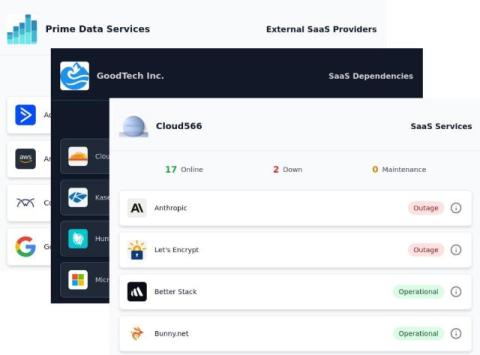
Your business depends on the reliability of the third-party services you use. Monitoring the status pages of these services is the best way of keeping track of their outages and maintenances. Although some status pages let you subscribe to alerts, there is no standard way of doing this. Service providers can change their status page providers, disable subscriptions, or not support the same notification options.

January 2025 Product Update - Easier Onboarding, Better User Experience, and Reliability Improvements

For the last two months, we have focused on improving the onboarding experience for users so that they can get started with monitoring with minimal effort. We have also added several improvements in the backend to make the service more robust and reliable. Some of the usability improvements are driven by user feedback. Others incorporate what we would personally like to see in such a monitoring service. We have also improved the dashboard user experience.

Adding a Grafana Dashboard to Your Prometheus Setup

This article is part of a series on setting up an end-to-end monitoring and alerting stack using Prometheus. Continuing our series on setting Prometheus in a Docker container, we will add a Grafana instance to our Prometheus setup. Please refer to the previous article where we use docker compose to run Prometheus and Alertmanager together as that forms the basis to run multiple related containers. We will add a container to run Grafana to the same compose file in this article.

How To Decide Between Hosting Your Own Status Page Versus Using a Managed One

A status page forms a key part of your incident communication strategy. When it comes to setting up a status page, you have two options: We will examine the pros and cons of each option along these dimensions: For 1, if you choose a self-managed, open-source or custom solution, it's in your control. For a managed solution, you are limited by the provider's feature set. For 2, if you choose a self-managed solution, your team is responsible for the quality of the service.

Monitoring Security Vulnerabilities in Your Cloud Vendors

If you manage applications running on cloud platforms, you likely depend on multiple cloud vendors and services. These could be infrastructure providers like AWS, GCP or Azure. A vulnerability in any of these services could potentially impact your applications and your users. A cloud platform has many moving parts, many of which are dependent on other third-party providers.