Operations | Monitoring | ITSM | DevOps | Cloud

See Inside the Datadog Platform

Datadog offers a single unified platform to monitor your infrastructure, applications, networks, security threats, UX, and more. For full visibility, you can seamlessly navigate between metrics, traces, and logs. Built-in machine learning tools, clear visualizations, and a companion mobile app make it easy to monitor growing environments. See inside any stack, any app, at any scale, anywhere.

Announcing support for the AWS managed Lambda Layer for OpenTelemetry

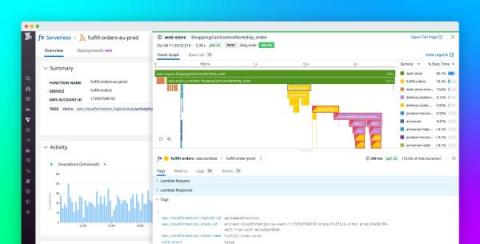
Datadog’s support of OpenTelemetry—a vendor-agnostic, open source set of APIs and libraries for collecting system and application telemetry data—has helped thousands of organizations implement monitoring strategies that complement their existing workflows. Many of our customers leverage OpenTelemetry for their server- and container-based deployments, but also need visibility into the health and performance of their serverless applications running on AWS Lambda.

Monitor cloud endpoint health with Datadog's cloud service autodetection

Your modern cloud-hosted applications rely on a number of key components—such as databases and load balancers—that are managed by the cloud provider. While these cloud resources can reduce the overhead of maintaining your own infrastructure, capturing and contextualizing monitoring data from services you don’t own can be difficult.

Detect unauthorized third parties in your AWS account

Detecting when an unauthorized third party is accessing your AWS account is critical to ensuring your account remains secure. For example, an attacker may have gained access to your environment and created a backdoor to maintain persistence within your environment. Another common (and more frequent) type of unauthorized access can happen when a developer sets up a third-party tool and grants it access to your account to monitor your infrastructure for operations or optimize your bill.

How to monitor HashiCorp Vault with Datadog

In this series, we’ve introduced key HashiCorp Vault metrics and logs to watch, and looked at some ways to retrieve that information with built-in monitoring tools. Vault is made up of many moving parts, including the core, secrets engine, and audit devices. To get a full picture of Vault health and performance, it’s important to track all these components, along with the resources they consume from their underlying infrastructure.

Tools for HashiCorp Vault monitoring

In Part 1, we looked at the key metrics for monitoring the health and performance of your HashiCorp Vault deployment. We also discussed how Vault server and audit logs can give you additional context for troubleshooting issues ranging from losses in availability to policy misconfiguration. Now, we’ll show you how to access this data with tools that ship with Vault.

Debug Android crashes faster with Datadog

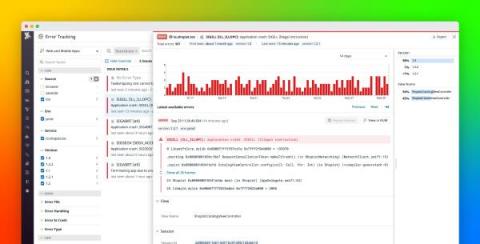
Technical issues, such as fatal crashes, are one of the biggest reasons why users uninstall mobile applications, so quickly identifying and resolving issues is vital for user retention. This can be challenging, particularly in the Android market, which has a wide variety of mobile devices and versions of the Android operating system. You need visibility into every issue so you can determine which crashes impact your application the most and efficiently resolve them.