Operations | Monitoring | ITSM | DevOps | Cloud

Feature Spotlight: Session-based Replay #trafficanalysis #api #developertools #techtutorial

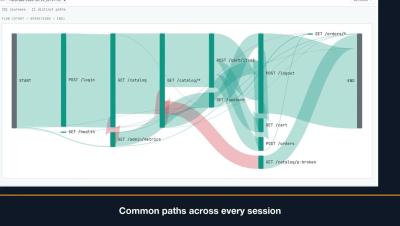
This video provides an overview of using Sessions to group traffic by actor credentials, track individual user journeys chronologically, and analyze request flows. It also covers how to check replay readiness for JWT sessions, replay recorded user journeys at their original pace, verify pass/fail counts, and save or sample specific sessions for easy sharing. Learn more: speedscale.com.
Feature Spotlight: Import & Export to Load Testing Tools #api #postman #openapi #loadtesting #devops

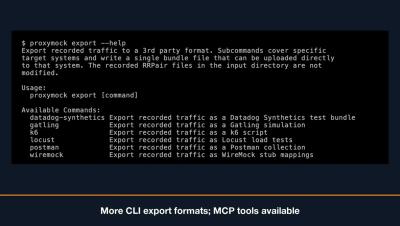
Proxymock allows you to import existing Postman collections, browser HAR files, and OpenAPI specifications to instantly create test requests and mock responses. You can also pull traffic directly from cloud storage buckets, or export your requests into load testing scripts for tools like K6, Gatling, and Locust. Coding agents can even manage these imports and exports using integrated MCP tools. Learn more: speedscale.com.

Feature Spotlight: Testing GraphQL #graphql #apitesting #developertools #techtutorial #devops

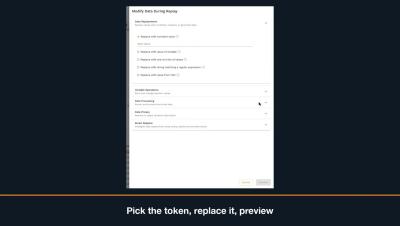
Learn how to resolve failed GraphQL session queries by updating expired tokens before replaying your snapshot. This video demonstrates how to find the GraphQL operation, edit variable values by path, and successfully pass replay checks. Learn more: speedscale.com.

Feature Spotlight: Automatic Testing with Proxymock MCP Skills #aiagents #mcpserver #softwaretesting

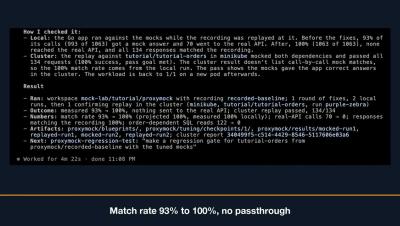
Learn how to integrate your AI coding agent with Speedscale using the MCP server to record, replay, tune mocks, and analyze reports directly within your workspace. Streamline your testing workflow by letting your agent automatically capture traffic, resolve failing responses, and optimize match rates. Learn more: speedscale.com.

Feature Spotlight: Replay Progress Tracking #kubernetes #mocktest #devops #appperformance

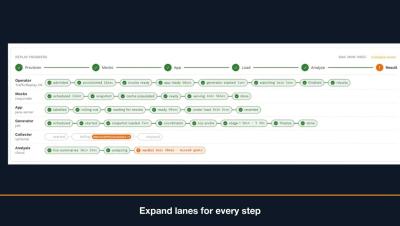
Learn how to track cluster performance in real time using the replay progress panel, which highlights key phases including provision, mock, app, load, analyze, and result. You will also discover how to easily troubleshoot failed runs by expanding component lanes to review specific step reasons and cluster events. Learn more: speedscale.com.

Harness Cost Management Agent | How to Set and Enforce AI Spending Budgets

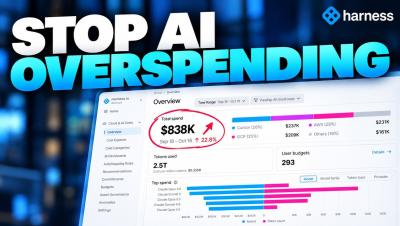
Control AI spending across your organization with Harness Cost Management Agent's AI User Budgets. In this demo, see how Harness helps teams set, monitor, and enforce AI spending limits across tools like Claude, Cursor, and Amazon Bedrock, all from one centralized control plane. What you'll learn: Set weekly AI spending budgets for users and teams Track AI consumption across multiple tools and models.

Enterprise Vibe Mode: Deploy AI-Built Apps to Production | Harness Demo

Vibe coding makes building applications easier than ever. But how do you take an AI-generated app and safely deploy it to production? In this demo, see how Harness brings Vibe Mode to the enterprise, allowing anyone to deploy applications while automatically applying your organization's security policies, governance, compliance requirements, and deployment configurations. See how Harness enables teams to.

The Auvik Spring 2026 roadmap

Our Spring 2026 product roadmap is built around the idea that AI network management should start with what’s actually happening on your network, not a blank prompt. Over the past six months we’ve built Auvik AI into alerting, troubleshooting, the remote terminal, and Command Runner. We’ve also added, faster fixes for servers and workstations, and a ServiceNow CMDB integration. We walked through all of this, plus what’s coming next, in our Spring 2026 roadmap webinar.