As businesses now rely on technology to carry out most, if not all their operations, the volume of IT issues that arise on a daily basis has grown significantly. From large corporations to small startups, operations are primarily run via a digital workplace that encompasses a huge variety of technology, such as Microsoft Office, Zoom, Google Meet, MS Teams, Salesforce, and many more.
Digital transformation is complex, and software license costs can balloon your IT budget. Nexthink helps your team track adoption of SaaS applications, so you can make data-driven decisions to lower costs or speed digital transformation. In this blog, you’ll learn how Nexthink helps IT teams like yours evaluate application adoption and increase usage.
When devices are not rebooted frequently, it can adversely impact the Logon and Extended logon duration and affect device memory and device performance. This can lead to missing critical patches and Windows updates causing performance and security issues, Hence, scheduled restart of the device once in 7 days is a recommended best practice. Let us look at How to Improve Device Performance by doing a scheduled restart with Nexthink.
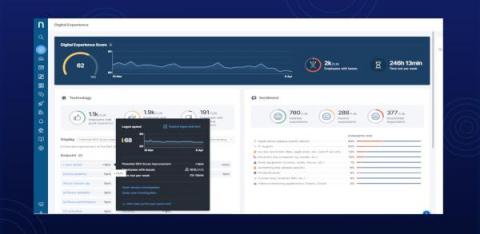
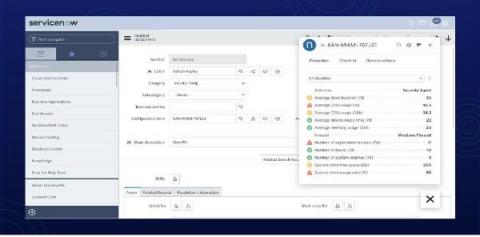
Deliver DEX Insights Anywhere With Nexthink Amplify Nexthink recently announced the launch of Amplify, a browser-based solution to deliver Nexthink insights into any browser-based platform. For years, Nexthink has innovated with the aim to reduce the complexity of managing digital workplaces and to improve the digital experience of employees (DEX).
In any hospital, IT tickets raised by doctors and nurses are critical because every IT issue they face takes time and energy away from the delivery of care. The longer it takes to resolve a ticket from clinical staff, the greater the potential negative impact that issue can have on patient experience. Yet even with significant investment in support resources, doctors and nurses may still feel their technology issues are not resolved fast enough.