Drag and drop branches onto each other to start #merge operations seamlessly. 🖥️ This approach to merging is quick and easy, visually mapping out merge history for clarity into your repo's history. 🔍
So, you want to stay in your terminal. That doesn't mean you have to miss out on any GitKraken goodness. 👀 The GitKraken CLI makes it easy to use features like Workspaces, Cloud Patches, and more, all without leaving the comfort of your terminal. 🖥️ Download for free at gitkraken.com/cli or 'gk-cli' on GitHub!
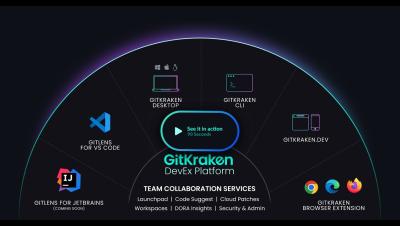
Love the command line? GitKraken's got you covered! Switch between a full-feature GUI, a straightforward terminal, or the best of both worlds. 🖥️ 🌏 What's your coding style – buttons galore or just the essentials? 👩💻
Cloud Patches let you share WIPs in just a few clicks. ⚡️ Manage permissions to control who has access, or just send the link to yourself so you can quickly access your code across multiple devices. 🔄🔒
🌩️ Facing access issues or need to tweak more than just a few lines of code? GitKraken Client's Cloud Patches are here to help! Discover a smoother way to integrate changes across repositories, making it easier to refine and adjust your code just the way you need.
Matt Johnston, GitKraken CEO, shares his insights on the impact of context switching on developers' productivity and how crucial those moments of flow can be.
Cloud Patches improve how developers collaborate. Devs can iterate early & often -- long before the PR stage. This speeds up merges, ensures repos stay free from clutter, and avoids rework during the review stage. This video will show you 2 ways of creating a Cloud Patch in GitKraken Client.
🌐 With 'gk focus', you can turn your terminal into a central hub for viewing issues and pull requests across projects. Need to see a PR on GitHub? Hit 'o' to switch over. It's that simple! ✨