Operations | Monitoring | ITSM | DevOps | Cloud

DOES Cache Rule Everything Around Me? - Using Compression for our Prometheus Cache

Checkly is a key part of a professional developer’s workflow, making it easy to know if your service is up or down, and measure performance. As we integrate with almost any development workflow, we also have Prometheus endpoints to let you use the popular Grafana stack to keep track of your site checks’ status. As large enterprise users grew in usage, their check performance data grew in parallel, and our endpoint started returning occasional 429 status codes.

Why Monitoring as Code Is the Future of Application Reliability for Modern Teams... and how it can save you $1 million!

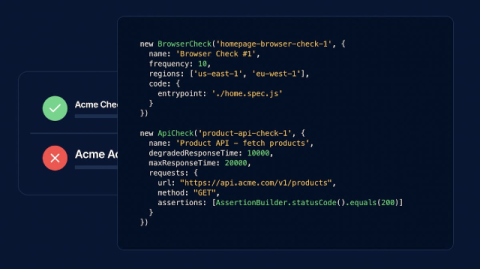
I recently talked to a customer of Checkly and he shared some thoughts about Monitoring as Code. Let’s call him Karl in this article. Karl and I talked about why Monitoring as Code (MaC) is becoming essential for teams operating at scale. As the Head of Platform Engineering at a major e-commerce company processing millions of transactions daily, his experience shows how MaC solves a lot of the messy challenges that come with traditional synthetic monitoring setups.

How LinkedIn Stopped Relying on Users to Report Bugs

When making changes to your production services, it’s important to have a plan for how to detect problems and roll back changes. How many roll out plans would include: “if it breaks, don’t worry, the users will tell us!” But if your monitoring coverage of production services isn’t complete, you’re implicitly relying on your users to tell you when something breaks.

How good is GitHub Copilot at generating Playwright code?

People keep asking us here at Checkly if and how AI can help create solid and maintainable Playwright tests. To answer all these questions, we started by looking at ChatGPT and Claude to conclude that AI tools have the potential to help with test generation but that "normal AI consumer tools" aren't code-focused enough. High-quality results require too complex prompts to be a maintainable solution.

Prometheus Blackbox Exporter vs Kuberhealthy for K8s monitoring

We all implement tools to monitor our nodes and keep our entire cluster up and running. But how often do updates, failures, or errors mean that users suffer outages, even though our status boards look green? As Kubernetes has enabled more complex microservice architecture, the gap between the state of the dashboard, and the health of services for the user, has grown wider.

Are ChatGPT or Claude better than Playwright Codegen?

I'm a bit of an AI skeptic. And even though GitHub Copilot is my daily auto-completion on steroids, I always double-check the code generated by LLMs. If you're using AI for coding, you probably know that the results are sometimes surprisingly good and other times shockingly terrible. Lately, I have seen more and more articles and even docs recommending ChatGPT to generate Playwright tests. Could this be true? Are ChatGPT and friends really that good at generating test code?

Five Playwright CLI features you should know

Thanks to Microsoft's Playwright, running end-to-end tests with real browsers is quickly done. Initialize a new Playwright project, install all the dependencies, and off you go! Then, any new headless browser test run is only one npx playwright test away. But have you checked all the test command's CLI options? playwright test includes a few real gems to help you create better tests faster. Let me share a mixed bag of my favorite CLI tricks in this post.

How to parameterize Playwright projects

In a previously released YouTube video, I explained how and why Playwright fixtures perfectly match with page object models. Combining the two allows you to hide setup instructions and keep your tests clean. Page object models no longer have to be initialized in every test case. To be upfront — I'm a fixture fanboy! But what if you need to pass additional configuration to your page object models? When options are hidden in a fixture, you can't configure how a class is initialized, right? Wrong!

Attach Screenshots to Your Playwright Test Reports

Today I want to show you how you can attach your screenshots directly to Playwright's test reports. Imagine you have a simple Playwright test that navigates to Checkly. You take a screenshot and store it in screenshots/home.png. Then, you click a link in the main navigation, expect a specific heading to be visible, and take another screenshot. When you run this test using npx playwright test, the test passes, and you find the screenshots in the /screenshots directory.