Operations | Monitoring | ITSM | DevOps | Cloud

Sentry + Stripe Projects: From Zero to Error Monitoring in Two Commands

No signup form. No dashboard. No copy-pasting DSNs. Sentry is now a provider on Stripe Projects, which means you can provision a fully configured Sentry project — error monitoring, tracing, and session replay — straight from the CLI in two commands. In this demo, we walk through the full workflow: initializing a project, provisioning Sentry, upgrading and downgrading plans, using magic login to jump straight into your dashboard, and letting a coding agent (Claude Code) handle it all for you.

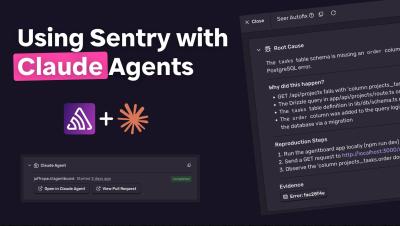
Sentry + Claude Agents: Automatic Bug Fixes from Root Cause to PR

Seer, Sentry's AI debugger, automatically analyzes your issues and finds the root cause. Now you can pass that analysis directly to a Claude agent - a managed agent session in the Claude Console at platform.claude.com. Once it's done, a link to the branch appears in Sentry so you can review and merge the PR. This video walks through how the integration works and how to set it up in under two minutes.

When agents orchestrate agents, who's watching?

You used to monitor services. Then you started monitoring AI calls inside services. Now your AI agent is spinning up other AI agents to complete tasks. Your old monitoring instincts need to evolve. This isn't hypothetical. Agentic architectures are already in production. Coding agents are calling search agents; orchestrators are spawning specialized sub-agents for retrieval, planning, and execution. Teams are shipping these systems faster than they're figuring out how to watch them.

No more monkey-patching: Better observability with tracing channels

Almost every production application uses a number of different tools and libraries,whether that’s a library to communicate with a database, a cache, or frameworks like Nest.js or Nitro. To be able to observe what’s going on in production, application developers reach out for Application Performance Monitoring (APM) tools like Sentry. But there’s an inherent problem: the performance data that APM tools need is most often not coming natively from the libraries themselves.

Sentry Built AI Dashboards: Monitor Your AI Agents End-to-End

Building AI applications? There's a lot more to monitor beyond errors. With tracing enabled, Sentry's built-in AI Dashboards give you deep visibility into how your agents are actually performing. This video walks through three key dashboard views: You'll also see how to drill from a dashboard widget straight into the trace explorer to pinpoint the root cause of errors, how to duplicate and customize dashboards to fit your needs, and how to set up monitors with alert thresholds - like getting notified if your LLM calls exceed 20 seconds.

Debugging multi-agent AI: When the failure is in the space between agents

I've been building a multi-agent research system. The idea is simple: give it a controversial technical topic like "Should we rewrite our Python backend in Rust?", and three agents work on it. An Advocate argues for it, a Skeptic argues against, and a Synthesizer reads both briefs blind and produces a balanced analysis. Each agent has its own model, its own tools, its own system prompt. It worked great in testing. Then I noticed the Synthesizer kept producing analyses that leaned heavily toward one side.

Grave improvements: Native crash postmortems via Android tombstones

Native crashes on Android have always been harder to debug than they should be. The platform has its own crash reporter (debuggerd) that captures the crashing thread, every other running thread, register state, and memory maps into a file called a tombstone. Tombstones have been a part of Android for a long time; in fact, they’ve been there in one form or another since Android's first commit.

User Feedback to Pull Request in Minutes with Cursor + Sentry

Cursor Automations + Sentry Triggers: go from user feedback to a pull request automatically. See how to set up an end-to-end workflow that turns feedback into code changes, posts the PR to Slack, and keeps your team in the loop. In this video, we walk through a real-world example using Sentry Docs. A user submits feedback through a widget on the docs site, it lands in Sentry as an issue, and when assigned, a Cursor Automation kicks off. The automation reads the feedback, validates it, generates a PR against the repo, and posts the link in the relevant Slack thread. No manual work required.

Fewer Tools, Faster Fixes: A Practical Guide to Observability Consolidation

Most observability stacks aren’t designed, they accumulate. A logging tool here, a tracing platform there, and before you know it you’re managing rising costs and a setup that ultimately slows down your team. And you’ve moved further away from actually solving problems for your users.

Next.js Overview Dashboard: Monitor Performance Beyond Errors

Building with Next.js and using Sentry? Our team put together a dedicated Next.js Overview Dashboard that gives you a full picture of your application's health, not just errors. Out of the box, the dashboard covers page loads, API latency, issue counts, performance scores, rage and dead clicks, and slow SSR. Since Next.js runs on both client and server, you get a breakdown of client transactions, server transactions, and your SSR file tree all in one place.

Sample AI traces at 100% without sampling everything

A little while ago, when agents were telling me “You’re absolutely right!”, I was building webvitals.com. You put in a URL, it kicks off an API request to a Next.js API route that invokes an agent with a few tools to scan it and provide AI generated suggestions to improve your… you guessed it… Web Vitals. Do we even care about these anymore?

From Insights to Dashboards: Customize Your Sentry Experience

You fixed all the errors. But the job's not done. If you're using tracing, logs, metrics, or other Sentry products, there's a wealth of performance data scattered across your application just waiting to be surfaced. In this video, we walk through the move from Insights to Dashboards: giving you full control over how you view, filter, and customize your monitoring setup. Here's what's covered: Check out Dashboards in your Sentry organization and let us know what you think!

Nothing But [Inter]net 2026 Highlights

​We put the internet’s loudest developers in one room at Chase Center. On purpose. Tune in for highlights from the event from: ​Wes Bos and Scott Tolinski: hosts of your favorite developer podcast, Syntax. Taught half of you how to actually use React. ​Teej and ThePrimeagen: sell coffee through the terminal, have over a million YouTube subscribers and even more opinions on memes.

AI agent observability: The developer's guide to agent monitoring

Most "agent observability best practices" content reads like a compliance checklist from 2019 with "AI" pasted over "microservices." Implement comprehensive logging. Establish evaluation metrics. Create governance frameworks. Not a single line of code. No mention of what happens when your agent silently picks the wrong tool on turn 3 and you need to figure out why.

Send your existing OpenTelemetry traces to Sentry

You spent months instrumenting your app with OpenTelemetry. The idea of ripping it out to adopt a new observability backend is not an option. Sentry's OTLP endpoint means you don't have to. In fact, two environment variables are all you need and your existing traces start showing up in Sentry's trace explorer. Sentry's OTLP support is currently in open beta. This means you can start using it today, but there are some known limitations we'll cover later.

Distributed Tracing | Debugging your Next.js applications with Sentry

Sometimes a simple stack trace won’t provide enough information for you to debug the issue at hand. There are types of issues that require you to know what happened leading up to the exception. In those cases, reach for tracing. Distributed tracing gives you an overview of every operation that happened during the execution of a certain functionality across your whole stack. Aside from being an awesome debugging tool, it also lets you identify any performance bottlenecks in your application. In this video you’ll learn how to view traces in Sentry and implement them in your Next.js application.