Operations | Monitoring | ITSM | DevOps | Cloud

New Custom Dashboards: Metrics, Logs, Live Commands, and More in a Single View

Custom dashboards in Netdata have always let you pull charts together on-the-fly into a single view. That’s useful, but it’s also limited. In practice, when you’re running an incident or reviewing a service, you don’t just want charts. You want to see the output of top alongside your CPU metrics. You want slow query logs next to your database latency charts.

Alert Acknowledgement: Mark It as Seen, Keep Working

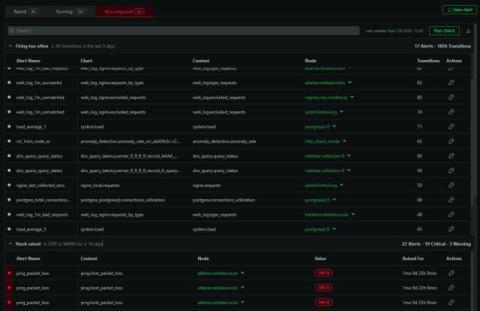
If you’ve ever opened the alerts tab during a busy period, you know the problem. There are alerts you’ve already looked at, alerts someone on your team is handling, and alerts that fired on a known issue that’s being worked on. They all sit together in the same list alongside the new ones you haven’t seen yet.

Expanded Chart View: Investigate Without Leaving the Chart

Charts in Netdata have always been interactive. You can zoom, pan, select time ranges, and see per-second granularity across thousands of metrics. But when you spotted something interesting, the next steps usually meant leaving the chart: opening another tab to check a related metric, navigating to the correlation tool, or pulling up a different time range for comparison. The investigation workflow lived outside the chart, even though the chart was where the investigation started.

Conversations: Ask Netdata About Anything You're Looking At

Netdata AI can already troubleshoot your alerts and generate Insights reports. What it couldn’t do, until now, was have a back-and-forth conversation. You could get a one-shot analysis, but you couldn’t ask follow-up questions, pull in additional context, or go from a quick question to a full investigation without starting over. We’ve added a conversational layer to Netdata AI.

Node Groups: Organize Your Infrastructure Into Reusable Views

When you’re managing a handful of nodes, the flat list in the nodes tab works fine. When you’re managing hundreds or thousands, it becomes a wall of hostnames. You end up applying the same filters repeatedly: all the production database servers, all the nodes in eu-west, all the Kubernetes workers in the staging cluster. The filters work, but they don’t persist, and there’s no way to share them with the rest of your team. Node groups solve this.

Release v2.9: OTEL Logs, Database Functions, SNMP Functions and more.

What’s New in Netdata v2.9 In this video, we walk through the biggest updates in Netdata v2.9, including: Top Tab Database Functions to analyze slow queries and performance bottlenecks without logging into your database SNMP Network Interfaces Function for real-time visibility into network interfaces Microsoft SQL Server Collector with richer MSSQL metrics OpenTelemetry Logs Ingestion to correlate logs and metrics in one place.

Actionable Network Device Monitoring with Automated Anomaly Detection and AI Troubleshooting

Network device monitoring is often a mess of polling, graphs, and alerts that don't lead to answers. In this webinar, we'll show how to monitor routers, switches, and firewalls in a way that quickly surfaces what matters: interface health, errors, drops, saturation, latency signals, and performance regressions—without drowning in noise. You'll learn how Netdata turns raw SNMP metrics into high-signal insights using automated anomaly detection and AI-assisted troubleshooting, so your team can move from 'something is wrong' to 'here's the root cause' faster.

Introducing Real-Time Conversations with Netdata AI

Over the past few months, we’ve seen incredible adoption of our AI Investigations and Insights reports. Teams are using them to automate the deep, thoughtful analysis required for complex post-mortems, capacity planning, and performance optimization. These comprehensive reports are fantastic when you need a well-researched, shareable document. But what about the moments during an investigation?