Operations | Monitoring | ITSM | DevOps | Cloud

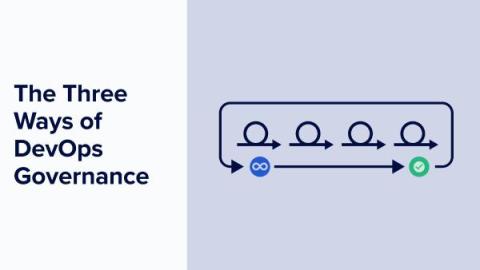
The Three Ways of DevOps Governance

In this blog post, I take a look at modern IT governance by applying the classic “Three Ways” of DevOps principles originally introduced by Gene Kim in his seminal 2012 article. “We assert that the Three Ways describe the values and philosophies that frame the processes, procedures, practices of DevOps, as well as the prescriptive steps.” Here’s a quick reminder of the three ways set out by Gene: For Gene, all DevOps patterns can be derived from these three principles.

How to Detect Unauthorized Changes in Production with Kosli

Let’s not beat around the bush: change management is a prehistoric discipline desperately in need of fresh thinking. Its “best practices” are frankly terrible. Nobody honestly thinks manually filling out change tickets, waiting for CAB meetings and external approvals does anything to meaningly reduce risk. Change management is slow, inconsistent, doesn’t scale, and is prone to error.

Backstage Developer Portal

Backstage, a development portal, allows developers to maintain constant vigilance over the health of their networks and services, no matter where they are deployed. This is invaluable to teams, as many different deployments across different environments need to be monitored to ensure security and compliance. Find out how to evaluate, implement, and succeed with Backstage in order to maintain your security perimeter and ensure that all deployments are working as intended.

Demystifying FEDRAMP and NIST for Continuous Compliance

Today, federal agencies rely extensively on Cloud-based SaaS applications for everything from payment processing and document management, to data security and employee workflow automation. These tools help departments to function very efficiently, but because they are being used for essential government functions, it’s vital that they are safe and secure. For example, personnel at The Pentagon or The Department of Homeland Security can’t just choose any software vendor in the marketplace.

ISO 27001 Compliance: Everything You Need to Know

Let’s talk about what ISO 27001 compliance means for the tech team. If you’re a CTO, DevOps team lead, or cyber security specialist, you’ll have a lot of plates spinning at any given point in time. You need to ensure and maintain security protocols and compliance without hindering the development team’s ability to test and deploy new code (often at scale). It’s a constant battle to align development speed with governance tasks like audit, compliance, and security.

How to automate Snyk container scanning of your production environments

If you’re using containers to deploy your software, it is important to be aware of potential vulnerabilities within your container images. These may be introduced through dependencies in your built image, or perhaps through dependencies within the base image(s) used to build your image.

Succeeding with Backstage 4: Backstage as Part of a Broader Developer Productivity Engineering (DPE) Initiative

This final article in the “Succeeding with Backstage” series focuses on how you can incorporate Backstage as part of a broader developer productivity engineering (DPE) initiative. The previous parts dealt with customizing the look and feel of Backstage, creating and maintaining custom plugins, and improving Backstage adoption.

How to Automate Change Management for DevOps

Until fairly recently, software releases happened once or twice a year, maybe once a quarter. This gave IT teams plenty of time to verify and manually sign off on every change before they were released in big batches during a bank holiday weekend or off-peak hours. Typically, they’d produce paperwork to show that all changes had been properly tested, and then those changes would be approved for release in a change advisory board meeting (CAB).

Succeeding with Backstage 2: Building and Maintaining Custom Plugins

This second installment of the “Succeeding with Backstage” explains how to create a custom Backstage plugin. For many use cases, customizing the platform’s look using the methods from the last part and integrating existing plugins will be enough to align Backstage with your organization’s needs. But what happens when the plugin directory doesn’t have a plugin that solves your particular problem? You create a custom plugin, of course.