Operations | Monitoring | ITSM | DevOps | Cloud

Weekly Dev Team Breakdowns with Insights #GitKraken #shorts

If you're struggling to gauge your team's productivity and identify bottlenecks, then Insights is your go-to tool! 📊 Use it to celebrate wins, address productivity dips, and understand the reasons behind them. It's more than just numbers; it's a tool for real-time, actionable insights, ensuring your team stays informed and agile! 👏

Pros & Cons of Mono Repo v. Multi Repo #GitKraken #Workshop #shorts

Keeping track of multiple repos can be challenging, but staying on top of PRs and Issues in mono repos can be just as difficult. 😖 Ultimately, the best option depends on things like team size, project complexity, and integration needs. Want to become a multi repo pro without losing your sanity?

From Task Branch in Seconds with Focus View! #GitKraken #shorts

Tired of losing momentum while setting up your work environment? 🛠️ With GitKraken, dive into your Focus View, pick your task, and quickly create branches. From planning to execution in seconds! ⏰ Whether you're on Windows or Mac, or prefer Visual Studio or VS Code, streamline your setup and jump directly into coding. 🧑‍💻

GitKraken Client Tutorial: How to Connect an Integration

GitKraken Client connects with a variety of services and platforms, simplifying your work with remote repositories. This includes major Git hosting services like GitHub, GitHub Enterprise Server, GitLab, GitLab Self-Managed, Bitbucket, Bitbucket Server, and Azure DevOps. Beyond repository management, GitKraken Client integrates seamlessly with leading issue tracking and project management tools such as Jira, Jira Server, Trello, GitLab Issues, GitLab Self-Managed Issues, GitHub Issues, and GitHub Enterprise Server Issues.

Use Cases for Cloud Patches | #GitKraken #shorts

Need a better way to keep certain code changes under wraps while collaborating? 🤔 Developer & GitKraken ambassador Kevin Bost (@Kitokeboo) showcases how Cloud Patches can be a lifesaver for managing sensitive data and personal settings discreetly. Plus, it's a game-changer for open source projects 👀

Manage & Reapply Code Changes with Cloud Patches | #GitKraken #shorts

Cloud Patches are a great way to share code with your team, but they're also handy for personal coding tasks! 🧑‍💻 Developer Kevin Bost (@Kitokeboo), a #GitKraken Ambassador, demonstrates how easily you can manage and reapply code changes just for yourself. It's all about making your development routine more efficient and focused, one patch at a time. 😌👍

Setting Up Your First Cloud Patch in GitKraken Client #shorts

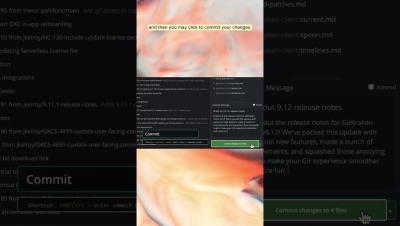
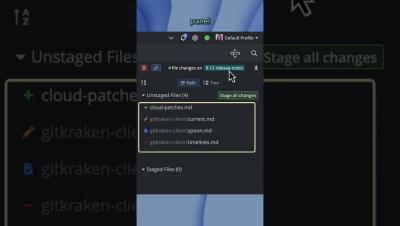
So, you flipped the switch to enable Cloud Patches in GitKraken Client's experimental features. ✅ What's next? 🤷 Follow GitKraken Ambassador Kevin Bost (@kitekeboo) through naming & permissions settings for Cloud Patches, allowing you to easily share code with yourself, your colleagues, or anyone else within your org. 👍