Operations | Monitoring | ITSM | DevOps | Cloud

Node Groups: Organize Your Infrastructure Into Reusable Views

When you’re managing a handful of nodes, the flat list in the nodes tab works fine. When you’re managing hundreds or thousands, it becomes a wall of hostnames. You end up applying the same filters repeatedly: all the production database servers, all the nodes in eu-west, all the Kubernetes workers in the staging cluster. The filters work, but they don’t persist, and there’s no way to share them with the rest of your team. Node groups solve this.

Introducing Real-Time Conversations with Netdata AI

Over the past few months, we’ve seen incredible adoption of our AI Investigations and Insights reports. Teams are using them to automate the deep, thoughtful analysis required for complex post-mortems, capacity planning, and performance optimization. These comprehensive reports are fantastic when you need a well-researched, shareable document. But what about the moments during an investigation?

Text-to-Alert: Generating Netdata Alerts from Natural Language

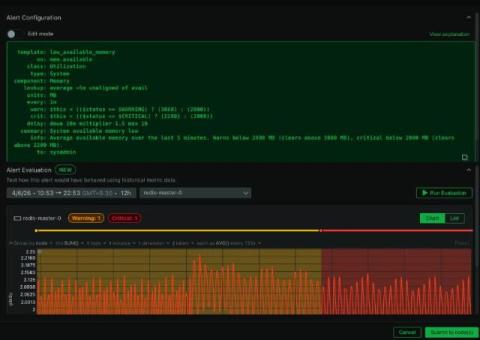
Netdata has an incredibly powerful alerting engine. But this can sometimes be a double-edged sword: the flexibility to build incredibly specific, intelligent alerts is immense, but mastering its syntax can feel like learning a new language. We’ve heard this from so many of you. You tell us that configuring alerts is often the steepest part of the learning curve, a task that falls to the one “Netdata expert” on the team who has spent the time digging through the documentation.

Monitor Everything is an Anti-Pattern!

Bullshit and nonsense. But let’s take it from the beginning. The industry’s story goes something like this: Then, in the same breath: You see the contradiction already, right? The same industry that tells you “collect less, simplify, trust the experts” is also the industry where: This isn’t an observability strategy. It’s observability by hindsight. Right. Good. Now we’re having fun.

Streamline Incident Management with the New Netdata-ServiceNow Integration

When a critical alert fires at 2 AM, the last thing your on-call engineer should be doing is manual administrative work. Yet, for many teams, that’s exactly what happens. You see the alert in your monitoring tool, then you have to switch contexts, open a new browser tab, log into your ITSM platform, and manually create an incident—all while your systems are failing.

SOC 2 Type 2: Netdata's Security Controls Validated Over Time

We’re excited to share that Netdata has successfully achieved SOC 2 Type 2 attestation. Following a five-month audit conducted by Sensiba LLP, we can now confirm that our security controls work consistently in practice. The audit covered the period from April 1 to August 31, 2025, and tested whether our controls operated effectively throughout that entire timeframe.

Automate Your Infrastructure Analysis with Scheduled AI Reports

The least exciting part of an operations or SRE role is often the manual, repetitive task of generating reports. It’s the Monday morning scramble to summarize weekly infrastructure health for the team, or the end-of-quarter push to build a capacity planning document. This is boilerplate work that pulls you away from critical engineering tasks. We believe that if a process is repeatable, it should be automated. That’s why we’re introducing Scheduled AI Investigations and Insights.

Netdata AI Troubleshooting is Now Generally Available with On-Demand Credits

Since launching our AI investigations and insights in a research preview, one thing has become clear: automated root cause analysis delivers a significant return on investment. Teams have confirmed that instant insights don’t just save a few minutes; they fundamentally shorten incident response cycles, free up valuable engineering hours, and reduce the business impact of downtime.

Save Hours on Troubleshooting with Automated Investigations

How many times has your team stared at a dashboard, pointed to a spike, and asked a question that charts alone can’t answer? “What was the real impact of that deployment?” “Why are our Kubernetes pods in the us-east-1 cluster suddenly crashing?” “Are we wasting money on overprovisioned servers?” Answering these questions is the real work of operations and SRE.