Operations | Monitoring | ITSM | DevOps | Cloud

Session Replay for Unreal Engine: see the crash before the crash

You know the drill: a crash report lands in your queue with a pristine stack trace pointing at some innocent-looking function and absolutely no clue about what the player was actually doing. Were they mid-boss-fight? Alt-tabbing during a loading screen? Standing perfectly still in the tutorial? QA can’t repro it, the player’s bug report says “game crashed lol,” and you’re left staring at a callstack playing twenty questions with a core dump.

From 57 bugs to 1, thanks to Seer

I was at the dentist the other day, getting ready for my appointment. The waiting room was pompously decorated. Each chair seemed to be from a different, expensive Danish designer. As I realize I’m about to get charged through the nose, I get a notification from my beloved Mail app. ** ding ** Screenshot of GitHub email notification It’s a new Pull Request on GitHub. This one is different though. I have no idea where it came from!

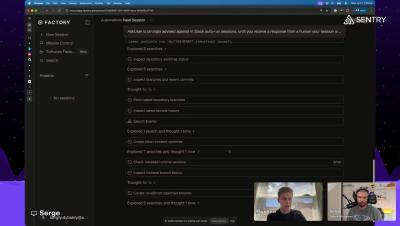
Incident Review with Factory / Sentry

Learn how to user agents to turn Slack alerts into autonomous RCA sessions, build incident memory, and help on-call engineers move from signal to fix faster. ​Join us for the live stream demo of Incident Response. We will break things on stream and let agents fix them. We will watch Droid run a real incident from alert to fix, and we show exactly what it read to get there.

Sentry + GitHub Copilot Agents

Seer, Sentry's agent debugger, analyzes your issues and finds the root cause. Now you can pass that analysis directly to a GitHub Copilot agent which picks up the context, generates a fix, and opens a pull request. The agent session and PR both live on GitHub, with a link back in Sentry for easy access. This video walks through how the integration works.

How to structure a log

You’ve decided to step up your logging game and start sending more valuable, structured logs that you can query, aggregate, and use for debugging in production. Go, you! Now, uh, how do you actually write them? We’re not going to spend much time on what you should log. We’ve covered that already, a few times before. What we will be covering is how to actually write those logs, answering questions like: What makes a log structured is not just pairing messages with arbitrary JSON objects.

MongoDB Query Tracing in .NET with Sentry + OTLP

If your.NET app talks to MongoDB, you almost certainly want to be able to measure DB performance so that you can effectively debug any performance issues you might run into. For that, you need to know which database command was running, how long it took, and whether this was a one-off blip or part of a broader pattern. Ideally, you also want to pivot from that trace to related errors and replays without stitching the story together by hand.

Session Replay: Reproducible User Sessions

See what your users see. Don't try and guess what happened, watch it. Session Replay is a feature for Mobile and Web apps on Sentry to record user sessions as reproducible sessions. These are not videos. On web, a session replay contains the entire DOM reconstruction and DevTools. It's exactly like inspecting in Chrome DevTools locally on your machine, but in a real production session.

Sentry + GitHub Copilot: Let Agents Find and Fix Your Errors

Andrea Griffiths is a Senior Developer Advocate at GitHub. She uses Sentry to monitor the Python scripts behind GitHub’s community streams, because when those pipelines fail, nobody knows until users start complaining. GitHub and Sentry built a loop that fixes that. Sentry catches the error, Seer diagnoses it, and Copilot drafts the fix. No one has to be in the middle of it. In this session, Paul Jaffre (Developer Experience at Sentry) breaks down what Seer is, then he and Andrea break a real script live and watch the loop catch it, diagnose it, and open the fix as a pull request.

Sentry Seer, MCP, & Warp Agents: Fixing Sentry Issues Outside of Sentry

This video walks through connecting Sentry's MCP server to a Warp Agent, so instead of an agent starting from a raw error, it starts from Seer's actual root cause diagnosis: the error, the surrounding code, and recent commits. From there, the Warp Agent takes that diagnosis, implements the fix directly in the codebase, and opens a PR, all without leaving Warp.

When and what should I be logging?

This is a follow-up to Sergiy’s post Errors, traces, logs, metrics: when to reach for what. Modern observability platforms, like Sentry, give developers a lot of choice. For a given problem, should you use traces, profiles, metrics, logs? If you take away one thing from this post, I hope it’s this: when in doubt, start by adding a few targeted log lines.

Sentry 201: Build agentic workflows with the Sentry MCP, CLI and Seer

Agents are pretty good at fixing your apps. We can make them even better. ​In this workshop we’re going to show you how to give your agents superpowers using Seer, the Sentry MCP server, and CLI tool. Join to learn how to: ​- Teach agents how to best implement and work with Sentry through agent skills and the CLI tool. ​- Set up Seer’s agent handoff feature for Claude, Cursor, or GitHub Copilot and have agents start automatically generating pull requests for fixes.

Any Apple update can break our app. Here's how we find out first.

This is a guest post by Dan Mindru, a Frontend Developer and Designer who is also the co-host of the Morning Maker Show. Dan is currently developing a number of applications including PageUI, Clobbr, and CronTool. It feels like with every release, we are walking a tightrope. We need to keep our app lightweight, stable, and performant, all the while depending on APIs that can shift at any moment (without warning, too!).

Reading the agent traces is how you make the call your eval can't

Remember being excited (or dreading, depending on the stage of your career and the company you worked at) about writing unit tests? Or sweating all the details in your end-to-end and integration tests you were sure covered all the use cases your users would hit? These days a lot of UIs are slowly being replaced by a single input field and an agent that promises to deliver the same value a UI would, but with the elegance and pun-ness of a “Jarvis”.