Operations | Monitoring | ITSM | DevOps | Cloud

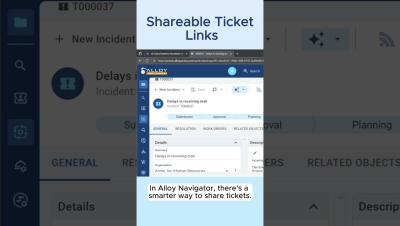
Shareable Ticket Links #helpdesk #communication

Save your time and sanity with shareable ticket links in Alloy Navigator! Just Shift-click a ticket number and instantly get a quick direct link with the ticket summary, ready to share. No more annoying back-and-forth or endless copy-pasting! It’s super effective, easy, and shows respect to your teammate. Shareable links work everywhere in Alloy Navigator — in change requests, purchase orders, assets... It’s one of our favorite features, and we hope it becomes one of yours too!

AI-Suggested Solutions in Seconds #shorts #AI #itsupport

AI-suggested solutions in Alloy Navigator surface answers from past tickets and knowledge base articles—fast. No guessing, no digging! Get quick, relevant suggestions based on your team’s real history and keep internal knowledge alive, even when people move on. In this video, we used gpt-4o-mini for completions and text-embedding-3-large for generating embeddings from OpenAI. Works great for IT support teams, help desks, and service desks looking to automate responses, improve resolution times, and make the most of their internal knowledge.

AI Ticket Summary in Seconds #itsupport #ai

Alloy Navigator’s AI ticket summaries help your IT team get up to speed on any support ticket—so they can resolve issues faster. No more scrolling through endless conversations and ticket updates! AI-powered summaries are available for incidents, problems, change requests, work orders, and service requests. AI ticket summarization and other AI-powered insights were introduced in the Spring 2025 release of Alloy Navigator (Enterprise and Express editions).