Operations | Monitoring | ITSM | DevOps | Cloud

Announcing the General Availability of Extract and Aggregate fields

The Extract and Aggregate fields feature allows users to custom parse historical logs (post ingestion) and get an aggregated count on those newly parsed fields. Enterprise SREs work with large systems that consist of internally built components and external products. Debugging with logs from external products can be extremely challenging.

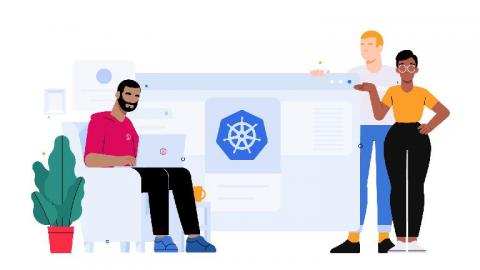
Introducing Agent v2 beta for Kubernetes

In the olden days, we used to have to get logs by putting our agent on one machine at a time, like hitching a horse to a horse-drawn carriage. But now, we’ve got Kubernetes. It’s like a horse factory, and we’ve got more horses than we know what to do with. In this wild west of containerization, we could quickly end up underneath more logs than our old-timey agent could keep track of! But now there’s a new sheriff in town.

S3 Bucket Lambda Function

AWS has a lot of services, and they all generate logs. A lot of logs. We’ve worked hard to make sure you can capture logs from every source and service on AWS, and today we’re happy to announce the final piece of our AWS logging puzzle: LogDNA’s S3 Collector integration. It’s an easy-to-use Lambda function that lets you ingest any AWS logs that get dumped to S3 – like logs from CloudFront and ELB.

2019 was great, but we're just getting started

It’s the start of a new year and the time is right to assess what we’ve accomplished and where we’re going. First, I think we should celebrate the incredible year LogDNA just completed. I’m so proud of what our LogDNA team accomplished. Not only because it’s quite impressive, which it is, but also because it lays the groundwork for what’s to come in 2020.

Weekly and Monthly Alert Insights

SRE and Security teams rely heavily on alerts to know whether their systems are experiencing issues and to prevent any future outages. At LogDNA, customers can set alerts that trigger when specific logs match (presence alerts) or set an alert to go off if there are expected lines that haven’t come through (absence alerts). These alerts can be set up with various channels so you can be alerted in the product of your choice (Slack, Email, PagerDuty, etc).

Announcing the General Availability of LogDNA Screens

LogDNA is known and loved by developers for our lightning fast live tail and search. With some users ingesting over a petabyte of data per day, our users want to be able to visualize their data and put it to use. You told us what analytics you value most and we’ve taken the first step to providing them within the LogDNA product. The first is having highly interactive graphs. Graphs allow you to analyze patterns and trends by navigating through your data over a period of time.

IBM Expands IBM Cloud Paks Offering with LogDNA

IBM recently announced an expanded Cloud Paks offering with LogDNA. With this offering, developers and engineering teams can easily aggregate and search huge volumes of data from any source to gain real-time insights on their applications. LogDNA is now offered by IBM and deployable on-premise or multi-cloud with all IBM Cloud Paks including Cloud Pak for Applications, Cloud Pak for Data, Cloud Pak for Integration, Cloud Pak for Multi-cloud Management, and Cloud Pak for Automation.

Replicating and Restoring LogDNA Account Configurations

As an engineer who has set up logging for more than one deployment or environment, you know that you usually have one logging account per deployment. You’ve got plenty of pre-created queries, graphs, and alerts set up specific for your company’s use case, all of which are vital to you knowing the health of your infrastructure. Now imagine being responsible for creating and maintaining logging accounts across 10+ deployments.

Screens Beta

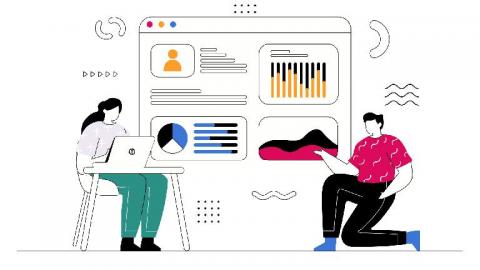
Screens display a series of widgets that you can use to share across your organization. Widgets can display your log activity, from the number of logs ingested in the last 4 hours, to a line graph comparing today’s logs to yesterday’s logs. You can control the data you want to display by creating a “Screen” with a combination of different widgets. Post your screen on a company monitor to provide your organization with a snapshot of your system’s activity.