Operations | Monitoring | ITSM | DevOps | Cloud

Builder in the loop: what production agents were missing before AURA

Builder in the loop is a Mezmo interview series with the engineers, product leaders, and operators shaping AURA. Each installment looks past the product layer to explore the decisions, tradeoffs, and lessons involved in building agents for real production work. This installment features Mike Shearer, the engineer who built AURA and, until recently, its only developer. AI agents are easy to believe in when the task is small.

What an AI SRE agent actually finds when you point it at a broken Kubernetes cluster

‍ Most of the AI features that shipped into observability tools this year summarize alerts. You get a paragraph that restates the dashboard you were already looking at, and the agent never reads the cluster itself, because giving it cluster access is a security conversation nobody wanted to start. This walkthrough starts it.

No Custom Adapter: AI SRE Agent AURA Debugs Product Catalog in Dash0

The platform shows you which service is failing and which paths it touches, and stops there. Point AURA at the same telemetry and the cause comes back too. Dash0 shows the product catalog service in a failed state across the selected window, with errors on the path from the frontend service.

Kubernetes AI SRE Agent Finds a Crash Loop Nobody Asked About: AURA

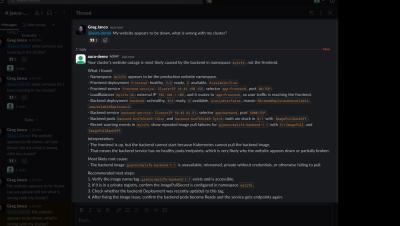
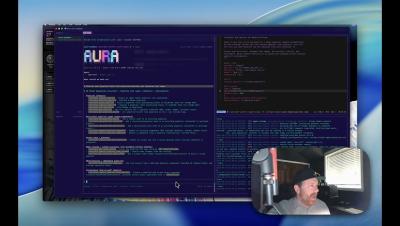
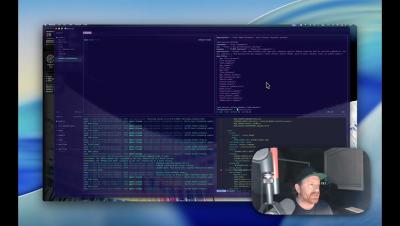
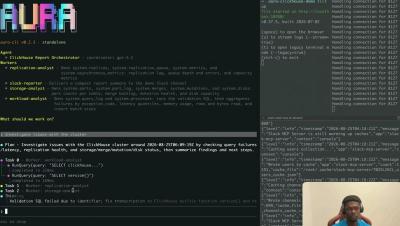
You ask for a routine health check and expect a clean baseline. What came back was a pod that had restarted 788 times, unrelated to the question. AURA is connected to a Kubernetes cluster and to Prometheus through read-only MCP servers, running as one coordinator with two specialized workers. The prompt is one sentence: check the health of the cluster, and confirm whether all the pods are running. What comes back is not a baseline. AURA names the state as CrashLoopBackOff and attaches the restart count to it.

From Log Line to Merged Fix: AI SRE Agent AURA with GitHub MCP

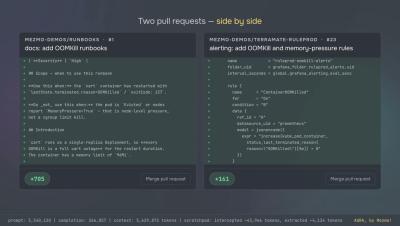
Knowing why it broke is not the same as having it repaired. Point the agent at the repos behind the service and the change comes back as a pull request. A Govee integration crash-loops under Home Assistant because the container cannot write to a directory it does not own. That much was already established: the previous homelab video stopped at the root cause on purpose, so the next pass could improve the agent's configuration first.

Argo CD Deployment Failed: AI SRE Agent AURA Finds and Fixes It

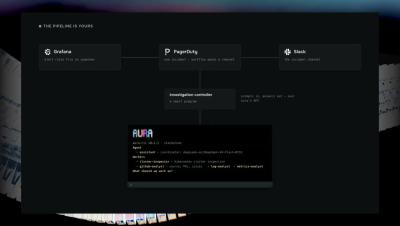
A deployment fails validation and the sync stops. Argo CD hands the report to AURA, which finds the wrong version, fixes it, and re-runs the sync. Normally, a failed sync means a person opens the application, reads the hook logs, and works out which value is wrong. Here, the sync fail hook sends AURA a short failure report and an incident ID over the agent-to-agent protocol, then exits. It does not say how to investigate or what to change.

AI SRE Agent Debugs a Lambda Timeout with the AWS MCP Server: AURA

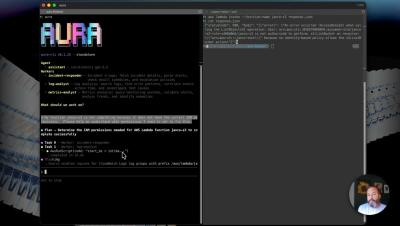
A scheduled Lambda quietly stops completing and nothing pages you. AURA finds the function, reads its logs, and comes back with a three-second timeout. The usual path is opening the console, tracking down the right log group, and reading CloudWatch by hand. Here AURA connects to AWS through the MCP proxy AWS publishes, run locally with uvx against an AWS CLI that is already configured, so there are no new credentials to issue.

Scheduled Autonomous AI SRE Agent as a Kubernetes Guardian: AURA

Some agent work should pause for a person. This is the other case: a health check every two minutes, one bounded action, and a result nobody approved. Each scheduled run starts the normal AURA image in one-shot mode: check one workload, act if something is wrong, write the result to the job log, and exit. Overlapping runs are forbidden.

Homelab AI SRE Agent: AURA Debugs Container Permissions in Docker

A root cause is not a fix. AURA keeps working the problem, taking what you find on the host and coming back with the user ID mismatch behind the failure. What follows a root cause is normally manual: check the mount, compare ownership on the host against the user inside the container, and get it wrong at least once before it lands.