Operations | Monitoring | ITSM | DevOps | Cloud

Microsoft Login Failures Affecting Office 365 and Azure

On Monday, September 28th 2020, Microsoft had a failure with their authentication system that affected major products and services such as Office 365, Outlook, Teams, Sharepoint, Azure and many others. The Microsoft login failure affected consumer and business users that were not already authenticated with the Azure Active Directory (Azure AD) service. Microsoft confirmed the outage on their Azure Status Dashboard website.

ThinkTel Network Assessment for UC Deployment Case Study

Find out how ThinkTel, a provider of advanced hosted, and on-premises, voice, video, conferencing, and data solutions for the Enterprise, Carrier and SMB markets throughout Canada, leverages Obkio’s Network Performance Monitoring solution to perform a network assessment of clients’ network capability to support the specific requirements of Real Time Media and deploy a Unified Communication solution with confidence (Microsoft Teams via Direct Routing, Skype for Business).

The 5 Most Common Network Performance Issues | Obkio

There are many causes of poor network performance. Some network problems can arise from fault hardware or from unexpected usage patterns. Experiencing a network problem is frustrating, and left unattended, it can be disastrous for your business network. That's why it's important to understand what can go wrong with your network and quickly identify and fix problems as soon as they arise. Now let's go through some of the network issues that have left many users pulling their hair out in frustration.

How To Identify Network Issues with Traceroutes | Obkio

When looking at a Traceroute, there's usually two important values for each hop or router: Latency Packet Loss Latency: Refers to the time difference between the time when a packet was sent and when a response was received. The latency between two hops can be affected by a number of things such as: To qualify the latency in a traceroute as good or bad, you should analyze historical traceroutes.

What Are Traceroutes? | Obkio

What are Traceroutes and how exactly do they help you troubleshoot network problems? Traceroute is the most popular tool that network engineers use to troubleshoot network problems. It was invented in 1987 and is still highly relevant today. As its name suggests, the main purpose of a traceroute is to trace the IP route from a source to a destination inside an IP network. It shows users the round-trip latency from the source to each of the routers. Traceroute commands are available on almost any host.

How to Identify Network Performance Issues | Obkio

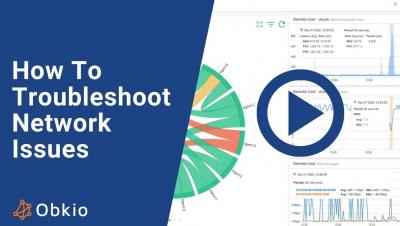
Intermittent network problems frustrate users, affect business productivity, and are a nightmare for all IT administrators because they are the most difficult to solve. Network problems like choppy VoIP, jerky video calls, and network and application slowness issues can affect your business in drastic ways - which is why it's important to know how to identify network issues so you can solve them quickly.

Top 5 Network Performance Metrics | Obkio

Continuous network performance monitoring can help you ensure that your network is always performing at its highest level. The best to way to measure network performance is by measuring certain performance metrics. In this short video, learn about the top 5 network performance metrics that you should be monitoring. Continuous network performance monitoring can help you ensure that your network is always performing as its highest level.

Top 3 Network Performance Monitoring Use Cases for SPs & MSPs | Obkio

You may have heard IT professionals go on about the importance of monitoring your network performance to help you pinpoint the cause of problems like dropped calls, slow downs, or connection losses within your infrastructure. The easiest way to get the point across is to understand the specific situations in which the solution will be used. Watch this 2-minute video to learn about the top 3 use cases for network performance monitoring, specifically for service providers (MSPs).

How to Add a Device | Obkio's Network Device Monitoring Solution Installation Tutorial

In this short video, Obkio CEO, Jean-Francois Levesque, teaches you how to quickly set up and monitor a device using Obkio's Network Device Monitoring Solution. Obkio's Device Monitoring feature is a fast and easy solution to help you get detailed information about the health of devices, such as as firewalls, routers, switches wifi access points, and other devices crucial for IT teams. Used with the end-to-end Network Performance Monitoring feature, it helps IT teams pinpoint issues quickly and efficiently.