Operations | Monitoring | ITSM | DevOps | Cloud

Cloud logging

There’s no tool that can replace the best practices for DevOps or SRE, but there is a tool that can allow you greater observability over your logs in a distributed infrastructure involving multiple products. In this episode of Google Cloud Platform Essentials, we show you how logs are aggregated for all Google Cloud products, how to utilize them, and how to use them for tracking application errors.

Cloud Operations

Are you currently operating on a hybrid-cloud or multi-cloud architecture and wanting to standardize SLO’s, observability, and alerting across your platforms? In this video, Yuri Grinshteyn shows you common architecture patterns for a hybrid observability approach. Watch to learn how you can standardize observability across multiple cloud providers!

Detecting and responding to Cloud Logging events in real-time

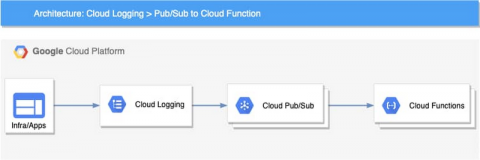
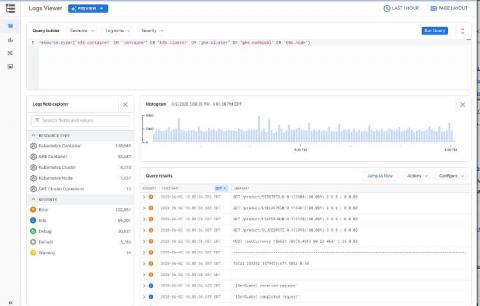
Logging is a critical component of your cloud infrastructure and provides valuable insight into the performance of your systems and applications. On Google Cloud, Cloud Logging is a service that allows you to store, search, monitor, and alert on log data and events from your Google Cloud Platform (GCP) infrastructure services and your applications. You can view and analyze log data in real time via Logs Viewer, command line or Cloud SDK.

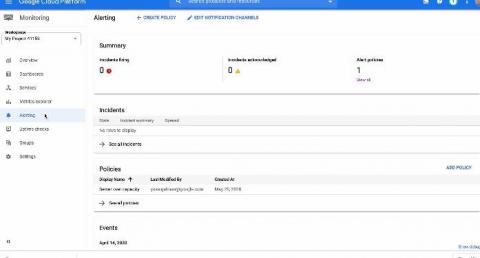
Introducing Pub/Sub as a new notification channel in Cloud Monitoring

Around the world, operations teams are working to automate their monitoring and alerting workflows, looking to reduce the time they spend on rote operational work (what we call “toil”), so they can spend more time on valuable work. For instance, Google’s Site Reliability Engineering organization aims to keep toil below 50% of an SRE’s time, freeing them up to work on more impactful engineering projects.

New ways to manage custom Cloud Monitoring dashboards

Earlier this year, we added a Dashboard API to Cloud Monitoring, allowing you to manage custom dashboards and charts programmatically, in addition to managing them with the Google Cloud Console. Since then, you’ve asked us to provide more sample dashboard templates that target specific Google Cloud services. Many of you have also asked us to provide a Terraform module to help you set up an automated deployment process.

Using Recommenders to keep your cloud running optimally

As a cloud project owner, you want your environment to run smoothly and efficiently. At Google Cloud, one of the ways we help you do that is through a family of tools we call Recommenders, which leverage analytics and machine learning to automatically detect issues and present you with optimizations that you can act on.

How to find-and use-your GKE logs with Cloud Logging

Logs are an important part of troubleshooting and it’s critical to have them when you need them. When it comes to logging, Google Kubernetes Engine (GKE) is integrated with Google Cloud’s Logging service. But perhaps you’ve never investigated your GKE logs, or Cloud Logging? Here’s an overview of how logging works in GKE, and how to configure, find, and interact effectively with the GKE logs stored in Cloud Logging.

Integrating Traces and Logs with OpenTelemetry - Stack Doctor

Tracing is a great way to monitor your services, but how does one go about fixing latency issues in a specific service? In this episode of Stack Doctor, Yuri Grinshteyn shows you how to connect traces with logs via OpenTelemetry and Cloud Trace and Logging, enabling you to pinpoint and debug service latency issues in a snap!

Tools for debugging apps on Google Kubernetes Engine

Editor’s note: This is a follow up to a recent post on how to use Cloud Logging with containerized applications running in Google Kubernetes Engine. In this post, we’ll focus on how DevOps teams can use Cloud Monitoring and Logging to find issues quickly. Running containerized apps on Google Kubernetes Engine (GKE) is a way for a DevOps team to focus on developing apps, rather than on the operational tasks required to run a secure, scalable and highly available Kubernetes cluster.

Metrics with OpenTelemetry - Stack Doctor

In the last episode, we showed you how to use OpenTelemetry for tracing to gauge how requests traverse your service. In this episode of Stack Doctor, we show you how to use OpenTelemetry’s metric function, allowing you to define the metrics you want to capture and improve the observability of your Node.js application.