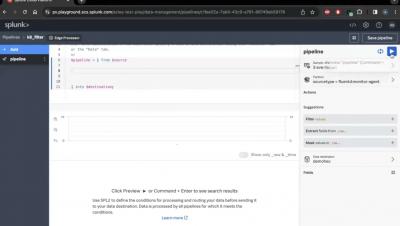
Part 1 of a series of 3 videos outlining how you can use Splunk App for Chargeback to successfully adopt Splunk’s Workload Pricing. These videos will help you get quick insights and proactively monitor key metrics using the Chargeback app’s out-of-the-box capabilities, and then tie usage to business hierarchy to enable chargeback. It will ultimately help you get back in control of how your teams use Splunk by showing you how to identify and manage wasteful workloads.
Part 3 of a series of 3 videos outlining how you can use Splunk App for Chargeback to successfully adopt Splunk’s Workload Pricing. These videos will help you get quick insights and proactively monitor key metrics using the Chargeback app’s out-of-the-box capabilities, and then tie usage to business hierarchy to enable chargeback. It will ultimately help you get back in control of how your teams use Splunk by showing you how to identify and manage wasteful workloads.
Part 2 of a series of 3 videos outlining how you can use Splunk App for Chargeback to successfully adopt Splunk’s Workload Pricing. These videos will help you get quick insights and proactively monitor key metrics using the Chargeback app’s out-of-the-box capabilities, and then tie usage to business hierarchy to enable chargeback. It will ultimately help you get back in control of how your teams use Splunk by showing you how to identify and manage wasteful workloads.
Augmented reality and virtual reality are reality technologies that either enhance or replace a real-life environment with a simulated one. Dive into how both of these reality technologies work right here.
Cloud is still a buzzword - but is it getting the attention you want it to get? Yeah, we thought so. The secret is layering in revenue-generating words around cloud to grab the attention it so rightfully deserves. Hear more from Splunker Tom Stoner and Clarify360's Jo Peterson.
Over-tooling is overrated. Hear from Splunk's Tom Stoner and VP of Cloud & Security at Clarify 360, Jo Peterson, as they address auditing tools for easy data acess. Additional resources below. 👇
Data search and ingestion is cost-effective on the Splunk Cloud Platform. With workload pricing, you can measure the resources or computing capacity needed for different workloads versus the amount of ingested data. Yep, you could say that Splunk Cloud is all that and a bag of chips.