Operations | Monitoring | ITSM | DevOps | Cloud

Link-OS 7.1 Features Overview | Zebra

This video explains the key features available in Link-OS version 7.1, including a new label rotation capability and RFID enhancements. Keeping your Zebra printer's Link-OS operating system up to date helps you get maximum performance and value from your investment, giving you the most up-to-date security support, newest features and compatibility with the latest Zebra DNA software tools.

Introduction to ZT411 Linerless | Zebra

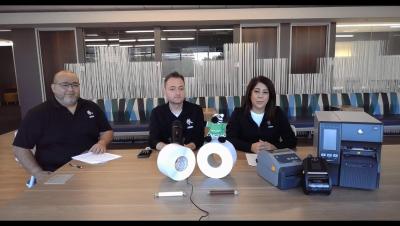
Introduction to the linerless market and Zebra's first Industrial linerless printer. Join Missael Giron, Zebra's Regional Portfolio Manager for Asset Tracking Solutions in North America, alongside Zebra Global Product Management experts, Maria Charnota and Sunny Li. Together, they will walk you through the transformative potential of linerless labels and introduce the Zebra ZT411 Linerless Printer.

Rugged Tablet | Portfolio Overview | Zebra

Today’s tablets need to be built to survive the rough and tumble of harsh, always-on work environments. But they also need to be built for the job—your job. From screen size to operating system and accessory options, they should have the right combination of capabilities to serve your team at every moment. Meet the Zebra Rugged Tablet Portfolio – ET4x, ET4x-HC, ET6x, ET6xW and ET8x.

Zebra Print: Streamline Printing Process and Empower Efficiency | Zebra

Zebra Print allows Android users to print PDFs, images and other documents directly from an application or browser without additional programmes or developer intervention, saving time, streamlining processes and empowering your teams to do more. Zebra Print is available free on Google Play - download now and try it for yourself.

SecureSense Lite Temperature Monitoring Solution by | Seqwence Systems | Zebra

Discover SecureSense Lite, the advanced temperature monitoring software by Seqwence Systems. Designed to work seamlessly with Zebra Technologies' ZS300 datalogger. This powerful solution enables real-time tracking and monitoring of critical temperature-sensitive environments, ensuring your temperature sensitive assets are protected with precision and ease. Whether it's for healthcare, logistics, or food storage, SecureSense Lite combine with Zebra's ZS300 datalogger deliver reliable performance to safeguard your operations.

Setup Identity Guardian Using Microsoft Intune (Authentication) | Zebra

Learn how to set up Identity Guardian on shared devices using Microsoft Intune. This step-by-step guide walks you through creating an authentication profile for users to login to the device. While this example focuses on shared devices, similar steps apply to personally assigned devices as well.

Setup Identity Guardian Using Microsoft Intune (Enrollment) | Zebra

Learn how to set up Identity Guardian on shared devices using Microsoft Intune. This step-by-step guide walks you through creating an enrollment profile for initial user registration on shared devices. While the example focuses on shared devices, similar steps apply to personally assigned devices. Follow our detailed instructions to ensure a smooth configuration experience.

How to Contact Zebra support for Your ZSB Series Label Printer | Zebra

Get a glimpse into the world of ZSB Printer Support in this video. Learn how the dedicated ZSB Customer Success Team is always ready to assist you, whether through live chat, phone, or the support website. From troubleshooting to tutorials, guides, and videos, they’ve got you covered.

Industrial Automation Insider: Key Tips for Spec'ing a Machine Vision System | Zebra Podcast

Welcome to the Industrial Automation Insider podcast. If you're planning to use machine vision to assist with quality control, automate visual inspections, or guide a robotic arm, there are some things you need to account for when designing your system. In the latest episode of the Industrial Automation Insider podcast, two engineers from Tri-Phase Automation explain what you need to think about when spec'ing out your system to avoid headaches later on and make sure you get the results (and return on investment) you want.

ZSB Series Mobile App Overview | Zebra

Watch this video to learn how easy it is to navigate around the ZSB Series mobile app. Learn how to log in, understand your Home screen, access and customize your label designs, add printers, manage notifications, and adjust printer settings. You’ll also discover how to personalize your workspace and ensure a seamless experience across different devices.