Operations | Monitoring | ITSM | DevOps | Cloud

Code Reviews Done Right: The Framework That Stops Bugs Before Production

Learn code review best practices from experienced developer Shashi Lo at GitKon 2025. Discover how to review pull requests effectively, give constructive feedback using the nit vs. non-nit framework, and leverage AI tools like CodeRabbit and GitHub Copilot to catch bugs humans miss. Shashi Lo shares 20+ years of code review philosophy, demonstrating real PR reviews on his Secret Santa app and showing exactly what makes thorough code review essential for shipping production-ready code.

MCP: Why AI Needs Git Intelligence

GitKraken CTO Eric Amodio breaks down the Model Context Protocol (MCP) and explains why Git intelligence is critical for AI agents at GitKon 2025. In this session, Eric covers: What MCP is and why every major AI company adopted it Why AI needs Git history, not just file system access How GitKraken MCP removes Git pain safely The future of agentic developer workflows How Commit Composer uses AI to organize commits without losing data.

GitKraken Insights | Engineering Intelligence in Minutes

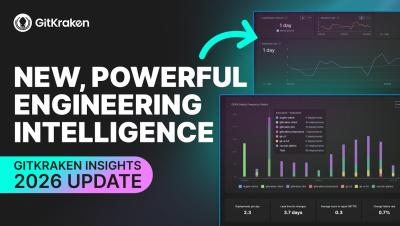
Most software intelligence tools take months to implement, cost a fortune, and end up collecting dust. GitKraken Insights is different. It helps engineering leaders measure what matters: AI impact, code quality, delivery performance, and developer experience, all in one place. It’s the latest evolution of the GitKraken DevEx platform, trusted by over 40 million developers. Insights connects data from across your GitKraken tools to give you a complete picture of engineering health and value. We're talking DORA metrics, pull request metrics, and AI impact.

How GitKraken's AI-Powered Commit Composer Eliminates Git Cleanup Headaches

As developers, we’ve all been there: a frantic coding session, a few hasty commits, and suddenly our Git history looks like a patchwork quilt of “fix,” “oops,” and “stuff.” While git rebase -i is a powerful tool for cleaning up, it’s also a source of anxiety for many, often leading to more headaches than it solves. What if you could achieve a pristine, meaningful commit history without the fear of breaking things or hours spent squashing and rewriting?

GitKraken Desktop 11.8: Visibility Where It Matters, Undo When It Doesn't

Some releases break new ground. Others clear the path. GitKraken Desktop 11.8 does both. You know that moment when you’re three commits deep into an interactive rebase and realize you’ve made a terrible mistake? Or when you’re trying to explain what changed on a feature branch, but it means manually selecting 47 commits? Or when you just want to preview a README without opening another app?

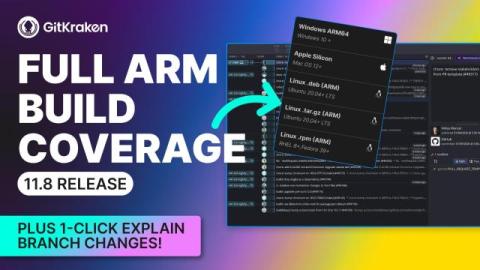
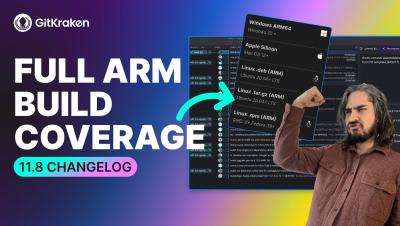
GitKraken Desktop 11.8 Release: ARM Support, Undo Rebase, More Shallow Clone Support

Happy New Year! This release combines user requests from 11.7 with smart defaults and perf improvements in 11.8. We've got full ARM support, expanded shallow clone functionality, and a mightier UNDO button plus more. What’s New.

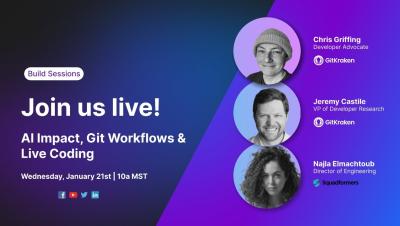
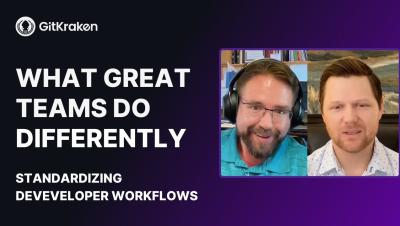
How Standardizing Dev Workflows Boosts Velocity, Quality & Joy - with Jason Gates

What if your dev team loved their workflows? Jason Gates from Sandia National Labs joins GitKraken’s VP of Developer Research, Jeremy Castile, to unpack the real-world challenges and powerful benefits of developer workflow standardization. In this candid conversation, Jason shares lessons from helping dozens of teams improve their software delivery — from reducing friction and boosting velocity, to creating joyful, productive developer experiences. They dive into.

Context Engineering: How Dev Teams 10x Productivity with AI

Context engineering isn't just an AI buzzword. It's how high-performing dev teams are transforming productivity at scale. Chris Geoghegan, VP of Product at Zapier, breaks down why individual AI gains don't compound and what your team needs to do instead.In this GitKon session, learn how to.

The Context Engineering Framework: 3 Shifts for AI-Powered Dev Teams

You’ve probably used AI earlier today. Maybe you asked it to debug a function, generate a test case, or explain a legacy codebase you just inherited. But here’s the thing: you didn’t just type a question and get an answer. You explained your problem, shared background context, pasted code snippets, clarified what you meant, then refined the output until it was actually useful. In other words, you were context engineering.