
New Phish Kit Warning: Tykit's Evasion Tricks and What Analysts Should Do

Image Source: depositphotos.com
A new phishing kit, Tykit, is rapidly spreading, using malicious SVG files to mimic Microsoft 365 login pages and steal corporate credentials. Linked to hundreds of compromised accounts across finance, IT, government, and telecom sectors, it shows how simple code tweaks can outsmart traditional defenses.
ANY.RUN experts traced 180+ sandbox sessions revealing the kit’s infrastructure and patterns, and how analysts can detect it within minutes where standard scanners see nothing.
Tykit Overview & Scope
First observed in May 2025 with activity spiking in September–October 2025, Tykit is a reusable phishing kit tied to a template-based infrastructure.
The wave spans US, Canada, EU, LATAM, SE Asia, and the Middle East.
Tykit hides executable, obfuscated JavaScript inside innocent-looking SVGs, uses layered redirects and CAPTCHAs to avoid simple checks, and runs staged client-side logic that frequently defeats signature-based scanners and URL blacklists, meaning compromises can happen before traditional tooling even raises an alarm.
Inspect the Full Tykit Chain Live Inside a Sandbox
The entire Tykit flow can be inspected safely inside an interactive sandbox:
Check Tykit attack exposed fully inside a sandbox
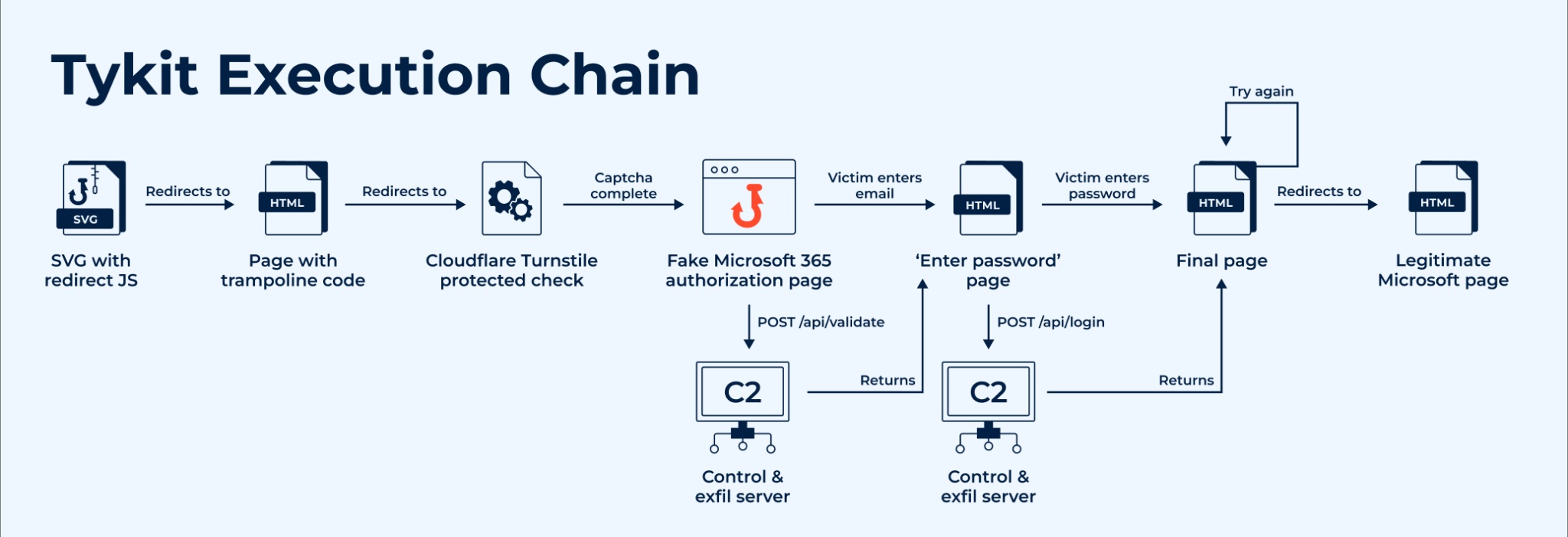
Execution chain of Tykit
The session shows the SVG acting as a launcher that pushes the browser into the trampoline/CAPTCHA and then the staged phishing page.
|
See how emerging threats unfold in real time, reducing investigation time, minimizing false positives, and turning live attacks into actionable insights. |
Step 1: SVG (the launcher)
The chain begins with an SVG that isn’t a passive image but an active JS loader: on detonation it reconstructs and executes obfuscated code, then immediately redirects the browser. In the linked analysis session, you can see the SVG trigger the trampoline and start the whole sequence.
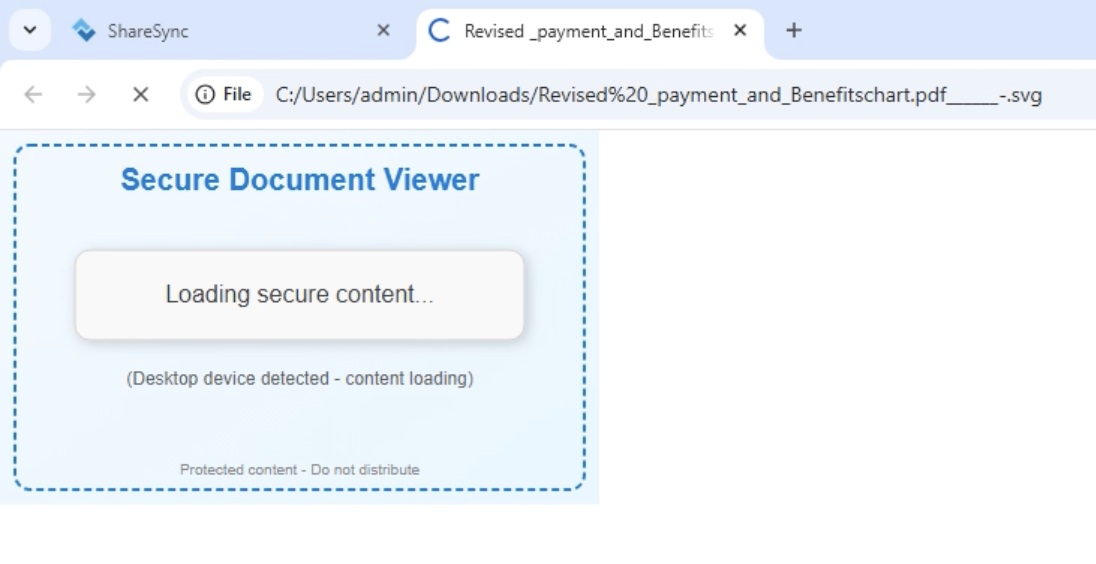
Redirecting the SVG image safely inside ANY.RUN sandbox
Step 2: Trampoline and CAPTCHA stage
After the SVG executes, the browser is redirected through a short-lived trampoline page that filters automated scanners. In most Tykit samples, this ends with an anti-bot protection layer powered by Cloudflare Turnstile, which checks for real user interaction before displaying the phishing form.
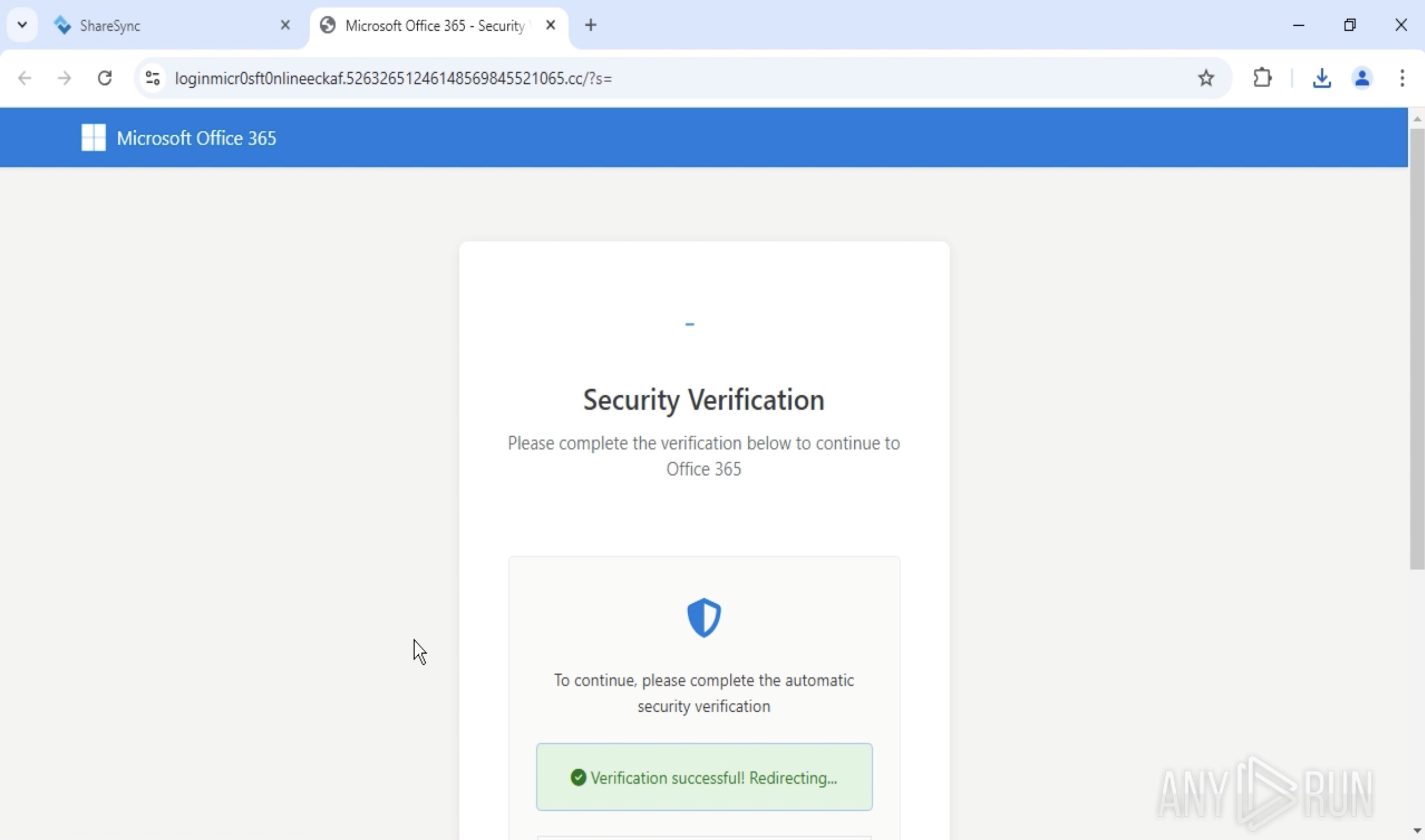
Anti-bot protection on the phishing page using Cloudflare Turnstile
Inside the ANY.RUN sandbox, this protection is clearly visible on the phishing page. Thanks to the Automated Interactivity feature, the sandbox can automatically progress through interactive elements like this, allowing analysts to observe the full attack chain without manual input. This significantly reduces detection time and ensures that even multi-stage phishing flows like Tykit’s are captured and analyzed end-to-end.
Step 3: Credential capture and C2 logic
Once the challenge is passed, the phishing page reloads and renders a convincing Microsoft 365 login form. Inside the sandbox, the fake interface is clearly visible; the password field is active, and the form behaves as expected.
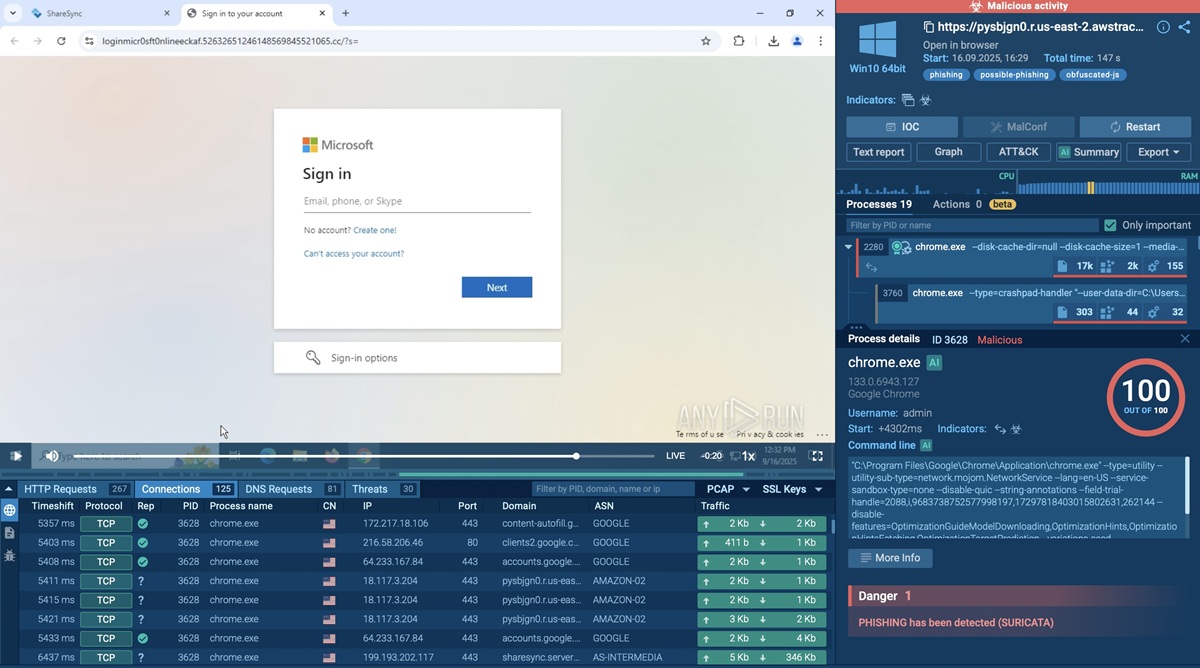
Fake Microsoft login page exposed inside ANY.RUN sandbox
When the victim enters their credentials, the page’s embedded JavaScript (hidden inside the returned HTML) sends a POST request to the C2 endpoint /api/login. This code also defines conditional actions, for instance:
- Displaying an “Incorrect password” prompt to collect additional attempts
- Redirecting the user to a legitimate Office 365 page after exfiltration to conceal the fraud
All these behaviors are captured in real time inside the interactive sandbox, giving analysts full visibility into both credential theft and subsequent redirection activity.
Detect Emerging Threats Faster Than Ever
Tykit demonstrates how easily attackers can bypass traditional defenses by hiding behind client-side logic and user interaction layers. Yet what remains invisible to static scanners becomes fully traceable in an interactive sandbox.
ANY.RUN provides complete visibility into these complex flows within seconds, from initial dropper execution to data exfiltration, helping analysts uncover what other tools overlook.
With interactive analysis, teams can:
- Detect new phishing kits and evasions earlier: Analysts get access to millions of past analyses contributed by more than 15,000 organizations, turning isolated alerts into repeatable signals.
- Reconstruct the full attack chain with minimal manual steps: Automated Interactivity advances multi-stage flows (CAPTCHAs, trampolines) so sessions progress end-to-end without human playthrough.
- Shrink investigation time: Users report mean time-to-response improvements (up to 21 minutes saved per case) and, in some deployments, investigation time cut by ~50%.
- Improve detections and response quality: Sandbox-derived telemetry drives higher detection rates (reports cite improvements up to ~36%), richer IOCs and ready-to-use artifacts for playbooks and blocking lists.
Try ANY.RUN now; uncover the full attack chain, cut investigation time and breach risk for your organisation.