
Integrating OpenClaw AI into Your Creative Process
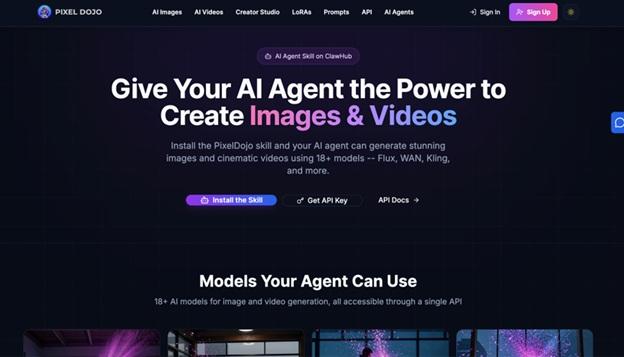
OpenClaw AI Image Skill revolutionizes how creators generate visuals directly within automation platforms.
This powerful feature enables seamless production of high-quality images from simple text prompts, integrating effortlessly into diverse workflows.
What Makes OpenClaw AI Image Skill Stand Out
The OpenClaw AI Image Skill generates high-quality images from user prompts․
It can generate anything from realistic photographs, to abstract art, and even generate images as part of a sequence that includes other skills like content summarization and data analysis, enabling smooth usage of the AI for end-to-end workflows․
Users appreciate how the skill performs requests on-device, providing results faster and more privately․
When creating a header for a blog or prototyping a character, this skill will deliver a professional outcome with minimal user configuration․
The ability for users to customize individual elements of images, such as the lighting, colors, or scene composition, makes it an appealing choice for certain professional use cases․
Core Workflow Enhancements with OpenClaw AI Image Skill
Prompts should include three main categories: subject, style, and mood․
For instance, a prompt like "a serene mountain landscape at dusk with warm golden hues" can help to create images that match this description․
In multi-step automations, synthesize contexts, visualize key takeaways and deliver more efficient and higher quality outputs across multiple projects․
Handles media inputs or attachments by transforming them all visually to perfectly align and coordinate when content is shared․
10 Proven Ways to Maximize OpenClaw AI Image Skill
In blogs and other forums, creators share ways to access the platform's full capabilities, some structurally approached․
1. Automate Content Visuals
Generate thematic article banners based on topic summaries․
Specify aesthetic templates (e․g․, minimal, bold) for brand consistency in visual design․
2. Boost Newsletter Engagement
Pair your weekly trend recaps with graphics that express the emotional context, like hopeful or contemplative scenes․
3. Rapid UI Prototyping
With layouts and components, you can quickly create mockups, iterate with feedback, and easily adjust details like button shapes and colors․
4. Data Storytelling
For instance, draw the growth curve of a statistic as a vine, to create a memorable mental picture.
5. Social Media Thumbnails
Create enticing previews with charming or elegant elements in the style of the intended output platform․
6. Narrative Illustrations
Create sequential comics for stories and pitches․
Guide prompts across panels to maintain continuity․
7. End-to-End Pipelines
Combine research with imagery to create content packages․
Analyze trends before creating the visual․
8. Iterative Refinement
Prompts can be further refined in terms of detail, harmony, depth, texture, etc․, as in the first outputs․
9. Style Versatility
Command it to toggle photorealism, vectors, or fantasy art, based on how you want to create․
10. Secure Advanced Access
By adding credentials, you can access premium models for higher quality and deeper generations․
The techniques described here are similar to other utility-driven content strategies․
Mastering Prompt Engineering for Superior Outputs
Effective prompts place the main subject first, with modifiers for style, lighting, and framing․
Short, vivid paragraphs are more effective than long descriptions․
Creating levels is about layering them with atmospheric effects and discovering patterns over time, such as how palette keywords affect color harmony․
Incorporate Pixel Dojo techniques for hybrid workflows using reference images to produce results that are better than just the generations․
Overcoming Common Integration Hurdles
The inputs are verified within the limits of address size and multi-media flows are tested to ensure reliable operation in production․
Use relative paths for media․
Prioritize sensitive data․
Store most data locally, especially for sensitive use cases․
Applications Across Creative Fields
Content strategists connect tailored visuals with search engine optimized content to make readers into buyers․
Some marketers automate campaign assets using audience personas․
Developers can visualize product features through specifications to speed their demos․
Artists can explore fairytale landscapes with explicit styling․
Ecommerce companies also use 3D to create digital product mockups and lifestyle scenes․
Procurement teams use 3D to add visualization to reports․
Quantifying Productivity Gains
Using this ability means not switching between tools, reducing multi-hour processes to only a couple of minutes, thus allowing creators to accomplish more in less time․
AI assistance achieves 40-60% time efficiencies in design phases․
The benefits are scalable, encouraging collaboration between teams and individuals leading to innovative designs through diverse, collective input and accelerated workflow․
Best Practices for Reliable Results
Give the right but not too much detail․
Stick to basics․
Test the same prompt across different models․
Archive winning prompts to use as templates․
Refrain from using vague prompts, and add project context․
Batch all generations, then refine as a set rather than one at a time․
Track resolution, text alignment, and visual coherence․
Scaling for Team and Enterprise Use
Create shared workflows where teams can input briefs for generation․
Use central prompt libraries to ensure quality․
Combine with compliance checks for regulated industries to validate compliance of visuals such as procurement visuals or regulatory diagrams․
For teams scaling these workflows beyond individual use, an OpenClaw managed service takes care of environment configuration, role-based access, and compliance requirements — so creative teams stay focused on output rather than infrastructure.
Future Innovations on the Horizon
Anticipated features include improved media parsing, proactive generation capabilities, and deeper integration with chat interfaces․
By creating eye-catching visuals that drive user engagement, the OpenClaw AI Image Skill keeps users close to the future of content optimization․
Daily Habits for Creative Mastery
It's a morning ideation tool: visualize your ideas from notes in seconds․
It's a nightly review tool: generate all assets for launch next day․
Leverage the OpenClaw AI Image Skill from ideation to image generation, while also learning strategies to stay ahead of the fast-paced nature of workflows․