
IMAP API for Developers
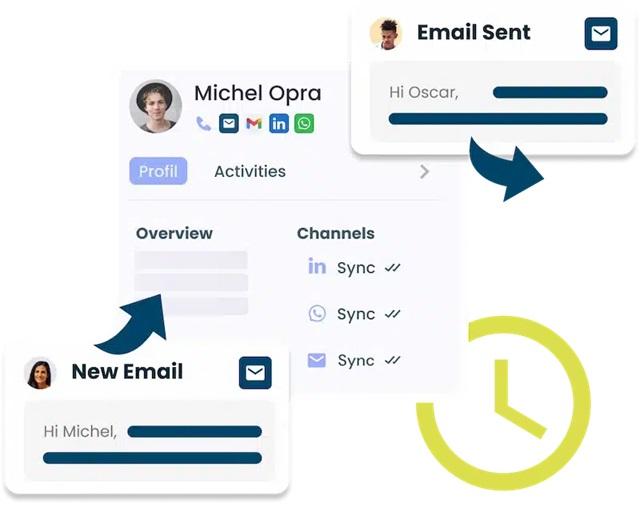
For developers and researchers working on large-scale email integrations, an IMAP API simplifies these challenges, offering a high-level interface for seamless integration. This article delves into the fundamentals of IMAP, the benefits of IMAP APIs, and best practices for secure, scalable implementations.
Understanding IMAP and the Benefits of Unipile’s API
IMAP provides remote access to emails stored on a mail server, maintaining synchronization across multiple clients. Unlike Post Office Protocol (POP3), which downloads and removes messages, IMAP supports persistent access and state management. However, direct integration requires:
- Establishing and maintaining socket-based persistent connections.
- Managing authentication protocols, including App Passwords or Direct Login.
- Parsing IMAP commands and interpreting raw responses for structured data extraction.
Unipile’s IMAP API mitigates these technical challenges by offering:
- Secure Authentication Management – Replaces direct credential handling with token-based authentication.
- Asynchronous Email Synchronization – Ensures near-instantaneous updates through event-driven architecture.
- Optimized Email Retrieval – Provides structured data endpoints that reduce processing overhead.
- Integrated Security and Compliance – Implements encryption and adheres to GDPR, SOC 2, and other regulatory standards.
Key Technical Enhancements of Unipile’s IMAP API
1. Real-Time Synchronization with Webhook Integration
Traditional IMAP implementations rely on polling mechanisms to detect new messages, leading to latency and resource inefficiencies. Unipile’s IMAP API incorporates webhook-driven notifications, allowing real-time event processing upon email receipt or modification.
2. Secure Authentication and Data Protection
Email security is paramount in research and enterprise environments. Unipile’s IMAP API enhances authentication through:
- API key and token-based access control, reducing the attack surface.
- TLS/SSL encryption ensuring secure data transit and storage.
3. Programmatic Email Retrieval and Data Structuring
Interacting with IMAP through native commands (e.g., FETCH, UID SEARCH) introduces complexities in data parsing. Unipile’s IMAP API abstracts these commands, providing well-structured, queryable HTTP endpoints, optimizing integration workflows.
4. Abstraction of SMTP for Email Transmission
Instead of configuring an SMTP relay manually, Unipile’s IMAP API enables message dispatch via a single API request:
curl --request POST
--url https://{YOUR_DSN}/api/v1/emails
--header 'Content-Type: multipart/form-data'
--header 'X-API-KEY: {YOUR_ACCESS_TOKEN}'
--form 'subject=Research Collaboration'
--form 'body=Dear Dr. Smith, I would like to discuss potential joint research...'
--form 'to=[{"display_name": "Dr. Smith", "identifier": "[email protected]"}]'
This abstraction eliminates SMTP configuration complexities, ensuring reliable email dispatch across various service providers.
Implementing Unipile’s IMAP API: A Procedural Guide
Step 1: API Access and Credential Management
- Register for an IMAP API key via the Unipile Developer Dashboard.
- Generate API credentials (Client ID, Secret, Access Token).
- Secure credentials using recommended security best practices.
Step 2: Configuring IMAP Connection Parameters
Define the following parameters to establish an IMAP session:
- IMAP User: Associated email address.
- IMAP Password or Token: Secure authentication credential.
- IMAP Server: Provider’s IMAP host address.
- Encryption Protocol: TLS/SSL security layer.
Step 3: Authentication and Secure Session Establishment
Authenticate and initiate an IMAP session using the following API request:
curl --request POST
--url https://{YOUR_DSN}/api/v1/accounts
--header 'X-API-KEY: {YOUR_ACCESS_TOKEN}'
--header 'content-type: application/json'
--data '{"provider": "MAIL","imap_user": "[email protected]","imap_password": "your_password","imap_host": "imap.university.edu","imap_port": 993,"imap_encryption": "SSL"}'
A successful response includes a session identifier, validating authentication.
Step 4: Retrieving Emails Programmatically
import { UnipileClient } from "unipile-node-sdk";
const client = new UnipileClient("your_base_url", "your_access_token");
async function fetchEmails() {
try {
const response = await client.account.getAll();
console.log(response);
} catch (error) {
console.error(error);
}
}
fetchEmails();
Troubleshooting Common IMAP API Issues
Issue
Solution
401 Unauthorized
Verify API key and access credentials.
Invalid IMAP Config
Validate server address, port, and encryption.
High Latency/Timeout
Optimize polling frequency or use webhooks.
Why Choose Unipile’s IMAP API Over Native IMAP Integration?
1. Enhanced Security and Access Control
Managing direct IMAP credentials introduces security vulnerabilities. Unipile’s IMAP API abstracts authentication, mitigating risk exposure.
2. Reduced Implementation Complexity
Native IMAP integration demands handling provider-specific nuances. Unipile’s API standardizes the process, reducing the development burden.
3. Event-Driven Processing
Instead of continuous polling, Unipile’s IMAP API employs webhook-driven updates, improving system efficiency.
4. Scalability for High-Volume Email Processing
IMAP servers impose constraints that hinder large-scale implementations. Unipile’s IMAP API optimizes request handling, ensuring scalability for research and enterprise environments.
Conclusion
For postgraduate researchers and developers requiring robust, scalable email integrations, Unipile’s IMAP API presents a sophisticated solution. By abstracting authentication, synchronization, and structured data retrieval, Unipile facilitates seamless integration into research platforms and enterprise systems, fostering secure communication and workflow automation.