
How To Draw AI Review: Testing a Step-by-Step Sketch Tool for Two Weeks
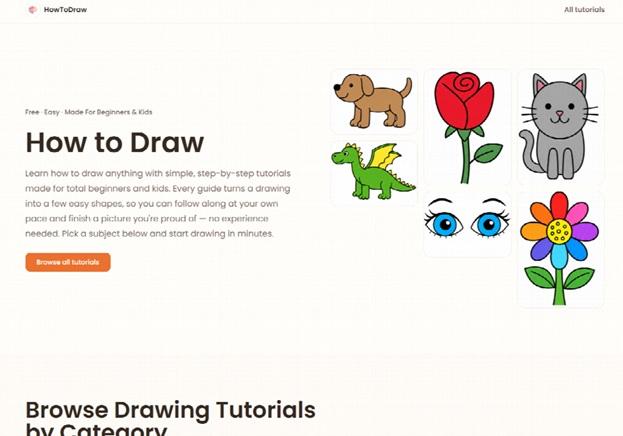
I found How To Draw by accident. I was searching for a faster way to practice figure drawing. A friend mentioned an AI that turns photos into step-by-step sketch guides, so I decided to test it for two weeks straight.
The Problem It Tries to Solve
Why Beginners Quit Early
Most beginners quit drawing early. Not because they lack talent, but because they freeze on a blank page.
They don't know where to start. A face is complex. A car has dozens of angles. Without a clear entry point, the pencil just sits there.
The Core Idea Behind the Tool
This platform breaks any image into a numbered sequence of simple steps. Upload a photo, and it hands you a guide instead of a blank canvas.
The concept is not new. It resembles those old "draw a cartoon in six steps" books from childhood. What's different is the speed and the source material—any photo, not just pre-made templates.
Inside the Toolkit
The Step Generator
The core feature is the step generator. You upload any image—a pet, a portrait, a car—and it produces a breakdown, usually five to eight stages.
Each stage builds on the last. Stage one is often a rough oval or box. Stage six adds shading guides and final outlines.
Difficulty and Style Controls
A difficulty slider changes the output. Choosing "beginner" gives fewer, simpler steps. Choosing "advanced" adds more stages with finer proportion lines.
A style filter also exists. You can pick cartoon, realistic, or minimal line art before generating your guide. This changes how much detail shows up in later steps.
A Small but Useful Extra
One smaller feature surprised me: a printable PDF export. It's useful if you'd rather sketch on paper than stare at a screen the whole time.
My First Session, Step by Step
Setting Up
Signing up for How To Draw took under a minute. No credit card was needed for the free tier, which was a relief compared to other AI apps I've tried.
Drawing My Dog
I uploaded a photo of my dog. Within seconds, six steps appeared on screen.
Step one was two ovals for the head and body. Step two added rough ear shapes and a snout line.
I grabbed paper and started copying step one, then moved through each stage. By step six, I had a rough but recognizable sketch of my dog. It wasn't gallery-worthy, but I built it stroke by stroke instead of tracing a printout.
A Tougher Test: City Skylines
I tried a second image the next day, a skyline photo. Buildings don't break down into ovals the way animals do.
The guide felt more like a grid overlay than a real drawing lesson. Straight lines and repeating windows don't translate well into "simple shapes first" logic.
Where It Falls Short and Where It Works
Strong With Rounded, Simple Forms
The step-by-step breakdown works best on subjects with clear, rounded forms. Faces, animals, and simple objects translate well into guided stages.
Weak With Complex Scenes
Complex scenes are a different story. Backgrounds with overlapping elements, like a busy street full of cars and people, produce cluttered guides.
No Explanation of "Why"
The tool shows you what to draw, not why a proportion works. For someone chasing real drawing theory, this can feel closer to paint-by-numbers than genuine instruction.
Speed and Accessibility
On the plus side, the interface loads fast. I never waited more than five seconds for a breakdown, even on a slower connection.
The free version of How To Draw is also genuinely usable. I didn't hit a paywall until I tried exporting more than three PDFs in a single day.
Who Actually Benefits From This
Parents and Young Learners
Parents teaching kids to draw seem like an obvious fit. My nine-year-old nephew used it to copy a superhero photo and stayed focused for twenty minutes straight, which is rare for him.
Returning Hobbyists
Hobbyists returning to drawing after years away also make sense as users. The step guide works like training wheels while rebuilding hand-eye coordination.
Where It Falls Short for Serious Students
I'd hesitate recommending this to art students chasing deep anatomy or perspective knowledge. A human instructor still explains proportion logic better than an automated shape breakdown.
Content Creators
Content creators making quick tutorial videos might find it handy too. Screen-recording the step sequence gives an instant tutorial script without manually planning each stage.
How This Fits Into the Current AI Art Landscape
A Different Angle Than Most AI Art Tools
AI drawing tools have exploded over the past two years, but most focus on generating finished images instantly. How To Draw takes a different angle: it supports the human doing the drawing instead of replacing them.
The Psychology Behind Blank-Page Fear
That distinction matters more than it sounds. A 2023 survey by the Society of Illustrators found that 61% of hobbyist artists feel intimidated by blank-canvas syndrome before starting any piece.
Guided-step software directly targets that psychological barrier. Instead of competing with human creativity, it works alongside it.
Why This Category Might Keep Growing
I think this space will keep growing because it doesn't threaten the "I made this myself" feeling that keeps people drawing as a hobby. Fully generative tools can't offer that same sense of ownership.
A Quick Comparison With Traditional Practice Methods
Tracing Versus Step Guides
Tracing photos is the traditional shortcut for beginners. It builds hand control but skips the mental work of breaking a subject into shapes.
Step guides sit in the middle. You're not copying lines directly, but you're also not starting from nothing. That middle ground felt like the right amount of support for my skill level.
Cost Compared to Human Lessons
A single private drawing lesson can run $30 to $60 an hour in most cities. The paid tier of How To Draw, at the time of testing, sat well under that hourly rate for a full month of use.
That price gap won't replace structured art education, but it lowers the barrier for casual practice significantly.
Final Thoughts
After two weeks, I kept returning to How To Draw mostly for portraits and animal sketches, less so for landscapes or busy scenes. It didn't turn me into an artist overnight, and it doesn't claim to.
What it did was lower the friction of starting a sketch. That alone kept me practicing more days than I usually would.
If you're new to drawing or teaching a kid the basics, it's worth the ten minutes it takes to try the free tier. If you've already moved past the beginner stage and want to understand form and perspective on a deeper level, you'll likely outgrow this tool fast—and that's a fair trade-off for what it's actually built to do.