
8 AI Video Generators for Marketing Agencies Ranked by Iteration Speed
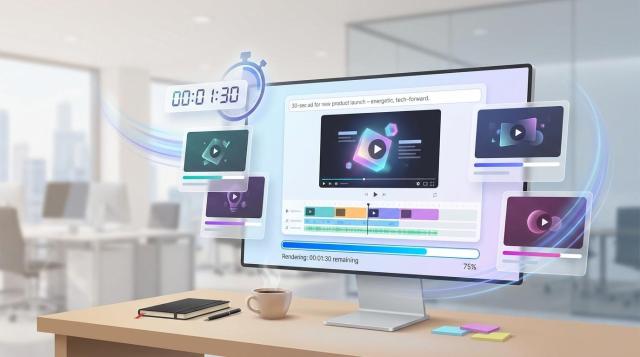
Tuesday morning. A brief lands: ten ads due Friday—no crew, no studio. Yesterday that meant panic; today you open one of the fastest-iterating AI video generators, type a prompt, and watch a finished clip appear before the coffee cools. Speed is the new creative currency.
Yet platforms differ. Some surface concept loops in seconds, others render polished talking-head explainers in minutes. Which tool truly wins the sprint from prompt to publish?
We timed eight leaders, including newcomers like Leonardo’s Motion video generator. Up ahead: generation times, costs, quality, and collaboration—side by side.
Ready to fast-forward production? Let’s dive in.
How we timed the race
Speed sounds simple until you measure it. A landing page that brags “generated in seconds” rarely tells the whole story, so we treated every AI platform like an athlete on the same track.
First, we set a finish line: a one-minute, 1080 p video (or the closest length each tool allows). When a generator caps clips at ten seconds, we timed that burst, then extrapolated its per-minute speed and noted any draft versus final modes.
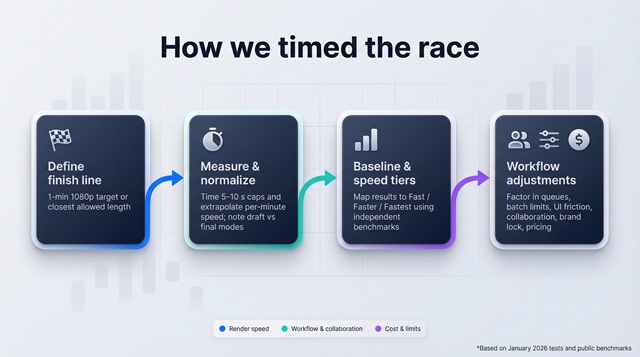
Next, we gathered data. We ran fresh tests, reviewed release notes, and cross-checked user reports. PixelBin’s January 2026 study logged real-world generation from 15 seconds to five minutes across ten leading tools, giving us a baseline for fast, faster, and fastest.
Speed alone is not momentum. We also factored in queue priority, batch limits, and learning curve. A 90-second render loses its edge if cluttered menus add minutes. Collaboration features, brand-lock options, and pricing completed the scorecard because agencies weigh revision loops and budget burn along with stopwatch numbers.
With that framework set, we ranked the eight contenders you will meet next.
1. Leonardo AI: Concept loops in the time it takes to blink
Leonardo promises a simple flow: type an idea, add an optional reference image, and its Motion 2.0 video generator delivers a five-second HD clip before you finish a Slack reply. Reviewers clock drafts “within minutes,” putting Leonardo at the front of the speed pack (softcircles.com).
That pace matters when you pitch. Creative directors want options, not excuses. With Motion Control you can lock camera pans or apply a slow zoom without wrestling keyframes. Each tweak spawns a new render in the same coffee-break window, so teams produce ten variations in one afternoon instead of a week.
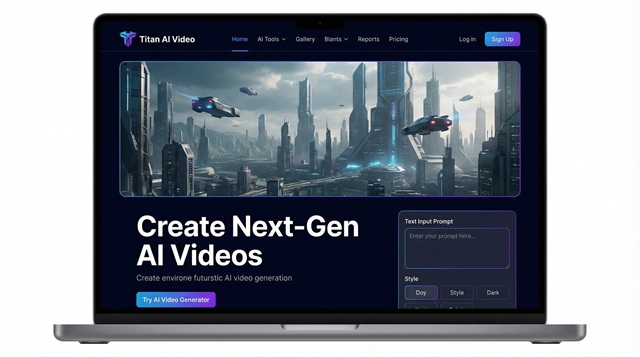
Leonardo AI Motion 2.0 Video Generator Interface Screenshot
Leonardo also cuts tool-shuffle. The workspace moves from image generation to 4 K upscale, then hands you an After Effects-ready export; fewer exports and imports mean fewer “which version is this?” mishaps.
The limitation: clips top out at a few seconds. For longer stories you will stitch scenes or wait for the roadmap to extend length. For prototypes, social teasers, or mood-board visuals, few tools match this speed while preserving creative control.
2. Jitter: AI image-to-video for rapid creative iteration
Jitter has expanded into AI-assisted video workflows with a new image-to-video feature that turns static visuals into short animated clips in seconds. After uploading an image, teams can generate motion automatically, then refine the result by adjusting prompts, timing, or transitions directly in the editor.
This approach supports rapid campaign experimentation, especially when agencies need multiple branded variations of product shots, social visuals, or background scenes. Because the workflow combines prompt-based generation with timeline controls, creative teams can iterate quickly without moving into heavier animation software.
Jitter works best for short-form motion content rather than long narrative videos, making it a practical addition to AI-driven production pipelines focused on speed and visual consistency.
3. Runway: A pocket VFX shop that keeps pace with your ideas
Runway approaches video the way Canva approached design, putting pro effects behind a friendly interface. Type a prompt into Gen-4 and you get up to ten seconds of 720 p footage in about one minute (softcircles.com).
That minute matters. While the clip renders, you can resize, mask, or swap colors on yesterday’s footage in the same browser tab. Need to erase a stray logo? The Inpainting brush handles it in seconds. A client wants a sci-fi spin? Prompt Gen-4, overlay the result, and pitch the vision before lunch.
Because everything lives in the cloud, collaborators jump in without downloading heavy software. A strategist can comment on the exact frame where the hologram should glow. You tweak and re-render, trimming hours from approval rounds.
Resolution tops out at 1280 × 720 for the quickest passes, and clips stay short. For longer spots you will chain scenes, but that process still beats starting from a blank After Effects timeline. Runway’s real edge is momentum: every edit feels instant, so your creative flow never stalls.
4. Pika Labs: The idea sandbox that never sleeps
Pika feels less like software and more like a creative arcade. Type a prompt such as “neon-lit ramen stand at midnight,” and the system returns a stylized ten-second loop before your cursor drifts away (community reports). Most clips finish in under two minutes, and because Pika keeps your last settings handy, rolling a new variation is as simple as changing one word.
This quick feedback turns brainstorming into rapid-fire play. Want the same scene in watercolor? Change the style tag and select generate. Need the character to wave? Swap a single prompt detail. You can cycle through visual treatments while the client watches on a call, turning approval into a live demo.
Pika also remembers your characters. Create a mascot once, save the seed, and reuse it across scenes without losing continuity. For agencies juggling multi-episode social stories, that feature trims days from production schedules.
Expect art-driven output over photo-realism. Resolution lands around 720 p, and clips top out near fifteen seconds. When you need scroll-stopping motion graphics faster than a stock search, Pika delivers high-impact loops on a lean budget.
5. Synthesia: Enterprise polish at double-time speed
Synthesia feels familiar the moment you open it. The layout mirrors a slide deck, with scenes on the left, a central canvas, and options on the right, so even non-editors move through setup quickly. Paste a one-minute script, pick an avatar, add the logo, and select Generate. About two minutes later, a finished 1080 p file appears in your dashboard (skywork.ai).
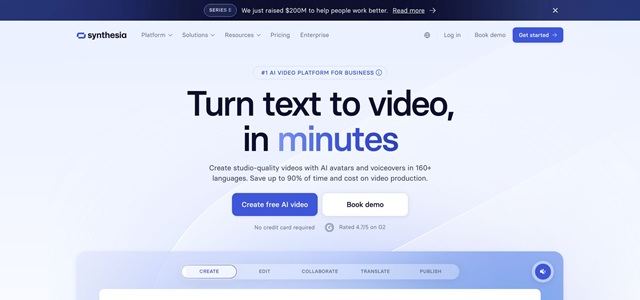
Synthesia AI Avatar Video Editor Interface Screenshot
That pace cuts every revision loop. Change one word, re-render, and a new cut arrives before the client finishes reading your email. Multiply that across ten training modules in five languages and you save whole workdays.
Scale is Synthesia’s other advantage. With more than 230 avatars and 140 languages, you can localize content without reshoots or extra voice-over fees. Admin controls lock fonts, colors, and even which avatars a team can use, so brand compliance turns into a built-in safeguard.
Voice realism still sounds slightly monotone, and you stay inside a talking-head frame. Yet when you need credible onscreen talent fast, whether for onboarding lessons, product walkthroughs, or CEO updates, few tools match Synthesia for polish and speed.
6. HeyGen: Personalized clips at social speed
HeyGen sits at the intersection of brand kits and free trials. Sign up, enter your client’s URL, and the platform pulls logos, colors, and fonts automatically. Minutes later you record an AI host who greets viewers by name, a trick powered by simple personalization tags.
That quick start extends to rendering. In side-by-side tests, a one-minute video exported in about three minutes, just behind Synthesia’s two-minute sprint. For daily social posts the gap is negligible; what matters is HeyGen’s ability to produce dozens of micro-variants without opening Premiere.
Need five regional cuts? Duplicate the project, switch the language, and select Generate. Looking for an A/B thumbnail with a wink instead of a nod? Pick a newer avatar and render again. Each loop costs minutes, not hours.
HeyGen’s avatars lean playful, ideal for TikTok ads but sometimes too casual for compliance-heavy industries. The free tier adds watermarks and can slow queues during peak demand.
For agencies chasing engagement at algorithm speed, HeyGen turns one concept into a stream of branded, personalized clips before the campaign hashtag finishes climbing.
7. DeepBrain AI: Broadcast-quality avatars without the broadcast schedule
DeepBrain began by cloning real news anchors, so realism sits at its core. Choose an anchor, paste a script, pick 4 K output, and the platform delivers a studio-grade read in roughly the time it takes to finish a coffee, about five minutes for a two-minute segment (vendor data).
The advantage shows in lip sync. Switch the script to Spanish, and DeepBrain re-animates mouth shapes frame by frame instead of overlaying new audio. Agencies serving global clients can turn one master video into five localized versions before lunch, with no reshoots, voice-over fees, or blown deadlines.
A library of more than two thousand presenters lets you recast a project in seconds. If a client wants a friendlier face, pick a new avatar and generate again. That single click replaces what once meant a full day of scrambling for talent and studio time.
The platform costs more than most, and creative freedom stays inside a talking-head frame. When the brief demands authoritative, human-looking delivery at enterprise speed, DeepBrain pairs high fidelity with rapid turnaround.
8. InVideo: One-sentence briefs to finished ads before the status call ends
InVideo doesn’t chase photorealism; it chases deadlines. Type a line such as “30-second teaser for summer sneaker launch,” select Create, and the engine stitches stock clips, kinetic text, and royalty-free beats into a polished draft in under a minute (vendor data).
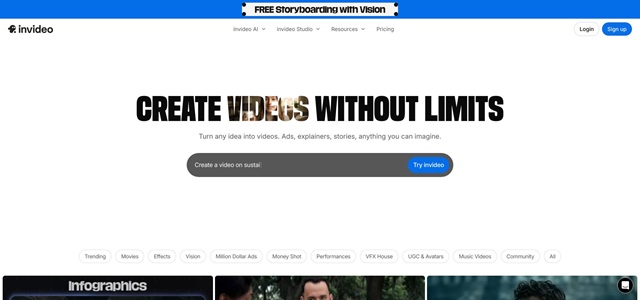
InVideo AI Ad Template Editor Screenshot
The blank-timeline freeze disappears. Instead of debating music tracks or lower-third styles, you react to something concrete, tighten a headline here, swap a hero shot there, and export. Most social ads leave the platform in less time than old-school editors spent downloading assets.
Templates drive the pace. More than 5,000 layouts span verticals from fintech to food trucks, and the AI suggests one that fits your prompt. Aspect-ratio swaps for TikTok, Reels, and YouTube take a single click, with text and graphics auto-reflowed so nothing looks forced.
Collaboration feels Google-Docs simple. Copywriters tweak supers while designers adjust color palettes in real time, which ends the dreaded V4, V5, V6 email chain.
Heavy template use can lead to sameness, and clips top out at 1080 p. When the brief is short, the budget shorter, and the timeline microscopic, InVideo turns hours of assembly into minutes of refinement.
9. Veed: Raw clip to platform-ready in a single coffee refill
Veed steps in where the shoot ends. Drop a shaky phone recording into the browser and the platform transcribes, adds crisp captions, and cleans background hiss with one click.
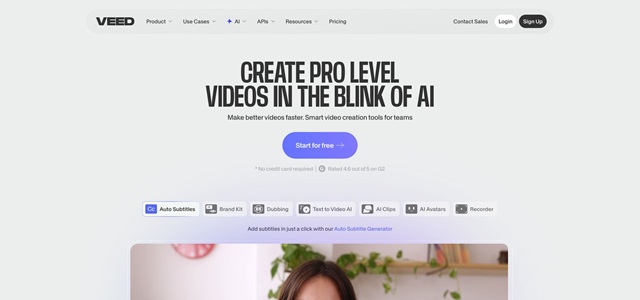
Veed Online Video Captioning and Cleanup Interface Screenshot
Captions finish in seconds, not the hour it takes to hand-type and timecode. Social algorithms favor subtitles, and now your editor can refine story flow instead of chasing commas.
Need Spanish, French, or Hindi? Select Translate, choose a language, and Veed delivers synced subtitle tracks moments later. Global repurposing shifts from last-week to last-minute.
A built-in Brand Kit locks fonts, hex codes, and logos, so even interns posting at midnight stay on brand. Clean Audio polishes rough voice notes, and meme-friendly templates add progress bars or stickers without opening After Effects.
Generative visuals remain limited, but post-production speed is hard to beat. When the brief arrives with raw clips and a tight deadline, Veed moves files across the finish line before Slack pings the stand-up reminder.
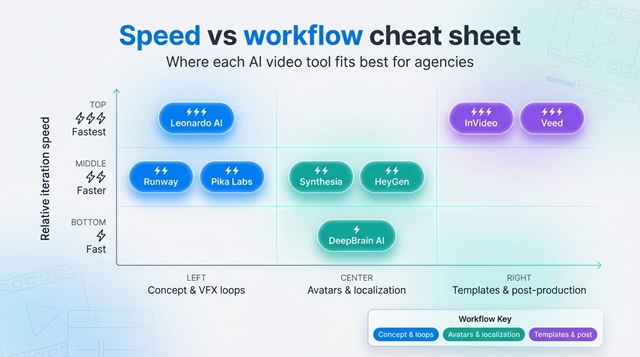
Speed vs workflow cheat sheet
The eight platforms blur together once numbers start flying. Scan the table below, find the row that matches your workload, and you will know exactly where to start.
|
Tool |
Typical render time* |
Free tier |
Starter price |
Agency-centric perks |
Biggest limit |
|
Leonardo AI |
5-second clip in ≈ 1 min |
Credits with watermark |
~ $20 / mo |
Camera-lock motion control, 4 K upscale |
Max clip ≈ 10 s |
|
Runway |
10-second clip in ≈ 1 min |
Limited 4 s drafts |
~ $12 / mo |
In-browser VFX, real-time team comments |
720 p cap in fast mode |
|
Pika Labs |
10–15 s clip in < 2 min (community reports) |
Yes |
Pay-as-you-go credits |
Style “ingredients” keep characters consistent |
Stylized 720 p only |
|
Synthesia |
1-min video in ≈ 2 min |
Demo credits |
~ $30 / mo |
230 avatars, 140 languages, brand lock |
Avatar format only |
|
HeyGen |
1-min video in ≈ 3 min |
Yes, watermark |
~ $29 / mo |
Auto brand kit, personalization tags |
Slower queues at peak |
|
DeepBrain AI |
2-min 4 K in ≈ 5 min (vendor data) |
Trial request |
~ $29 / mo |
2,000 avatars, re-animated lip sync |
Higher cost tier for 4 K |
|
InVideo |
30 s draft in < 1 min (internal tests) |
Yes |
~ $15 / mo |
5,000 templates, one-click resize |
Template look can repeat |
|
Veed |
Captions and clean-up in seconds |
Yes |
~ $18 / mo |
Auto subtitles, brand kit, noise removal |
Minimal generative video |
*Render times come from January 2026 tests and PixelBin’s benchmark, which defines “fast” as under five minutes per finished minute.
Numbers tell part of the story, but context completes it. Crave concept loops? Leonardo leads on raw speed. Need boardroom polish? Synthesia trims reshoots and translations. Chasing social volume? HeyGen and InVideo handle the grind, while Veed clears post-production bottlenecks no generator can match.
Conclusion
AI video generators have condensed days of production into mere minutes, but each platform excels at a different stage of the creative process. Map your biggest bottleneck—concepting, localization, or post-production—to the strengths above, and you will move from blank brief to published video at record speed.