
7 Essential Things to Know Before Using an SPF Flattening Tool

TL;DR:
If you're considering an SPF flattening tool to manage your organization's sender policy framework, you must understand what SPF flattening does, why DNS lookup limits are critical, the risks to dynamic SPF updates, potential security tradeoffs, the need for automated monitoring, DNS and SPF record formatting restrictions, and regular testing. Properly managed, a flattened SPF record can ensure SPF compliance and avoid errors, but improper use can lead to maintenance burden, rejected emails, and security holes. This guide covers the 7 essential things to know before you start flattening SPF, ensuring your email deliverability and authentication remain rock-solid.
Essential Thing #1: Understand What an SPF Flattener Actually Does
What Is SPF Flattening?
SPF flattening is the process of resolving all "include" and "mx" terms in an SPF record into a flat list of IP addresses. Instead of referencing external DNS records, a flattened SPF record directly contains all authorized sender IPs, reducing the number of DNS lookups at email receipt.
-
Definition: A tool or service queries all include terms and MX lookups, compiles the resulting IP addresses, and generates a new SPF record consisting only of ip4 and ip6 entries, sometimes splitting into multiple records to comply with the SPF mechanism limit.
-
Purpose: The main purpose is to avoid SPF validation errors by being under the 10 DNS lookup limit (explained here), particularly the dreaded "Too Many Lookups Error."
Why it matters for spf flattener users: If your original SPF record queries services such as Google, Office 365, or SendGrid via include: statements, flattening is especially helpful when your mail is sent on behalf of business emails, marketing automation, or customer support tools.
How Flattening Impacts Your SPF Record
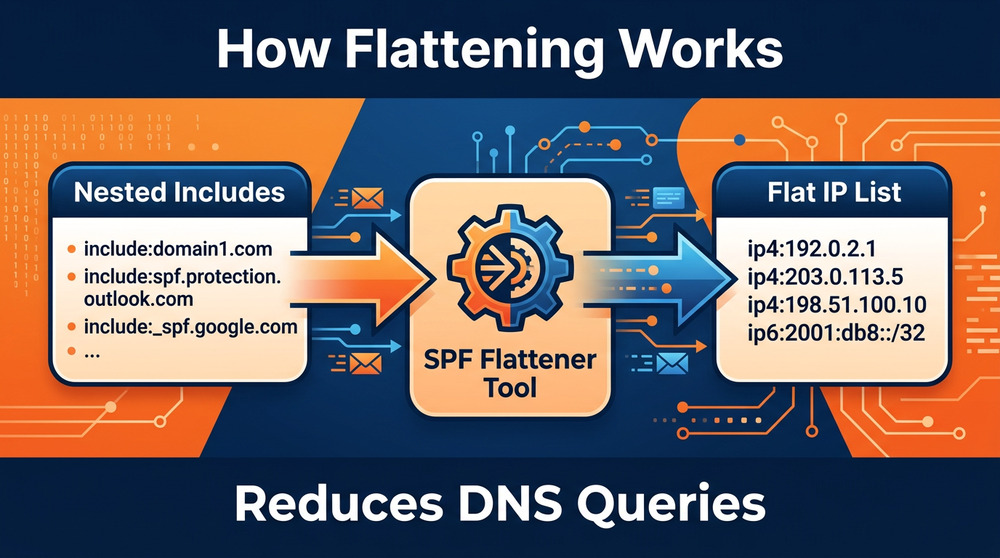
When you use an SPF flattening tool, your new SPF configuration removes nested records, replacing them with a direct list of IP addresses.
- Example:
Original:v=spf1 include:spf.protection.outlook.com include:mailgun.org -all
Flattened:v=spf1 ip4:40.92.0.0/15 ip4:104.47.0.0/17 ip4:166.78.68.0/23 ... -all
Key Benefits (and Risks) of Using SPF Flattening
- Reduces DNS lookups (enhancing SPF compliance)
- May introduce a maintenance burden (must update any time a third-party changes their IPs)
- Can break dynamic SPF solutions without proper automation
For a step-by-step visual, see the DMARCduty SPF flattening walkthrough.
Example: Manual vs. Automated Flattening
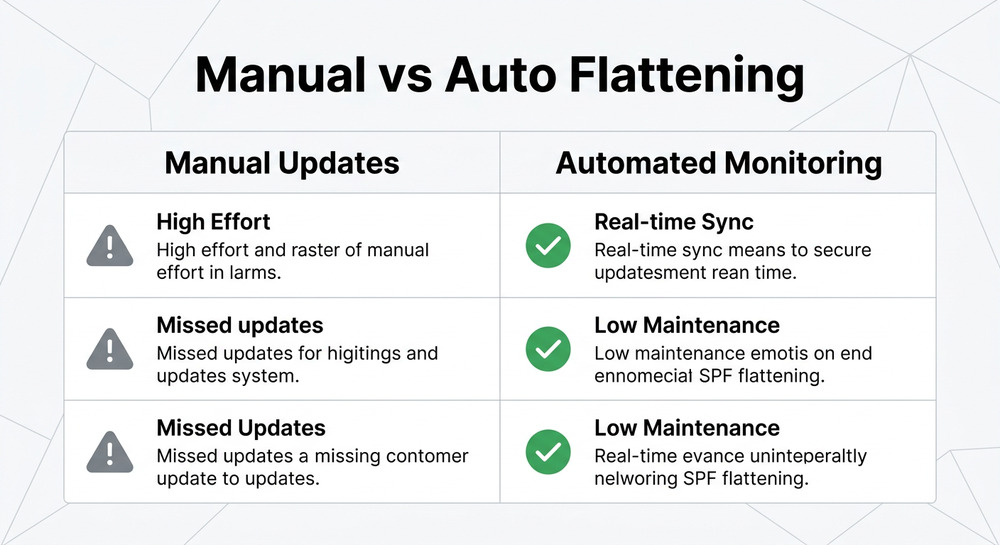
If you flatten SPF by hand, you risk missing IP changes from your email services. Using an automatic SPF flattening tool helps reduce that risk, but only if it supports periodic re-flatten and monitoring.
Essential Thing #2: Know Why SPF DNS Lookup Limits Matter
Conquering the 10 DNS Lookup Limit
The SPF specification restricts your SPF record to 10 DNS lookups (the SPF lookup limit) to protect receiving email servers from resource exhaustion. Every include, a, mx, or ptr mechanism in your record can trigger DNS lookups—even more when nested records are involved.
- SPF Limit Error: If your SPF record causes more than 10 lookups, you encounter the "Too Many Lookups Error," leading to SPF failures, rejected emails, and email deliverability nightmares (Valimail's in-depth guide).

- Common problem scenarios: Large organizations using multiple third-party senders (e.g., CRMs, Marketing, Customer Support, Order Fulfillment) can easily exceed the limit.
Why Flattening Is Used to Solve SPF Overhead
- Flattened SPF record = fewer DNS lookups (as ip4 and ip6 are not lookups)
- Avoids exceeding SPF mechanism limit (10 lookups maximum, per the RFC)
What Counts as a DNS Lookup?
- Each include: counts as 1 (more if it in turn includes others)
- An MX mechanism prompts MX lookups, leading to additional queries for addresses.
- Macros (e.g., SPF macros or macro-based solutions) can amplify lookup chain
The Role of Email Security and Compliance
For organizations with strict email infrastructure security (using DKIM, DMARC, and verified email sources), SPF record compliance is a critical requirement to prevent SPF failures and protect against spoofing (see IronScales' glossary entry).
Essential Thing #3: Check Whether Flattening Can Break Dynamic SPF Updates
Flattened SPF Record vs. Dynamic SPF Solution
Original SPF records dynamically resolve IP addresses from third-party services each time delivery is checked. Flattening converts this to static IP lists, removing the dynamic element.
- Risk: When third-party providers change their sending IP addresses, your flattened SPF record can instantly become outdated, leading to incomplete coverage and potential delivery failures.
Why DNS Changes Break Static IPs
- Major providers (Google, Microsoft, SendGrid, etc.) adjust IP ranges regularly. SaaS vendors and dynamic email services routinely tweak infrastructure for efficiency or to counter abuse.
- If your SPF configuration is static due to flattening and not automatically kept up-to-date, you risk blocked or rejected emails.
Example of a Missed Update
- Scenario: Your Sales mailbox relies on a Sales system service (with frequent IP shifts). With manual SPF flattening, an IP update goes unnoticed, causing critical sales emails to bounce.
Read community experiences in the Reddit discussion of SPF flattening risks.
Essential Thing #4: Evaluate the Security Risks of Over-Flattened SPF Records
How Flattening Affects Security
While SPF flattening solves lookup limits, it can also introduce security vulnerabilities.
- Over-flattened SPF records may leave your organization exposed to attacks if not routinely re-flattened.
- Wide IP ranges lacking verification can allow untrusted hosts to send emails on behalf of your domain.
- Loss of automatic monitoring and chaining of SPF records can disrupt updates from verified email sources.
Security Best Practices
- Only include verified senders and known third-party service IPs
- Consolidate IP ranges; avoid unnecessary entries
- Remove dead/duplicate senders to minimize the attack surface
- Use DMARC and DKIM to add defense in depth
Edge Case: Macro-Based Solutions or Nested Includes
- SPF macros enable dynamic evaluation but can also increase DNS lookups or override manually flattened entries.
- Over-flattening can cause compliance issues and undermine SPF record compliance (Valimail Instant SPF best practices).
For a comparison table of risks by flattening approach, see Mailhardener's critique of over-flattening.
Essential Thing #5: Confirm Your SPF Flattener Supports Automatic Monitoring
Why Automatic SPF Monitoring Is Critical
A major maintenance burden with static SPF records arises from updating IP addresses when third-party senders or email services change their infrastructure.
- If your SPF flattening tool offers automatic monitoring, it will check the original SPF record regularly and re-flatten if changes are detected.
- This prevents lapses in SPF coverage and reduces manual update overhead.
Comparing Manual Update vs. Automated Solutions
- Manual update: Requires staff to regularly monitor changes, increasing errors and overhead.
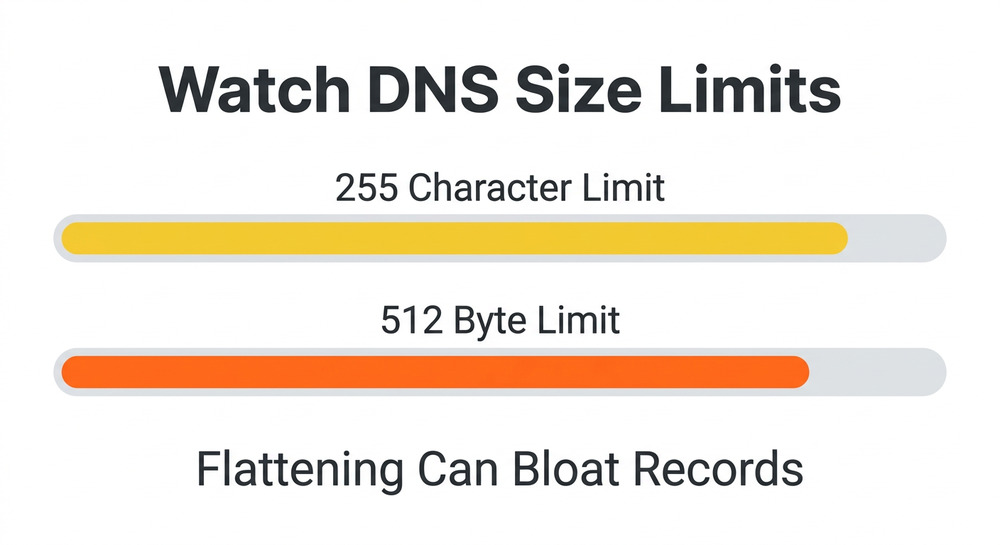
- Automated solution: A dynamic SPF solution can use a cron job or cloud service to re-flatten and update DNS as needed.
Example: SPF Flattening Tool Feature Checklist
- Scheduled checks for DNS/IP changes
- Email alerts on changes
- API integration for DNS server updates
- Integration with dashboard/monitoring services
Consider tools like SPF flattener tool or services with intelligent automation (find free/tested SPF flattener tools here).
Essential Thing #6: Plan for DNS Record Size and Character Limits
The Challenge of DNS Record Limits with Flattened Records
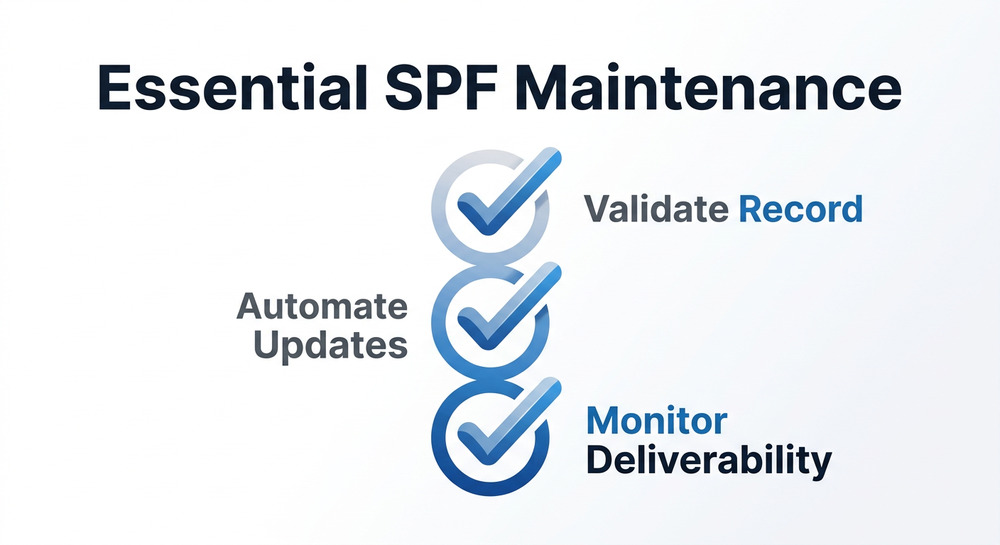
DNS TXT records (including SPF) have a practical character limit of 255 per string and 512 bytes per record, imposed by most DNS infrastructures and RFCs.
- Flattened SPF records with many IP addresses can quickly bloat beyond these thresholds, causing failures or incomplete records.
Techniques to Manage Large Flattened SPF Records
- Split up SPF records across multiple TXT entries if possible (not always supported or reliable)
- Consolidate IP ranges where possible to minimize IP count
- Remove duplicate entries and chain SPF records only as needed
Granular Example: Dealing With Overly Long SPF Records
- Marketing automation system adds 20+ IPs; MX lookup for your Support mailbox adds 10 more; manual SPF flattening creates a record too large to publish.
- Solution: Reorganize senders/services, consolidate IP ranges, use external dynamic SPF tools (see comparison approaches at Mailhardener).
Essential Thing #7: Test and Maintain Your Flattened SPF Record Regularly
Ongoing SPF Record Compliance
No matter how you manage your flattened SPF record, you must test and monitor for compliance:
- Use SPF validation tools from entities like MxToolbox, IronScales, or DMARCduty to confirm that your SPF record is valid and functional.
- Monitor for email deliverability issues—look for rejected emails or poor inboxing rates tied to SPF failures.
Key Maintenance Tasks
- After every significant update—whether IP, service, or infrastructure—immediately run a fresh SPF validation.
- Schedule recurring re-flatten tasks or checks, especially when using email security vendors or critical business email services.
Example: Automation for Ongoing Compliance
- Set up a cron job with your SPF flattening service or automatic SPF flattening tool for daily/weekly checks.
- Integrate reports/alerts for non-compliance or SPF failures.
For advanced compliance management, review case studies in DMARCduty's step-by-step SPF flattening workflow and IronScales' SPF flattening coverage.
Frequently Asked Questions About SPF Flattening
What happens if my SPF record exceeds the 10 DNS lookup limit?
If your SPF record exceeds the 10 DNS lookup limit, most receiving email servers will return a "permerror" or "Too Many Lookups Error." This will almost always result in SPF failures, reduced email deliverability, or outright rejected emails. Flattening reduces lookups but must be managed carefully. For a fuller walkthrough, see DMARCduty's SPF flattening FAQ.
Are there drawbacks to using an automatic SPF flattening tool?
An automatic SPF flattening tool saves maintenance effort but may be limited by DNS record or character size and could lag on reflectively updating IP changes. Automate carefully and review outputs periodically to avoid security drift or email failures. Comparative studies at Valimail and Mailhardener describe pitfalls.
Can I use macros or dynamic includes instead of flattening?
Macro-based solutions and dynamic includes can sometimes minimize maintenance but may still breach SPF limitations or add risk. Always validate your SPF record for compliance after changes. For a practical evaluation, try MxToolbox’s SPF tools.