Operations | Monitoring | ITSM | DevOps | Cloud

How to debug REST Collector APIs with Cribl REST Collector Diagnostics

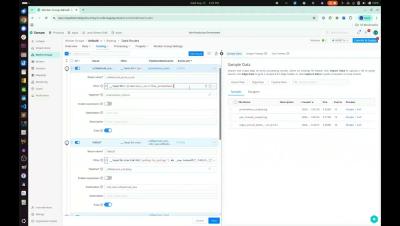
This video introduces the new REST Collector Diagnostics feature in Cribl, which helps you troubleshoot API collection issues faster. It’s designed for observability and data engineers who use REST Collector to pull data from external APIs and need deeper visibility into HTTP requests, responses, and errors.

Cribl Search Pack for Zscaler: Setup & security dashboard walkthrough

Learn how to install and configure the Cribl Search Pack for Zscaler, then walk through prebuilt dashboards for your Zscaler security logs. This video is for security engineers, Zscaler administrators, and SOC/observability teams using Cribl Search to monitor and investigate Zscaler activity. In this walkthrough, you’ll see: If you need a reminder or want to share feedback on the pack, you can always refer to the README bundled with the pack or reach out to the Cribl team.

The Observability Journey: Getty Images and Cribl

I recently sat down with Simon Overbey and Lovepreet Singh - the Engineering Manager and systems engineer (respectively) at Getty Images to talk about their experiences implementing Cribl. After getting a rundown of the pre-Cribl environment (described above) I asked to jump straight to the end, the net benefits. If the "before" was a terrifying tidal wave of cost and complexity, what did the "after" look like?

Your telemetry, your apps: Inside the Cribl App Platform

You already use Cribl to tame your telemetry data. Now you can turn that data into apps your teams actually want to use. In this video, we walk through the Cribl app platform and show how real apps solve real problems: guided troubleshooting for noisy incidents, opinionated security views, and exec-friendly ROI dashboards. You’ll see how apps sit on top of Cribl Stream, Edge, Search, and Lake, so you reuse the data and logic you already have instead of building custom tools from scratch.

Search Azure Blob data in-place with BYOS for Cribl Lake

See how Bring Your Own Storage (BYOS) in Cribl Lake allows teams to connect directly to Azure Blob Storage and instantly search data in place — without moving, duplicating, or rehydrating telemetry. In this demo, Cribl Product Manager Risk Salsa walks through setup, dataset creation, and how to run fast investigations across your Azure-hosted data using Cribl Search.

Your Microsoft Azure storage, our data lake power: The best of both worlds

The wait is over for Azure-first organizations. Cribl just launched Cribl Lake Bring Your Own Storage (BYOS) for Microsoft Azure, giving you full data lake power without moving a single byte of telemetry out of your environment. Join us to see how you can finally get the flexibility of a modern data lake while keeping your data in Azure.

Unlock telemetry value with a well-planned data lake

Your SIEM only holds a slice of your telemetry. Your data lake holds the rest. We'll show you how to use that to your advantage for investigations, threat hunting, and reporting. Why your data lake beats your SIEM for investigations – Your SIEM keeps a short window of expensive, filtered data. Your data lake keeps everything. When something goes wrong, that difference matters more than you think Threat hunting without the handcuffs – Hunting across months of data in a SIEM is painful and costly. We'll show you how a well-planned lake makes broad, deep searches practical and affordable.

Cribl Notebook templates in Cribl Search

Investigations are time-sensitive, and analysts shouldn’t waste time recreating the same workflows or rewriting familiar queries. Whether troubleshooting infrastructure, investigating suspicious IPs, or analyzing host activity, teams often rely on duplicating old processes and copying query snippets — a slow, inconsistent approach that’s hard to scale.