Operations | Monitoring | ITSM | DevOps | Cloud

The Checkly Playwright Reporter: Live Demo, Rocky AI RCA & Production Monitoring

Your Playwright tests catch bugs. The hard part is figuring out what actually broke — and sharing that context with your team. This session shows exactly how the Checkly Playwright Reporter solves that: one shared home for all your test runs, AI-powered root cause analysis, and a direct path from failing test to production monitor. María de Antón, PM for Playwright features at Checkly, runs a live demo on a real app with real failures.

Monitoring from Private Locations

Not everything worth monitoring is on the public internet. In this 30-minute hands-on session, Daniel Paulus deploys four Checkly private location agents on AWS EKS with Terraform, then uses a coding agent to scaffold 200 internal checks in seconds — uptime, TCP, DNS, ICMP, and Playwright browser checks against legacy apps that never leave the firewall.

Detect, Communicate, Resolve: Checkly's Agentic Workflow End-to-End

Coding agents are the fastest-growing audience for the Checkly CLI, and we're doubling down on them. In this session, Stefan hands Claude a real e-commerce app, lets it set up monitoring with `npx checkly init`, generate Playwright tests through MCP, and walk an actual alert end-to-end with Rocky AI in the loop.

Connecting Agents for Real-Time Root Cause Analysis with Checkly's Rocky AI

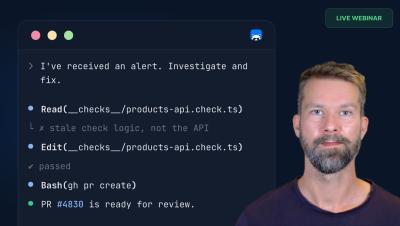
Rocky, Checkly's AI agent, monitors production sites and provides an analysis for every failing check. Previously, a coding agent couldn't access this analysis, leaving incidents and agents disconnected. Now, you can access all the analyses via the Checkly CLI (or API) and tell your coding agent, "Hey, I got a Checkly alert. Please investigate!" With Rocky's structured analysis delivered inline, the coding agent can start with a strong hypothesis, fix issues, and propose a PR in one session.

Building Agent-Friendly CLIs - What we learned at Checkly

Building Agent-Friendly CLIs: Why Your AI Agent Already Loves the Checkly CLI Stefan explains why products, docs, and CLIs must be AI-ready as coding agents rapidly become primary users of the Checkly CLI. He outlines key CLI features for agent workflows: Stefan demos how an agent initializes project-tailored Checkly setup from scratch without any human intervention and also shows how agents can entirely automate the incident life cylce from resolution to status page communication.

The Best SKILL.md Is the One You Never Update - Meet Checkly's CLI

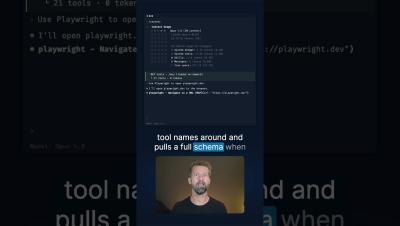
Most agent skills are static — frozen documentation snapshots that go stale the moment APIs change or flags get deprecated. Checkly does it differently. Our SKILL.md is just 100 lines of CLI pointers. No baked-in docs. Your coding agent learns what it needs, when it needs it, straight from the Checkly CLI.

Playwright Myths Busted: Speed, Flakiness, Production Monitoring & AI Test Generation

Playwright is too hard, too slow, and too flaky — right? In this webinar, Stefan busts six common end-to-end testing myths and shows how to reuse your Playwright tests as production monitors with Checkly. He covers codegen, trace viewer, UI mode, flakiness root causes (and fixes), and a quick look at Playwright MCP for AI-assisted test generation.

Automate Your Monitoring and Incident Handling: How Agents Dominate the Checkly CLI

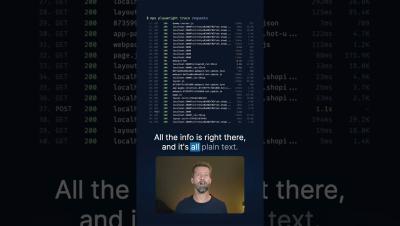
50% of Checkly's CLI users are already coding agents. We predict that agents will become dominant by the end of 2026. This video demonstrates an agentic workflow where an alert reports a broken Shopify store login flow, and Claude Code, using the installed Checkly Skill and the Checkly CLI, pulls monitoring results, identifies a Playwright test failure, investigates the codebase, finds and fixes a bug, and then updates a Checkly status page by creating an incident.

Network Monitoring as Code

Tangling DNS, TCP handshake failures, packet loss: your network has blind spots that application-level dashboards miss. In this session, Daniel Paulus (VP Engineering, Checkly) sets up DNS, TCP, and ICMP monitors from scratch and deploys them as code using the Checkly CLI. You'll see how to import checks from the UI to a code project, use coding agents to build monitors, and debug network failures with Rocky AI, trace routes, and packet captures.