Operations | Monitoring | ITSM | DevOps | Cloud

Misconfigured Alert Detection: Find the Alerts That Need Tuning

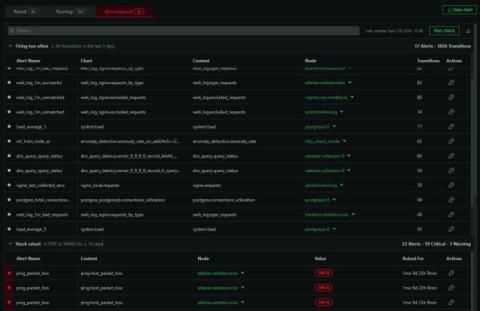
Netdata ships with hundreds of stock alerts. They cover a wide range of infrastructure conditions and they’re designed with sensible defaults. But “sensible defaults” and “correct for your environment” are not the same thing. A CPU threshold that’s perfectly reasonable for a build server might generate constant noise on a machine running batch jobs.
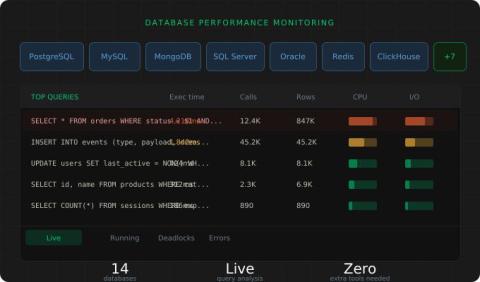
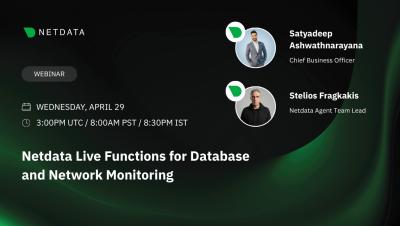
Database Performance Monitoring: Query-Level Visibility Across 14+ Databases

Netdata has always collected database metrics: connections, throughput, replication lag, buffer cache hit ratios, and so on. These tell you that something is wrong, but they don’t tell you why. When your PostgreSQL response time spikes, the metric alone doesn’t tell you which query is responsible. For that, you’ve traditionally needed to SSH into the box, connect to the database, and run diagnostic queries manually. Or set up a separate database monitoring tool entirely.

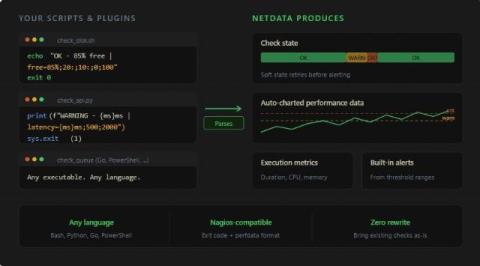
Nagios Plugins Collector: Run Your Existing Checks and Custom Scripts Inside Netdata

A lot of teams have a collection of Nagios plugins and custom monitoring scripts that have been running reliably for years. Some are standard community plugins for checking disk health or SSL certificate expiry. Others are homegrown Bash or Python scripts that check something very specific to the business: whether an API endpoint returns the right payload, whether a batch job completed on time, whether a queue depth is within bounds.

Release v2.10: Secrets Management, Nagios Plugin Collector, Azure Monitor, and more

What’s New in Netdata v2.10 In this release, Netdata brings powerful new capabilities to help you monitor, troubleshoot, and understand your infrastructure faster without complexity. In this video, we walk through the key updates: Secrets Management – Securely manage sensitive configuration data Nagios Plugins Collector – Extend monitoring using existing Nagios plugins Azure Monitor – Bring Azure metrics into Netdata for unified visibility.

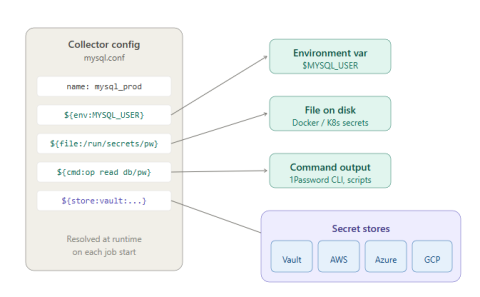
Secrets Management: Get Credentials Out of Your Netdata Configuration Files

If you’re running Netdata collectors that connect to databases, APIs, or other authenticated services, there’s a good chance you have passwords sitting in plain-text configuration files right now. It works, but it’s the kind of thing that makes security teams nervous and makes credential rotation painful. Every password change means editing config files and restarting collectors.

Smarter Alert Management: Test on Historical Data, Review Transitions, and Preview Silencing Schedules

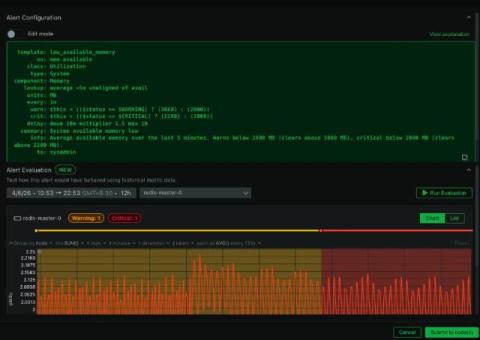
Alert fatigue usually isn’t caused by one thing. It’s the accumulation of thresholds that are slightly too sensitive, alerts that fire during known maintenance windows, and historical patterns that nobody has the tools to review easily. Fixing it requires better visibility into how alerts actually behave over time, and a way to test changes before they hit production. We’ve shipped three improvements to alerting in Netdata that address different parts of this problem.

TV Mode: Put Your Dashboards on the Big Screen

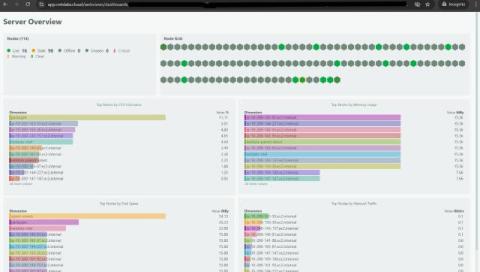
One of the most common requests we’ve gotten since launching custom dashboards is deceptively simple: “How do I put this on a TV?” Teams want their dashboards on wall-mounted screens in NOCs, war rooms, and open office spaces. The dashboard is already built. The data is already there. They just need a way to display it on a screen that nobody is logged into, without exposing the full Netdata Cloud interface. TV mode does exactly this.

New Custom Dashboards: Metrics, Logs, Live Commands, and More in a Single View

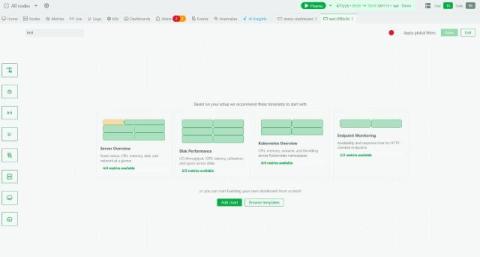
Custom dashboards in Netdata have always let you pull charts together on-the-fly into a single view. That’s useful, but it’s also limited. In practice, when you’re running an incident or reviewing a service, you don’t just want charts. You want to see the output of top alongside your CPU metrics. You want slow query logs next to your database latency charts.

Alert Acknowledgement: Mark It as Seen, Keep Working

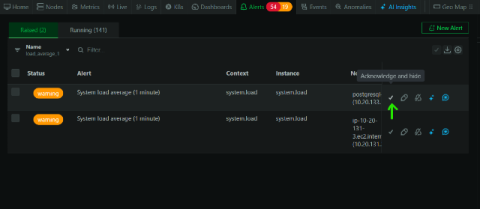
If you’ve ever opened the alerts tab during a busy period, you know the problem. There are alerts you’ve already looked at, alerts someone on your team is handling, and alerts that fired on a known issue that’s being worked on. They all sit together in the same list alongside the new ones you haven’t seen yet.

Expanded Chart View: Investigate Without Leaving the Chart

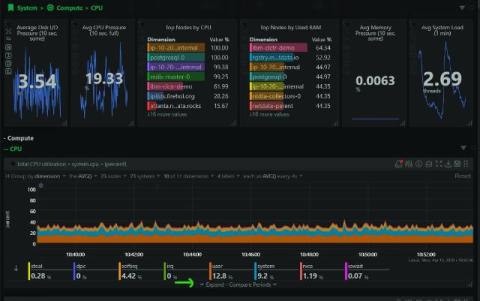
Charts in Netdata have always been interactive. You can zoom, pan, select time ranges, and see per-second granularity across thousands of metrics. But when you spotted something interesting, the next steps usually meant leaving the chart: opening another tab to check a related metric, navigating to the correlation tool, or pulling up a different time range for comparison. The investigation workflow lived outside the chart, even though the chart was where the investigation started.

Conversations: Ask Netdata About Anything You're Looking At

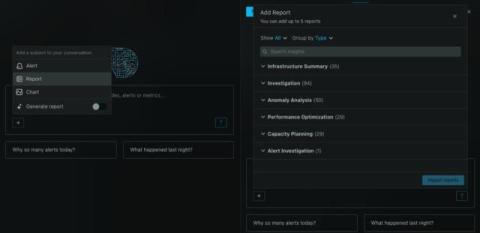
Netdata AI can already troubleshoot your alerts and generate Insights reports. What it couldn’t do, until now, was have a back-and-forth conversation. You could get a one-shot analysis, but you couldn’t ask follow-up questions, pull in additional context, or go from a quick question to a full investigation without starting over. We’ve added a conversational layer to Netdata AI.

Node Groups: Organize Your Infrastructure Into Reusable Views

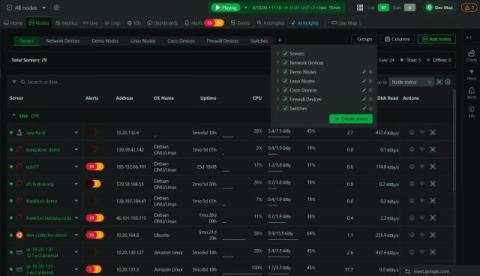
When you’re managing a handful of nodes, the flat list in the nodes tab works fine. When you’re managing hundreds or thousands, it becomes a wall of hostnames. You end up applying the same filters repeatedly: all the production database servers, all the nodes in eu-west, all the Kubernetes workers in the staging cluster. The filters work, but they don’t persist, and there’s no way to share them with the rest of your team. Node groups solve this.