In the early days of the web, the idea of performance was relatively straightforward. Pages were static, and the most dynamic thing you might encounter was a blinking banner ad. But as the web evolved, so did our ambitions. Today it's not just about building web pages anymore; it's about crafting experiences. Load speed time and search engine optimization (SEO) matter just as much as the content on the page. Thus, the choice between React and Next.js is an important one, with real-world implications.
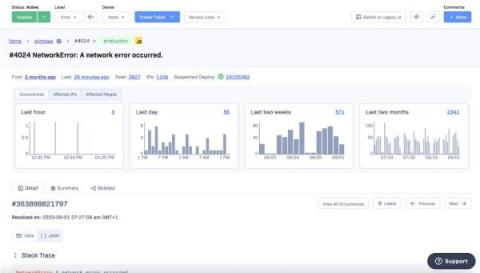
We’ve been listening to all the great feedback we’ve received on the new item detail page, and we’re pushing changes to help make investigating and understanding Rollbar items easier, quicker, and more efficient. The most visible change is that the context graphs have been moved to a single full-width view on the desktop so that you can immediately see the patterns of when occurrences happened, helping to spot patterns in behavior that can give insights into causes.
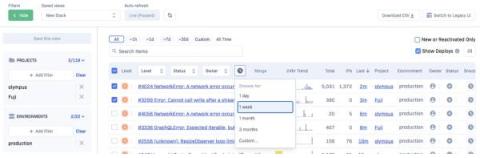
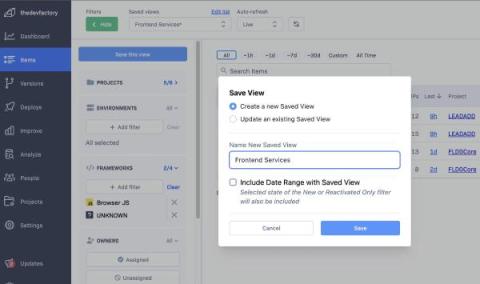
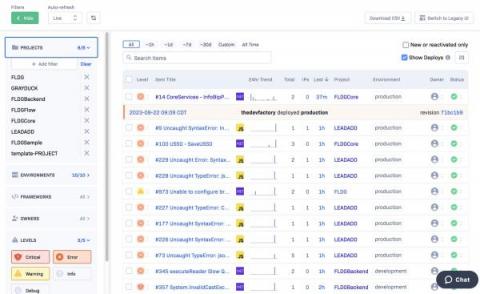
We are proud to announce that we are starting to roll out access to the new version of the item list page. The new page has been redesigned, refreshed and rebuilt from scratch; the fresh new look and feel is mobile friendly and also brings a number of immediate new benefits compared to the legacy page. Access will be available through a header to allow users to switch to the new page, with the ability to switch back to the legacy page if needed.
We are happy to announce the release of item summarization - a powerful tool to help users understand and utilize the data contained within the occurrences that make up an item. Organizations and engineers often deal with many occurrences within an Item when investigating underlying causes. With such vast amounts of data, spotting patterns and insights can be incredibly challenging and time-consuming.
We are pleased to announce the latest upgrade to Rollbar’s usage visibility tools - a comprehensive notification system. Following our commitment to continuous improvement, this new feature will provide immediate alerts about usage milestones via email and Slack. The newly added 'Notifications' button can be found at the top right corner of the Rollbar usage page.
We're thrilled to announce the launch of Rollbar's latest initiative to provide greater transparency and control over your occurrences. Our team has worked hard to address customers' feedback and concerns based on your occurrences and overages. We are excited to introduce a new level of observability to our platform.
In today's fast-paced tech environment, swiftly and efficiently resolving software errors is essential to maintain the seamless operation of your application. A prominent problem for engineering leaders is they often need help tracking and effectively understanding their error resolution performance over time. With a comprehensive, real-time visualization of this data, making informed decisions, setting performance benchmarks, and optimizing resources become easier.