
Is Your UV DTF Printer Ready for Growth? 7 Production Bottlenecks
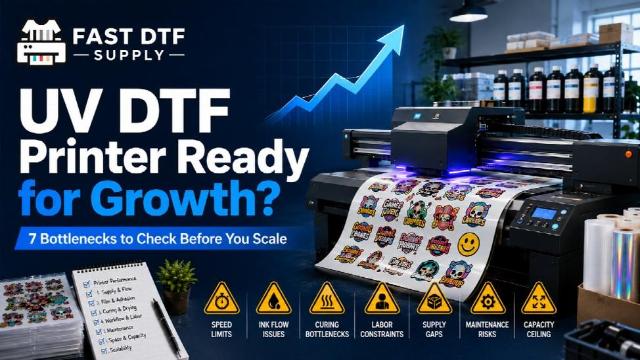
Buying a UV DTF printer is often treated as a simple equipment decision: compare specifications, choose a machine, and start producing. In practice, the printer itself is only one part of a much larger production system.
A machine that works perfectly for ten orders a week may become frustrating when demand doubles. The problem is not always that the printer is too slow. Supplies, workspace, maintenance routines, file preparation, finishing, replacement parts, and operator time can all become the real constraint.
That is why businesses planning to grow should evaluate a UV DTF printer by asking a different question: Where is my production workflow most likely to break first?
Here are seven bottlenecks worth identifying before you scale.
-
Printer Capacity Does Not Match Your Real Order Mix
Production capacity is more complicated than looking at a maximum print width or advertised speed. Your actual workload matters more.
A shop producing many small logos, labels, decals, and personalized pieces has a different workflow from a business regularly handling larger graphics or longer production runs. A printer may technically produce both, but that does not mean it handles both efficiently.
Before choosing equipment, review the jobs you expect to produce most frequently. Consider typical artwork dimensions, how many designs need to be grouped into a production run, how often jobs change during the day, and how much unused capacity you are likely to create.
The objective is not to buy the largest machine possible. It is to avoid buying a configuration whose limitations immediately conflict with the work generating your revenue.
-
Consumables Become the Hidden Constraint
A printer cannot produce without a reliable supply of compatible films, inks, cleaning materials, and other operating consumables.
This sounds obvious, but supply planning is easy to overlook when equipment receives most of the attention during the buying process. A shop can own capable hardware and still lose production time because a critical material runs out or a replacement supply was not planned in advance.
Estimate consumption based on realistic production rather than your first week of operation. As volume increases, reorder points should change with it.
The more dependent your business becomes on UV DTF production, the more important inventory planning becomes.
-
Maintenance Starts Competing With Production Time
Maintenance is not separate from production capacity. It consumes production capacity.
Routine cleaning, inspection, troubleshooting, and replacement tasks all take operator time. If your schedule assumes that every available hour will be spent printing customer work, normal maintenance can quickly create delays.
A healthier production plan includes maintenance before problems appear.
Ask who will be responsible for routine maintenance, how often equipment needs attention, where cleaning supplies and replacement components will be stored, and what happens to scheduled jobs if troubleshooting takes longer than expected.
This is especially important when one printer carries most of the shop's UV DTF workload.
-
Your Workspace Becomes Too Tight for the Workflow
A printer's physical footprint is only the beginning of its space requirement.
You also need practical room for loading materials, accessing the machine, organizing supplies, inspecting finished work, performing maintenance, and moving products through the production area.
A technically adequate printer placed in an inefficient workspace can create unnecessary handling, interruptions, and mistakes.
Map the workflow before the equipment arrives. Where does a job begin? Where is artwork prepared? Where are consumables stored? Where does printed material move next? Where are finished products inspected and packed?
When production grows, small layout problems become repeated production problems.
-
Replacement Parts and Troubleshooting Are an Afterthought
Businesses frequently compare machines while everything is working correctly. A more useful comparison asks what happens when something does not work correctly.
Every production system eventually requires troubleshooting, maintenance, or replacement components. Waiting until the machine stops to figure out the support path increases downtime.
Before committing to equipment, understand how compatible parts are identified, what technical information is available, and where routine replacement components can be sourced.
New Jersey operators evaluating equipment can use this broader guide to UV DTF printer buying decisions for New Jersey businesses to compare purchase price with the operating and support considerations that affect whether a system is genuinely ready for commercial use.
-
One Operator Becomes the Entire Production System
A growing shop can reach a point where the printer is capable of producing more work than the operator can manage.
The operator may be preparing files, loading materials, monitoring production, performing maintenance, communicating with customers, checking finished work, and packing orders at the same time.
At that stage, buying a faster machine does not necessarily solve the problem.
Break the workflow into tasks and identify which activities require direct operator attention. Some production constraints are equipment problems. Others are process problems.
Knowing the difference can prevent expensive upgrades that fail to increase real output.
-
You Upgrade Before Identifying the Actual Bottleneck
When a shop feels busy, equipment is often blamed first. That can lead businesses to buy additional capacity without understanding what is actually slowing production.
Measure the process instead.
- How much time is spent actively printing?
- How much time is spent preparing jobs?
- How frequently does production stop for material changes?
- How much operator time goes into maintenance?
- Are jobs waiting for the printer, or is the printer waiting for jobs to be prepared?
Those answers reveal whether another printer, a different printer configuration, better inventory planning, improved workspace organization, or a more structured operating process would create the biggest improvement.
Choose Equipment Around the Workflow You Want to Build
A good UV DTF printer should not simply meet today's minimum requirement. It should fit into a production system that can remain manageable as orders increase.
That does not mean every business needs the largest or most expensive equipment available. Oversized capacity can be just as unnecessary as undersized capacity.
The better approach is to understand your jobs, expected volume, workspace, consumables, maintenance responsibilities, support requirements, and likely growth constraints before selecting the machine.
If you are currently comparing equipment, you can compare UV DTF printer options based on the production role each configuration needs to perform rather than treating purchase price as the only deciding factor.
When the printer and the surrounding workflow are planned together, scaling becomes easier to manage. Instead of reacting to bottlenecks after orders increase, you can identify the likely constraints early and build a production setup around the work your business actually intends to produce.