
Topview: An AI Video Workspace for Short Films, Ads, and Team Production
Video is now a default channel for product updates, internal explainers, and campaign tests. Full production still costs time and people. Single-purpose generators still tend to emit one clip, then leave you to start over.
Topview sits in a different slot. It is positioned as an AI video agent plus production workspace, not as a novelty widget pack and not as a free “one-click movie.” You describe an idea, or you add a script, a reference clip, stills, or a product URL. The agent plans scenes, routes work across models, generates assets, and keeps shots on a Canvas so they can be compared and revised. That loop — plan, generate, inspect, adapt — is the current product story.
This overview is a map of what the platform currently exposes. It is not a ranking, and it does not claim a universal time or cost saving. Confirm duration, export, pricing, and model availability in the live product; those change by account and by campaign.
What Topview is (and is not)
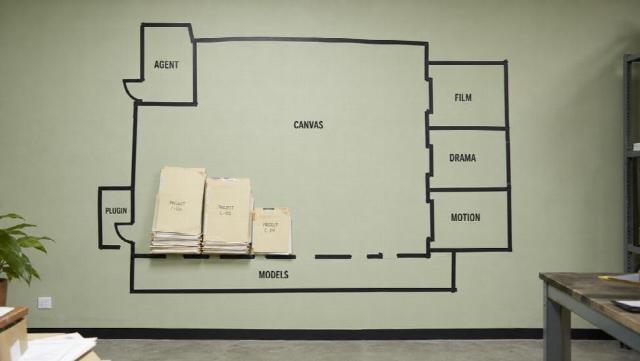
Topview is a hosted environment for short films, marketing videos, micro-drama-style sequences, and related stills or audio. Beginners can stay on the agent path. People who need tighter control can move into Canvas, a 3D shot composer, or named studios.
It is not a desktop NLE. Captions, colour, and a poster frame still belong in an editor if that is your last mile. It is not a promise that every generate will keep a SKU honest if the folder contains two products. It does not replace a customer who actually bought, or a recording that must be a real person for compliance.
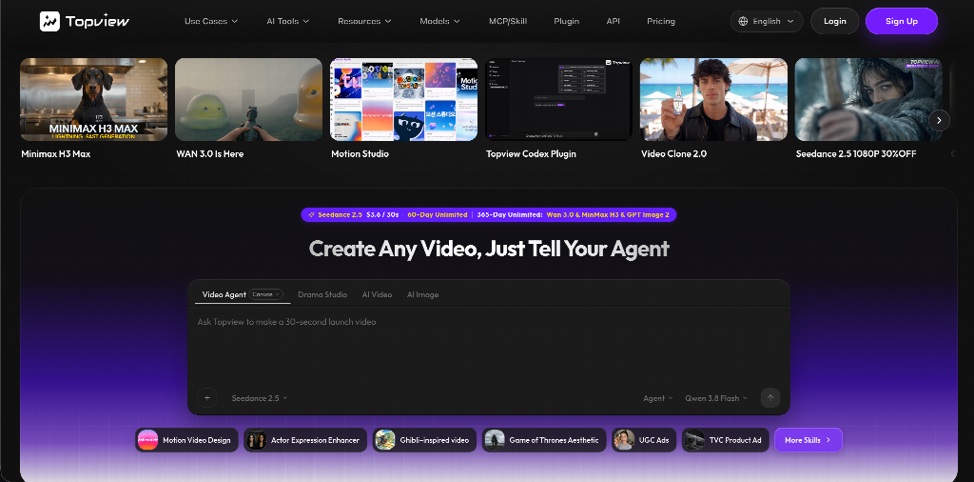
Two rows on the same homepage are easy to mix up. Models (for example Seedance 2.5, Wan 3.0, MiniMax H3) are generation engines with different lengths, reference limits, and cost. Studios and plugins (Film Studio, Drama Studio, Motion Studio, the coding plugin) are desks and integrations. Ranking a model against a studio as if they were two storefronts is how comparison tables go stale.
The agent and Canvas loop
The public positioning is “create any video, just tell your agent.” In practice the useful inputs are mixed: prompt, URL, image, video, audio. The agent is meant to pick a model for the beat and keep outputs attached to a project.
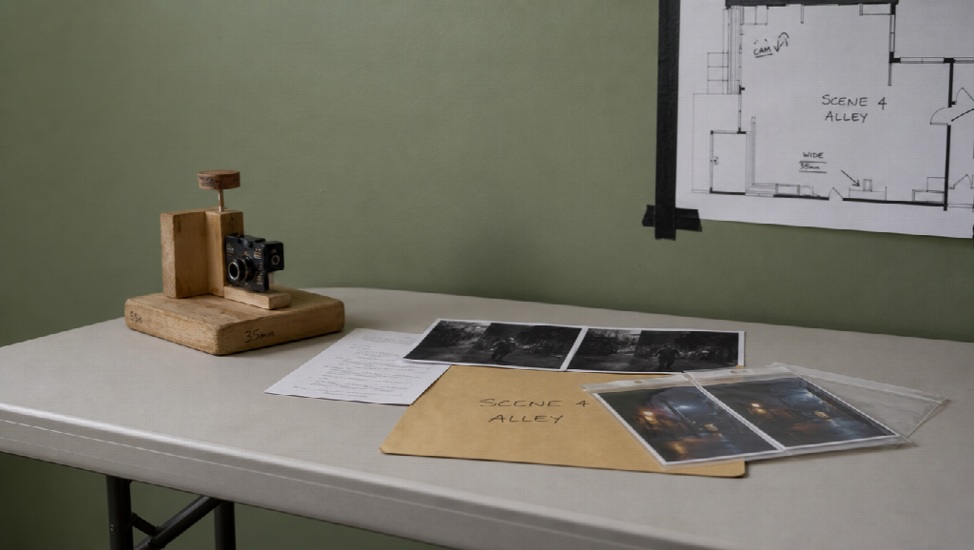
Canvas is the revision surface: takes sit next to the brief instead of disappearing into a ZIP. A 3D shot composer in Canvas is documented for blocking camera and composition before a generate, which is closer to previs than to a filter.
Teams features are part of the current pitch: shared projects, shared credits, grouped assets. That matters if more than one person owns the calendar. Admins still have to treat credits like studio time, not like unlimited local render.
Specialized desks (use the one that matches the job)
These are separate purchases in all but name. Mentioning them in one article does not mean they compete.
- Film Studio — a cinematic suite for people who want story, boards, and camera notes, then generation, rather than a single prompt.
- Drama Studio — characters, locations, and episode-shaped continuity for short or vertical drama.
- Motion Studio — motion graphics for product launches (type, rhythm, interface or hardware stills) without an After Effects timeline. Public copy currently talks about roughly 4–60 second pieces and several aspect ratios; templates are still described as a preview. Check the generator.
- URL-to-video / UGC-style ads / short-form batches — marketing paths from a page or a kit. Identity still depends on the stills you attach.
- Video clone / reference recreation — analyze pacing and shot language from a reference, then restage for your product. Rights and lookalike risk stay your problem.
Image models, avatars, voice, and localization (the site cites 30+ languages) sit around the video lane when a presenter or a market variant is the actual deliverable. Avatar suites that exist only to read a script remain a different category.
Models, without treating any one as the whole product
Topview routes jobs across engines. Seedance 2.5 is currently presented as a longer multimodal video model (on the order of 4–30 second coherent clips, mixed image/video/audio references, timing-style direction). Visible export on hosted generators is typically in the 1080p class unless the panel in front of you shows otherwise. Do not write native 4K into a brief from a headline.
Wan 3.0 is offered as an omni-reference / lower-cost lane relative to Seedance-class output; treat duration and extra context types as workflow guidance until the live UI confirms them. MiniMax H3 is positioned as a shorter audiovisual punch. Other image and audio models appear in the catalogue. Availability and price move; the honest habit is to read the picker, not a guest post.
Plugin and MCP, if you already work in an agent
Ops and engineering teams often do not want another isolated web app. The Plugin (Agent + Canvas, including Codex / Cursor / Claude Code style installs) is the integration path: brief in the assistant you already use, generate, then continue on Canvas. Topview also documents MCP as a way to connect that loop to an external agent.
This is tooling, not a third video model. If your day is already prompts in a repo, it is the feature that matches the rest of an OpsMatters reader’s stack. If you only need a browser generate, you can ignore it.
Who it may suit — and who should look elsewhere
May suit: film-leaning creators who want boards and takes in one place; ecommerce and performance teams testing product or UGC-style variants from a URL or a kit; micro-drama teams that need character continuity beyond one post; agencies that want shared credits and a project, not a folder of orphans.
Look elsewhere: frame-accurate colour and compositing (stay in Resolve or Premiere); a 12-minute training course in one render; presenter-only L&D in forty languages if that is the entire product; anyone hoping a prompt will invent a brand kit.
Pharma claims, adult content, and gambling creatives are a poor fit for this kind of write-up and for many publishers’ policies. Keep the brief in ordinary product, film, and software work.
Final thoughts
Vidnoz-style tools are built around widgets: image-to-video, translation, entertainment effects, often with a free tier as the headline. Topview is built around a workspace: an agent, a canvas, named studios, a model roster, and an optional plugin for people who already live in coding agents.
That is a larger surface and a larger learning curve. It is also a clearer split than “AI video generator” as a single SKU. Start with one job — a 20-second product proof, a launch motion piece, a scene in Film Studio — inspect identity at the midpoint, and finish captions in an editor. Check the live product for what your account can actually run. Then decide whether the desk is worth the credits, not whether a homepage called it magic.