
Phone Charging But Battery Percentage Won't Move: Why This Happens & What You Should Do
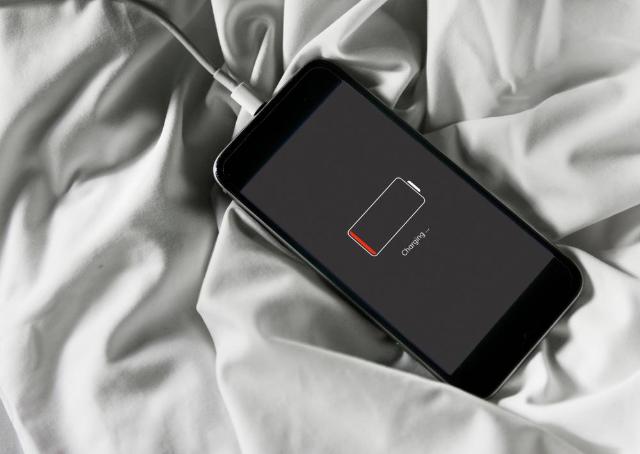
Image Source: depositphotos.com
It happens to almost everyone at some point.
You plug in your mobile phone, see the little lightning symbol, and walk away thinking, “Alright, it’s charging.” But when you come back later, it’s still stuck at the same number. Five minutes, ten minutes, half an hour… nothing changes.
This small problem drives people crazy because it feels like the phone is teasing you.
At WeGoWeFix — a team trusted for phone repair Miami — we see this exact issue every single week. Some phones come in with swollen batteries, others with dusty ports, and quite a few just need a good software refresh.
Let’s break down, in plain words, what’s going on and what you can actually do before bringing it to a shop.
1. What’s Really Going On
When the battery percentage refuses to move even though you see the charging sign, it usually means the electricity is entering the phone but not being stored properly inside the battery cells.
Think of it like water running through a pipe with a clog somewhere. The faucet is on, but the container isn’t filling. In a phone, that blockage could be anything from a cheap cable to a tiny piece of lint inside the charging socket.
Sometimes the issue is harmless — like a software glitch that stops the percentage from refreshing. Other times, it’s a bit deeper, like a weak battery or an internal power chip fault.
Either way, it’s not something to panic about yet.
2. Common Reasons Technicians See Every Day
A. The Charger Isn’t Doing Its Job
We see this one constantly. People use whatever cable they can find lying around — a friend’s spare adaptor, or one from another gadget — and expect it to work perfectly. But low-quality or mismatched chargers often deliver inconsistent voltage.
Your phone “thinks” it’s charging because it detects power, but that power isn’t strong or stable enough to fill the battery.
Stick with the original charger, or at least a certified replacement that matches your phone’s wattage.
B. Dirt or Moisture in the Charging Socket
Even a little lint can mess up the entire charging connection. The pins inside the socket are small, and once dust or humidity settles there, power flow becomes unstable.
We’ve had customers bring in phones that just needed a gentle port cleaning — no parts replaced, no fancy repair.
If you’re confident, you can use a soft brush or a can of compressed air. Avoid sharp tools or metal pins. If there’s corrosion, leave it to a technician; don’t try to scrape it off yourself.
C. Battery Age
Every battery has a lifespan. After roughly two years of daily use, most lithium-ion cells begin to wear out. The phone still turns on, but the battery can’t hold a proper charge anymore.
When this happens, you’ll often see strange behaviour: the percentage freezes, jumps suddenly, or drops right after unplugging.
Once it reaches that point, replacement is the only real fix.
D. Software Misread
Not every problem is physical. Sometimes, your phone’s system just loses track of the actual charge level. That can happen after an update, or if your phone died completely and restarted.
Restart the phone and plug it in again. If that doesn’t help, try draining it fully until it powers off, then charge it to 100 % in one go. This “recalibrates” the battery reading and usually brings the percentage back to normal.
E. Background Apps
You might not realise it, but apps keep working even when you’re not using them — navigation, cloud backups, social media syncing. If those are running while you charge, they can drain power just as fast as it’s being added.
Close everything, turn off Wi-Fi for a bit, and leave the phone untouched for fifteen minutes.
If you then see the number go up, that was the issue.
F. Faulty Charging Circuit
When none of the above works, the culprit could be the charging IC — a tiny chip that controls how current flows from the socket to the battery.
When it fails, your phone recognises the charger but can’t store energy.
This isn’t a DIY job; it requires diagnostic tools and micro-soldering, something only professionals handle safely.
3. What You Can Try Before Visiting a Shop
Here are a few steps you can do at home without risking your phone.
Step 1 – Inspect and Clean the Socket
Shine a light into the port and look for dust or bent pins.
If it’s dirty, gently clean it with a dry, soft brush. Avoid liquids.
Step 2 – Test Another Cable and Adaptor
Borrow an original cable from a friend or colleague.
If the phone starts charging normally, the problem isn’t your battery — it’s your accessories.
Step 3 – Try a Different Power Source
Plug your charger into another wall socket or a laptop USB port.
Sometimes, the problem is as simple as unstable electricity from your power strip.
Step 4 – Restart and Wait
Turn the phone off, keep it off for a minute, then plug it in while still powered down.
If you see the percentage rise, the issue was just a software hiccup.
Step 5 – Watch the Temperature
If your phone gets hot while charging but the percentage stays the same, unplug it immediately.
That’s a sign of internal stress or a short circuit, not a normal delay.
4. What a Technician Actually Checks
When you bring the phone to a workshop like ours, the process is straightforward:
- A quick visual inspection of the port for dust, damage, or corrosion.
- Testing with a certified charger to eliminate accessory issues.
- Measuring current flow using a USB multimeter.
- Checking battery health through software tools.
- Inspecting the charging circuit under a microscope if needed.
These tests tell us exactly where the fault is, often within ten minutes.
At times, what seems like a “dead battery” turns out to be a $10 cable or a clogged port.
Tip from the Field
We once had a customer come in convinced their battery was completely gone. After a closer look, all we found was a bit of pocket lint packed tightly into the port. One careful cleaning later, the phone charged perfectly again.
So yes, small things matter.
5. Why You Shouldn’t Ignore It
A charging issue might look harmless, but leaving it unfixed can cause more trouble.
Continuous incomplete charging heats up the components, stresses the motherboard, and in bad cases, makes the battery swell.
A swollen battery can push against the screen from inside and cause cracks or even break the frame.
If you’re around the Miami area, you can always visit the local team listed on this map for phone repair Miami — our repair experts can check it safely before it becomes a bigger issue.
6. How to Prevent This in the Future
A few easy habits go a long way:
- Use official or certified chargers only.
- Avoid charging overnight every day; occasional long charges are fine.
- Keep the port clean and dry.
- Don’t use your phone heavily while charging — it creates extra heat.
- Update the software whenever new patches arrive.
- Store your phone away from extreme temperatures.
These simple habits can add months, sometimes years, to your battery’s life.
7. Myths Worth Forgetting
- “Fast charging ruins batteries.”
It doesn’t. Heat is the real enemy, not charging speed.
- “Draining the phone completely helps.”
Not with today’s batteries. Partial charges are perfectly fine.
- “All chargers are the same.”
Definitely not. The cheap ones often cause the kind of problems we’re talking about.
8. When to Seek Help
If your phone still refuses to charge after trying everything, it’s time to get it looked at.
Professionals can identify exactly what’s happening inside and repair it correctly instead of replacing random parts.
The team at WeGoWeFix can test your device, replace the battery or charging port if needed, and return it quickly with full warranty coverage. You’ll get your phone back working the way it should — charging fast and holding power like new.
Final Thoughts
When your phone acts up like this, don’t panic and don’t assume the worst.
Most of the time, it’s something small — a tired cable, a dusty port, or a confused battery indicator. But if it keeps happening, getting a professional opinion is the smart move.
At the end of the day, your phone is an essential tool, and a smooth charging experience is part of keeping it reliable.
Handle it with care, give it proper accessories, and it’ll last longer than you expect.
Disclaimer
This article is meant to share knowledge and real repair-shop experience. It isn’t a substitute for professional service.
If your phone keeps showing charging problems even after these steps, visit a qualified repair centre for proper diagnostics.