
Building a High-Performance Setup for Work and Play
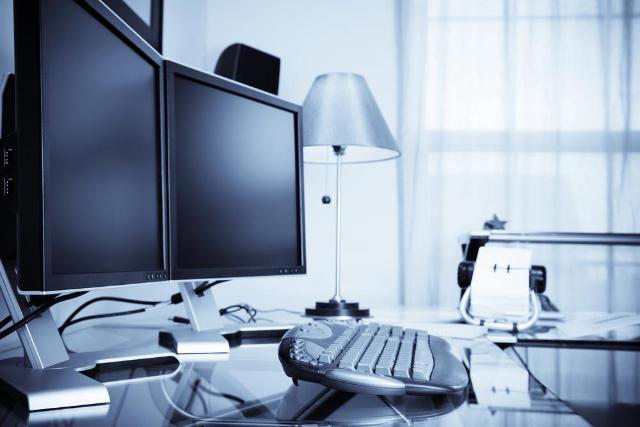
Image Source: depositphotos.com
Many people struggle to find one setup that works well for both jobs and games. Studies show the right hardware can boost your work speed and game experience. This blog will guide you in building a powerful workstation and gaming PC together, step by step.
Ready to upgrade your space?
Choosing the Ideal Desk Setup
Pick a desk that matches your space and style. Make sure it supports both work tasks and gaming sessions with ease.
Importance of a spacious desk
A spacious desk helps keep your workstation tidy and organized. You get enough room for your keyboard, mouse, dual monitors, and gaming PC without feeling cramped. Smooth cable management becomes possible with extra space, which boosts both performance and safety. A roomy surface also allows you to add accessories like a lamp or speakers that improve comfort during long hours of work or play.
Large desks support better posture because you can spread out your setup for proper ergonomic design. Placing items farther apart cuts down on clutter and lets you focus more easily on multitasking tasks or gaming sessions.
With plenty of space available, upgrading future PC components gets much easier, too since you do not need to shuffle everything around every time you rebuild your custom PC build configuration.
Benefits of a height-adjustable desk
Height-adjustable desks bring many benefits. They help improve comfort while working or gaming. These desks let users switch between sitting and standing. Doing this can reduce fatigue and boost energy levels during long hours of use.
A height-adjustable desk also promotes better posture. Good posture can prevent back pain and discomfort. People feel more focused when comfortable at their workstation. This type of setup is great for multitasking, making it easier to switch from work to play smoothly. Standing up can keep your mind sharp. This is one of the most important ergonomic tips for shorter professionals because standard desk heights often force improper elbow angles and strain on the shoulders. Choosing adaptable furniture ensures your feet remain flat on the floor while maintaining a comfortable, productive alignment throughout the workday.
Optimizing Your PC Hardware
Choose a strong CPU and GPU to boost performance. Fast storage, like Gen5 SSDs, will make your system run smoother and load faster. Investing in a high-quality gaming computer can significantly enhance your overall experience, making both work and leisure more enjoyable.
Selecting a powerful CPU and GPU
A powerful CPU and GPU can make your setup shine. A good CPU helps your computer run fast. It handles tasks like video editing, gaming, and multitasking easily. PC gamers should look for a CPU with multiple cores. This allows smooth gameplay even when running other programs.
The GPU is just as important. It enhances graphics for games and applications. A strong GPU will ensure that high-resolution images load quickly without lagging. Look for options that support the latest technology, such as ray tracing for better visuals in games.
Investing in these high-performance components will boost both work and play experiences significantly.
Choosing fast storage options like Gen5 SSDs
Fast storage is key for a high-performance setup. Gen5 SSDs stand out due to their speed. These drives can offer data transfer rates over 10,000 MB/s. This makes loading games and apps quick and smooth.
Fast storage improves multitasking too. You can run several programs at once without slowing down your system. Games load faster, so you spend less time waiting and more time playing or working efficiently.
Power up your workstation with Gen5 SSDs for the best experience in both work and play. Next, we will look into picking the right RAM capacity for multitasking.
Picking the right RAM capacity for multitasking
Optimizing your PC hardware also includes picking the right RAM capacity for multitasking. This choice is key for running multiple applications smoothly. Aim for at least 16GB of RAM if you often switch between tasks or run demanding software. More RAM helps your system manage programs without slowing down.
For gamers, having 32GB can improve performance during intense gaming sessions and streaming. It allows the game to load faster and reduces lag. Consider future needs when building your setup too; more RAM means better performance as software gets updated over time.
Designing a Dual-Monitor Setup
Dual monitors can make a big difference in your work and gaming. They help you see more and do tasks faster. Properly placing your screens can also ease neck strain and boost comfort.
Advantages of dual monitors for work and gaming
Using dual monitors boosts both work and gaming efficiency. Two screens give you extra space for tasks. You can keep documents open on one and browse the web on another. This helps with focus and productivity.
For gaming, dual monitors enhance your experience. You can chat with friends while playing a game or watch tutorials without pausing your play. A dual-monitor setup makes multitasking easy and enjoyable. It is a great way to improve your workstation or gaming PC layout.
Tips for ergonomic monitor placement
Good monitor placement matters. It can improve your comfort and productivity during long hours of work or gaming.
- Position the top of the monitor at or slightly below eye level. This helps reduce neck strain while you work or play.
- Keep the monitor about an arm's length away from your face. This distance minimizes eye fatigue and provides a clear view.
- Tilt the monitor slightly backward, around 10 to 20 degrees. This angle helps avoid glare and gives a better viewing experience.
- Align the monitors side by side for a dual-monitor setup. Matching heights keeps your neck relaxed and makes switching tasks easier.
- Use monitor risers or adjustable arms if needed. These tools help customize your setup for optimal height and distance.
- Ensure natural light does not shine directly on the screen, as it can cause glare. Use curtains or blinds to control sunlight effectively.
- Take regular breaks to rest your eyes and stretch your body. Short breaks help refresh you and improve focus over time.
These tips enhance comfort in any workstation set up, whether for gaming or everyday tasks.
Enhancing Comfort and Functionality
Ergonomic chairs support your body during long hours of work or play. Smart accessories make it easy to switch between tasks without any hassle.
Ergonomic chairs for extended use
Choosing the right chair matters. Ergonomic chairs help you stay comfortable during long hours of work or gaming. These chairs support your back and encourage good posture. They can reduce stress on your body.
Good ergonomic designs allow for adjustments. You can change the height, armrests, and lumbar support to fit your needs. This helps prevent aches and pains over time. A quality chair promotes productivity and keeps you focused while working or having fun in games.
Smart accessories for seamless mode switching
Smart accessories can make switching between work and play easy. They help boost productivity while ensuring comfort.
- A good USB hub allows quick connection for all devices. It reduces clutter and saves time when you switch tasks.
- Wireless keyboards and mice provide flexibility. You can move freely without being tied down by cords.
- Cable management solutions keep your workspace tidy. Neat cables look better and reduce distractions.
- A docking station simplifies connections for laptops or tablets. It makes it faster to connect to monitors and power.
- Smart lighting can improve focus during work sessions and set a gaming mood at night. Adjustable brightness helps reduce eye strain.
- Headphones with noise cancellation help block distractions in busy environments, making it easier to concentrate on work or enjoy immersive gameplay.
- Multi-device chargers keep your tech powered up without hassle, ensuring everything is ready when you are.
- Adjustable monitor stands promote good posture, making long hours at the desk more comfortable for both work and gaming.
These smart accessories enhance your hybrid setup for both productivity and entertainment, making transitions smooth and efficient.
Conclusion
A high-performance setup boosts your work and gaming experiences. Focus on the right desk, PC components, and accessories to create a space that works for you. Comfort is key; invest in ergonomic chairs and smart tools for easy switching between tasks.
With careful planning, you can build a great workstation without breaking the bank. Enjoy your new setup!