
8 Best Requirements Management Tools (2026)

Image Source: depositphotos.com
Changing one requirement shouldn’t mean chasing five teams, updating three documents, and hoping nothing critical breaks downstream. But without the right requirements management tool, that’s exactly what happens. Teams end up relying on spreadsheets, static documents, and manual checklists to manage work that’s constantly evolving.
The challenge isn’t just documenting requirements; it’s understanding how they connect to tests, risks, and design decisions as products grow more complex. This becomes even harder in regulated environments, where teams need to show not just what changed, but why, when, and how it was validated.
This guide compares the eight best requirements management tools, from modern platforms built specifically for complex product development to legacy and ecosystem-based solutions. The goal is to help you identify which tools fit your product complexity, regulatory needs, and team structure without overengineering your process.
What Makes a Great Requirements Management Tool?
A good requirements management tool helps teams stay aligned as work changes. A great one prevents small requirement updates from turning into costly downstream surprises just as clear invoicing prevents small billing errors from becoming larger financial issues.
Here’s what to look for when evaluating requirements management software:
Clear, continuous traceability: You need to see how requirements relate to tests, risks, and other development artifacts without manually maintaining traceability matrices. When something changes, the impact should be obvious immediately.
Change impact visibility: Requirements evolve. The tool should make it easy to understand what’s affected when a requirement changes, so teams can respond intentionally instead of reacting late in the process.
Support for validation and compliance: In regulated industries, requirements aren’t complete until they’re verified and validated. Look for tools that help generate audit-ready evidence and support formal review and approval workflows.
Usability across roles: Requirements management isn’t just for systems engineers. Product managers, developers, testers, and quality teams all need to participate. If the tool is too hard to use, teams will fall back to documents and spreadsheets.
Ability to scale beyond documents: Spreadsheets can work early on, but they break down as requirements grow and teams scale. A strong requirements tool should support long product lifecycles, multiple teams, and parallel development without becoming brittle.
Integration with your existing toolchain: Requirements don’t live in isolation. The platform should connect with the tools your teams already use for development, testing, and issue tracking. Without this, requirements management becomes another silo instead of a source of truth.
How do the Best Requirement Management Tools Compare?
|
Platform |
Stand-out Capabilities |
Best For |
|
Jama Connect |
Live traceability, reviews, and AI-assisted quality |
Regulated, complex product development |
|
Helix ALM |
Integrated requirements + testing |
Compliance-focused teams |
|
Polarion |
End-to-end ALM |
Siemens-centric organizations |
|
PTC Codebeamer |
Change control + traceability |
Structured development environments |
|
Valispace |
Modern, system-level requirements |
Engineering-driven teams |
|
IBM DOORS |
Large-scale legacy programs |
Long-running enterprise systems |
|
Visure |
Compliance documentation |
Safety-critical industries |
|
Modern Requirements |
Azure DevOps native |
Microsoft-centric teams |
The 8 Best Requirements Management Tools for 2026
1. Jama Software (Jama Connect)
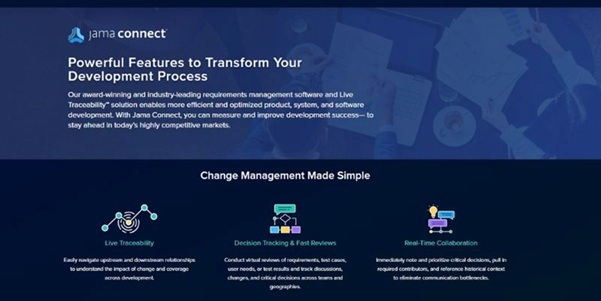
Jama Connect is a requirements management platform designed specifically for teams building complex, regulated products where traceability and validation are non-negotiable.
Why it’s #1
Jama Connect treats traceability as a live, working capability rather than a reporting exercise. It continuously links requirements, tests, risks, and decisions as work changes, enabling teams to assess impact faster, prevent coverage gaps, and stay aligned across engineering, QA, and compliance. With deep integrations, scalable workflows, and deployment flexibility, it’s a strong fit for growing teams and global enterprises alike.
Notable features
- Live Traceability™ across requirements, tests, and risks
- Structured review and approval workflows
- Scales with complex engineering organizations
- AI-assisted requirement quality and risk detection
- Reuse, baselines, and impact analysis for long lifecycles
- Extensive integrations with a wide range of tools
Drawbacks
- More capability than very small or informal teams may need
2. Helix ALM (Perforce)
Helix ALM combines requirements, test management, and issue tracking in a single platform, with a strong emphasis on traceability and compliance.
Why it’s on this list
Helix ALM works well for teams that want structured requirements and validation tracking in one place, especially when audit documentation is a priority.
Notable features
- Integrated requirements and test management
- Traceability for audits and reviews
- Support for formal validation workflows
Drawbacks
- Interface feels dated
- Configuration can be time-consuming
3. Valispace (now Requirements Portal)
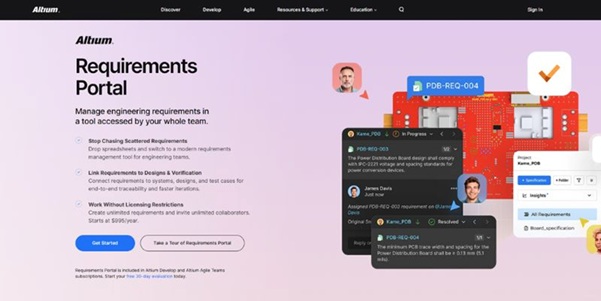
Requirements Portal is a newer, cloud-native tool focused on system-level requirements and engineering collaboration.
Why it’s on this list
Requirements Portal appeals to engineering teams looking for a modern alternative to legacy tools, especially in hardware and systems development.
Notable features
- Clean, modern interface
- System-level requirements modeling
- Real-time collaboration
Drawbacks
- Less mature ecosystem
- May need complementary tools for compliance
4. IBM DOORS
IBM DOORS is one of the oldest requirements management tools still in active use.
Why it’s on this list
Despite its age, IBM DOORS remains entrenched in organizations with long product lifecycles and significant historical investment.
Notable features
- Handles very large requirement sets
- Deep customization via scripting
- Proven in large enterprise programs
Drawbacks
- Legacy architecture
- High administrative overhead
- Steep learning curve
5. Visure
Visure focuses on structured requirements management with strong support for traceability and compliance documentation.
Why it’s on this list
Visure is a practical option for teams in safety-critical environments that prioritize formal documentation and audit readiness.
Notable features
- Traceability matrices
- Risk and compliance management tools
- Customizable templates
Drawbacks
- Smaller ecosystem
- Limited scalability for very large teams
6. Modern Requirements
Modern Requirements is built directly into Microsoft Azure DevOps, extending it with requirements and traceability capabilities.
Why it’s on this list
It works best for teams already committed to Azure DevOps that want requirements support without introducing a separate platform.
Notable features
- Native Azure DevOps integration
- Requirements traceability within DevOps workflows
- Familiar Microsoft environment
Drawbacks
- Limited flexibility outside Azure DevOps
- Less depth than dedicated RM platforms
7. Polarion (Siemens)
Polarion is part of Siemens’ ALM portfolio and provides requirements management alongside testing and lifecycle tools.
Why it’s on this list
Polarion is a solid option for organizations already invested in the Siemens ecosystem that want an all-in-one lifecycle platform.
Notable features
- End-to-end lifecycle traceability
- Versioning and change history
- Tight integration with Siemens tools
Drawbacks
- Steep learning curve
- Less flexible outside its native ecosystem
8. PTC Codebeamer
PTC Codebeamer supports structured requirements management with strong change control and traceability.
Why it’s on this list
Codebeamer fits teams that need to manage evolving requirements while maintaining formal review, approval, and validation processes.
Notable features
- Change control with full version history
- Traceability linking requirements, tests, and risks
- Configurable workflows and templates
Drawbacks
- Setup and administration can be resource-intensive
- Interface feels less modern
How to Choose the Right Requirements Management Software
Choose your requirements management tool by matching platform capabilities to the factors that actually shape how your teams work.
Step One: Identify your primary development challenge
Different organizations need different requirements capabilities based on what they’re building and how much risk they carry:
Complex, regulated products → End-to-end traceability, validation support, and audit-ready documentation
Engineering-heavy systems → System-level requirements and architecture visibility
Long-running enterprise programs → Large-scale requirements repositories with deep customization
Software-centric teams → Lightweight tracking tied to development workflows
Step Two: Assess your compliance and operating reality
Your industry regulations and existing toolchain narrow your options quickly:
Safety-critical or regulated industries → Tools that support formal reviews, traceability, and verification evidence
Long product lifecycles → Platforms that handle reuse, baselines, and controlled change over time
Distributed or multidisciplinary teams → Solutions that support collaboration across engineering, product, and quality
Microsoft- or ecosystem-centric teams → Tools embedded directly in existing platforms
Step Three: Consider effort beyond feature lists
Feature checklists rarely tell the full story. Look beyond surface capabilities and consider:
- How much configuration and administration the tool requires
- Whether traceability works continuously or only through manual reports
- How easily non-engineering roles can participate
- The effort required to maintain the system as teams and products scale
Once you narrow the list to two or three options, test them using real scenarios: changing a requirement, tracing it to validation, and preparing for a review or audit. That’s where differences in usability and visibility become obvious.
Conclusion
The best requirements management software depends on how complex your products are, how often requirements change, and how much confidence you need in your development outcomes. Some tools are designed to get teams started quickly, while others focus on deep traceability, validation, and long-term scalability.
The platforms in this list reflect those different approaches. For teams building complex or regulated products, purpose-built solutions like Jama Connect provide the structure and visibility needed to manage change with confidence as products and teams grow.