Operations | Monitoring | ITSM | DevOps | Cloud

What Are Network Monitoring Agents & How to Deploy & Configure Them

In this article, we’ll dive into the video where we discuss Network Monitoring Agents in Obkio’s Network Performance Monitoring App. Monitoring Agents (software, hardware, virtual appliances) are deployed in key network locations to monitor performance between all network sites. This video will also teach you how to create new Monitoring Agents or to modify or delete Agents you already have in your account. .
What is Network Performance Monitoring (NPM): How It Works & How to Deploy It

In this article, we’ll walk you through Obkio’s powerful Network Performance Monitoring features by exploring the “Network Performance” tab in Obkio’s Network Performance Monitoring App. We’ll guide you through the video demonstration and take a closer look at the “Network Performance” tab, which provides a comprehensive overview of your network’s health.

How to Troubleshoot ISP & Internet Issues with Obkio

In this article, we’ll break down our video, brought to you by Obkio's network pros, where we show you how to use Obkio’s Network Performance Monitoring tool to troubleshoot an Internet issue on the Internet Service Provider’s end. Internet issues can be frustrating, especially when they disrupt your business operations or daily activities. Often, these problems originate from your Internet Service Provider (ISP), making it crucial to identify and resolve them quickly.

5 Most Common MPLS Issues & How to Fix Them

From 2010 to 2017, MPLS (Multiprotocol Label Switching) was the go-to solution for enterprise networks. It offered reliability, security, and performance that businesses relied on for their critical operations. Since then, many organizations have moved to SD-WAN, attracted by its flexibility and cost-effectiveness. However, MPLS is far from obsolete.

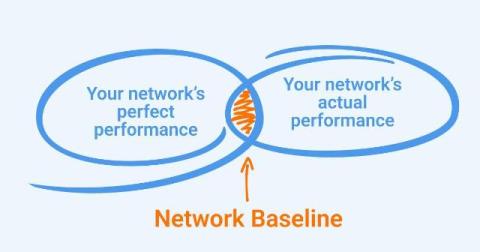
What Is a Network Baseline & Why You Need One

Imagine driving to work every day on the same route. You know how long it typically takes, where traffic tends to slow down, and which shortcuts can save you time. But one day, your commute takes twice as long, and you’re left wondering – was it an accident, construction, or just bad luck? Knowing what’s “normal” for your commute helps you immediately recognize when something’s off and figure out why. The same principle applies to your network.