
Why Your Phone's Back Glass Isn't Just Cosmetic | Hidden Damage & Repair Warning Signs
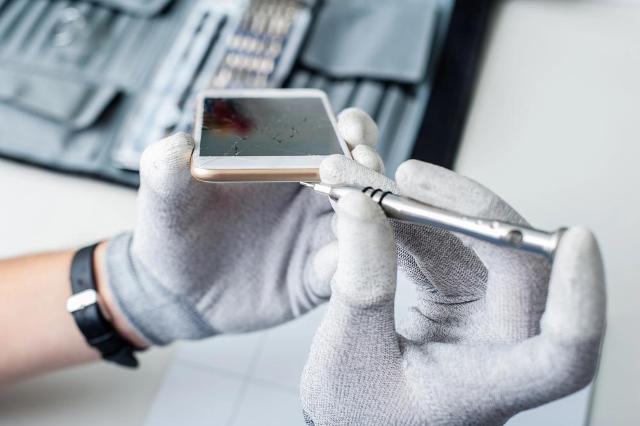
Image Source: depositphotos.com
We’ve all felt that heart-stopping jolt. That sickening crunch as your brand-new, top-of-the-line smartphone slips from your grasp. You pick it up, praying, and... phew! The front screen is perfect. But then, you flip it over. A spiderweb of shattered glass greets you.
The first thought for most people? "Oh, well. It's just the back. I'll just slap a case on it and forget about it. It's only cosmetic, right?"
Wrong. Dangerously wrong.
In the world of modern smartphones, that back glass is one of the most critical and functional components of your device. Ignoring a crack, even a small one, is like ignoring a small crack in your car's windshield during a hailstorm. It’s a minor issue that is one bump away from becoming a catastrophic, expensive, and even dangerous liability.
As tech repair experts who see the "after" of these decisions every single day, we've seen it all. We've seen how a "small crack" on a new iPhone or Samsung Galaxy turns into a $600 paperweight because the owner waited too long. This is especially true for modern, high-end devices. If you've invested in a great phone, letting a small issue fester can lead to costly damage. That's why getting a professional phone repair San Antonio is more than just fixing aesthetics; it's about protecting your investment.
So, what is really going on under that smooth, shattered glass panel? Why is it so much more than just a pretty design choice? We’re going to pull back the curtain and break down every hidden risk, from compromised charging and signal failure to internal system meltdowns and genuine safety hazards.
Section 1: It’s Not Just a Pretty Face: The Functional Revolution of Back Glass
To understand why a cracked back is so serious, we have to look at why phones even have glass backs in the first place.
Remember the "old days" of the mid-2000s? Phones were plastic. You could pop the back cover off, swap the battery, and snap it back on. Then we moved to metal unibodies, like the HTC One or older iPhones, which felt premium and durable. So why the big shift to glass, which is famously... breakable?
It wasn't just to make them look sleek. The move to glass, led by Apple and Samsung, was a critical engineering decision. That glass panel is a high-tech, multi-purpose component.
Reason 1: The Magic of Wireless Charging
This is the number one reason. The convenience of dropping your phone on a pad and having it charge is now a standard feature. But that magic has a weakness: it’s based on electromagnetic induction.
Here’s the simple version: A coil in the charging pad creates a magnetic field. A second coil, located just under the back glass of your phone, receives that field and converts it back into electricity to charge your battery.
This process simply cannot work through a metal back. Metal blocks the magnetic field completely. Plastic could work, but it feels cheap and doesn't dissipate heat as well. Glass is the perfect solution—it’s rigid, feels premium, and allows the electromagnetic field to pass through with almost zero interference.
How a Crack Ruins This: A shattered back is no longer a uniform, flat surface.
- Misalignment: The cracks and missing chips can create tiny air gaps or shift the alignment of the internal charging coil relative to the pad. This weakens the magnetic "handshake."
- Inefficiency & Heat: This weak connection means the charger and phone have to work harder, generating significantly more heat. You'll notice your phone gets dangerously hot on the pad, all while charging at a snail's pace (if at all).
- Short Circuit Risk: A deep crack or a missing chunk of glass could expose the charging coil itself. If any moisture—even just humidity—gets in, it can short out the coil, killing wireless charging permanently.
Reason 2: 5G, Wi-Fi, and Bluetooth Signals (RF Pass-Through)
Much like wireless charging, your phone's radio signals don't play well with metal. Wi-Fi, 4G, 5G, Bluetooth, and GPS are all high-frequency radio waves (RF). A metal case acts like a Faraday cage, blocking those signals and turning your $1,000 phone into a brick.
This is why metal-backed phones had those "antenna lines"—ugly plastic strips that gave the signals a window to escape.
A glass back is the window. The entire back panel is designed to be transparent to all these radio frequencies, allowing your antennas (which are tucked inside the phone's frame) to broadcast and receive clearly.
How a Crack Ruins This: A crack isn't just a visual flaw; it's a fracture in that window.
- Signal Refraction: The jagged edges of the crack can block, scatter, and refract these tiny waves. The result? You start seeing one bar of 5G where you used to have full service.
- Dropped Calls: Your Wi-Fi connection becomes unstable. Your Bluetooth headphones keep cutting out. Your GPS thinks you're in the next street over.
- A Growing Problem: As moisture and dust get into those cracks, it further blocks and degrades the signal, making the problem worse every day.
Reason 3: Thermal Dissipation and Internal Design
Believe it or not, that glass is also part of your phone's cooling system. While not as effective as metal, the glass back, the metal frame, and the internal graphite pads are all designed to work together to pull heat away from the processor and battery and dissipate it into the air.
A shattered back panel loses its uniform ability to transfer this heat. The cracks trap heat in pockets, leading to "hot spots" on the back of your phone. This can cause the processor to throttle (slow down) and, more dangerously, degrades the long-term health of your battery.
Section 2: The Gateway: A Cracked Back is an Open Door to Disaster
This is the most critical risk of all. A modern smartphone is a "sealed" unit. That's what its IP rating (like IP68) is all about. This rating means the phone is protected against dust, and can (in theory) survive being submerged in water.
This "seal" is achieved with microscopic gaskets, strong adhesives, and precision engineering. A cracked back glass completely and totally voids your IP rating.
Your water-resistant phone is now just... a phone. And it has a gaping hole in its armor. That crack is an open invitation for the two silent killers of all electronics: water and dust.
Sub-Section 2.1: The #1 Enemy: Water, Sweat, and Humidity
Most people think, "I'll just be careful not to drop it in the pool." But it's not the big "dunk" that kills most phones. It's the slow, creeping invasion of moisture.
With a cracked back, your phone is now vulnerable to:
- Rain: Getting caught in a drizzle for 30 seconds is now a major risk.
- Humidity: Using your phone in a steamy bathroom while you shower.
- Sweat: Keeping it in your pocket during a workout or on a hot day.
- Spills: Setting it on a damp kitchen counter or a wet table at a bar.
What happens when that moisture gets in? It’s a catastrophic cascade failure.
- Liquid Contact Indicators (LCIs): First, it will hit the internal LCI stickers (usually white, they turn bright pink or red on contact with liquid). The instant a technician sees this, your warranty is void.
- Logic Board Short Circuit: The moisture bridges connections on the logic board (the phone's brain). This can cause immediate failure or, worse, slow-growing corrosion.
- Corrosion: That green, fuzzy buildup you see on old batteries? It starts forming on the tiny, microscopic connectors for your screen, your battery, and your cameras.
- Camera Failure: The most common victim. Moisture gets inside the camera module, fogging the lens from the inside. This is not cleanable. You'll have permanent spots and haze on every photo you take until the entire camera module is replaced.
- Face ID / Biometrics Failure: The delicate sensors for Face ID or under-screen fingerprint scanners are extremely sensitive to moisture. Once they fail, they are often impossible to repair.
- "Moisture Detected" Alert: You'll get that dreaded warning in your charging port, and it won't go away. Why? Because even if the port is dry, the internal sensor deep inside the phone is wet.
Sub-Section 2.2: Dust and Debris: The Silent Grinder
Water is fast, but dust is a slow-motion killer. We're not talking about big chunks of rock. We're talking about fine pocket lint, sand, grit, and microscopic particles. That cracked back is a vacuum cleaner for all of it.
Where does this debris go?
- Inside the Camera Mechanism: This is a nightmare. The dust gets inside the lens assembly. You'll see black specks in your photos. But worse, it gets into the Optical Image Stabilization (OIS) or sensor-shift mechanisms. This is the tiny motor that keeps your videos smooth. The grit grinds against it, causing the camera to rattle, buzz, or fail to focus.
- Under the Battery: It can get lodged between the battery and the frame, creating a pressure point.
- In the Buttons: Lint and grit work their way into the tiny mechanisms for your power and volume buttons, making them feel "mushy" or stop clicking entirely.
- In the Speakers: It clogs the fine speaker mesh from the inside out, muffling your audio and making calls sound distant.
By the time you notice these problems, the damage is done. It’s like living with a broken window in a sandstorm. You can keep wiping the counters, but the grit is inside the TV, the computer, and the plumbing.
Sub-Section 2.3: Structural Integrity and the "Bendgate" Effect
That glass panel isn't just sitting there. It's bonded to the phone's metal frame with incredibly strong adhesive. The glass and metal frame work together as a "sandwich" to create a rigid, unibody structure. This is what keeps your phone from twisting or bending.
When the back glass is shattered, the "sandwich" is broken. The phone loses a massive amount of its structural rigidity.
What does this mean for you?
- Bending: An action that was once harmless—like sitting down with the phone in your back pocket—can now permanently bend the entire frame of the phone.
- Cascade Failure: A bent frame is a death sentence. It puts immense stress on the logic board, which is brittle and inflexible. This can crack the microscopic solder joints, leading to "boot looping" (the phone just shows the logo and reboots forever) or total "no power" failure.
- Front Screen Vulnerability: With the frame's integrity gone, the front screen is now under more stress. The next time you drop it, even a minor tumble that it would have survived before, the front screen is exponentially more likely to crack.
You are, in effect, walking around with a phone that has a broken bone. The slightest wrong move can cause a simple fracture to become a compound, unfixable one.
Section 3: The Ticking Time Bomb: Battery and Fire Risks
This is the part that moves from "expensive problem" to "serious safety hazard." On virtually every modern phone, the lithium-ion battery sits directly underneath the back glass.
Lithium-ion batteries are amazing pieces of technology, but they are volatile. They are essentially soft, chemical-filled pouches. They hate two things: being punctured and being exposed to water. A cracked back glass makes both of these things terrifyingly possible.
Risk 1: Battery Puncture
Your phone's back is already shattered. You drop it again, but this time it lands on that shattered spot. A sharp, jagged shard of the phone's own glass is now pointed inward. That shard can be pushed directly into the battery pouch.
A punctured lithium-ion battery is not a "maybe" situation. It's a "when." The chemicals inside react violently with the air, causing an event called "thermal runaway." This means immediate, intense heat, smoke, and often a dangerous, self-fueling fire.
Risk 2: Moisture and Short Circuits
As we just discussed, moisture is now your phone's constant companion. If that water, sweat, or humidity finds its way to the battery terminals or the delicate battery protection circuit, it can cause a short.
A shorted battery can overheat rapidly, swell up, and—in the worst-case scenario—also enter thermal runaway. This is why you hear horror stories of phones catching fire on a nightstand. It's often due to moisture-related short circuits.
This isn't to scare you, but to highlight the seriousness. A swollen battery or a compromised charging system isn't a DIY fix. It's a job for professionals who understand how to handle these volatile components. Attempting a back glass repair San Antonio yourself without the right tools can be genuinely dangerous. If you see your back glass bulging outwards, that's a sign the battery is already swelling. Power it off and take it to a pro immediately.
Section 4: The Financial Hit: When "Cosmetic" Costs You Real Money
Let's say you dodge all the dangerous bullets. You don't get water in it, it doesn't catch fire, and the camera still works. You're still guaranteed to lose a lot of money.
Part 1: The Resale & Trade-In Value Plummet
We all love upgrading our phones. That trade-in value is what makes the new model affordable.
Go to any carrier, manufacturer, or trade-in website. The questionnaire is always the same:
- Does the device power on?
- Is the screen free of cracks?
- Is the body free of cracks?
The moment you check "yes" to "cracked back," your phone's value plummets. An iPhone 14 that might be worth $450 in "good" condition is suddenly worth $90, or even $0, with a cracked back.
A $150 back glass repair today could literally save you $360 on your next phone. Ignoring it is like throwing that money in the trash.
Part 2: The Dreaded "Cascade Repair" Bill
This is where we see the most financial pain. A customer comes in with a cracked back. We give them a quote, say $150. They say, "No thanks, I'll just put a case on it."
They come back six weeks later.
That $150 problem is now a $500 problem.
- Original Quote: Back Glass Repair: $150
- New Quote:
- Back Glass Repair: $150
- New Camera Module (water damaged): $130
- New Charging Port (corroded): $90
- Logic Board "Deep Clean" (to remove corrosion, no guarantees): $100
That's a grand total of $470. And at that point, the phone is often not even worth repairing. The user is forced to buy a new device, all because they tried to "save" $150.
The smart move is to treat a cracked back like the urgent issue it is. Don't wait for the problems to multiply. Getting it fixed today by a trusted local shop is the best way to protect your wallet and your device. For a fast, reliable assessment, finding a top-rated shop is your best bet.
Section 5: How to Spot the Danger Signs: Repair Signs You Can't Ignore
Okay, you're convinced. But how bad is your crack? Is it a "get it fixed this week" problem or a "go to the ER now" problem?
Here are the signs, from bad to worst.
- Danger Sign 1: The "Spiderweb" (Bad)
- What it is: Multiple cracks branching out from a single impact point.
- Why it's bad: This is the classic sign that the structural integrity is gone. The glass is no longer one piece. This is the point where water and dust resistance is zero.
- Danger Sign 2: The Crack is Near an Edge or Corner (Worse)
- What it is: A crack that starts at, or runs to, the edge of the phone's frame.
- Why it's worse: This is much more dangerous than a small crack in the middle. The seal between the glass and the frame is the primary water-resistance barrier. A crack here is a superhighway for moisture to get directly onto the logic board.
- Danger Sign 3: Noticeable "Flaking" or "Chipping" (Very Bad)
- What it is: The glass is starting to fall out in small, sharp flakes. You can feel the sharp edges.
- Why it's bad: This is an injury risk to you (glass splinters) and a massive risk to the phone. These flakes can fall into the phone and rattle around, shorting components.
- Danger Sign 4: Any New, Unexplained Glitch (Critical)
- What it is: Your camera lens is foggy. Your wireless charging is spotty. Your phone is randomly rebooting. You get a "Moisture Detected" warning.
- Why it's critical: This means the damage is already happening. The gateway is open, and the enemies are inside. This is no longer a "prevention" situation; it's a "rescue" mission.
- Danger Sign 5: Missing Chunks or Visible Internals (EMERGENCY)
- What it is: A piece of glass has fallen out completely. You can see the black wireless charging coil, the battery, or other internal components.
- Why it's an emergency: This is a five-alarm fire. Your phone's live, high-voltage internals are exposed to the world. Stop what you are doing. Carefully place a piece of packing tape over the hole (to stop more from falling out) and get to a repair shop.
- Danger Sign 6: The Back is Bulging (FIRE HAZARD)
- What it is: The cracked back (or even the front screen) is visibly pushing outwards.
- Why it's a fire hazard: This means the battery inside is swelling due to a chemical failure. This is the most dangerous state a phone can be in. Power it off. Do not charge it. Do not pass Go. Take it to a professional immediately and inform them you have a swollen battery.