
GPS Tracker Installation: A Comprehensive Expert Guide
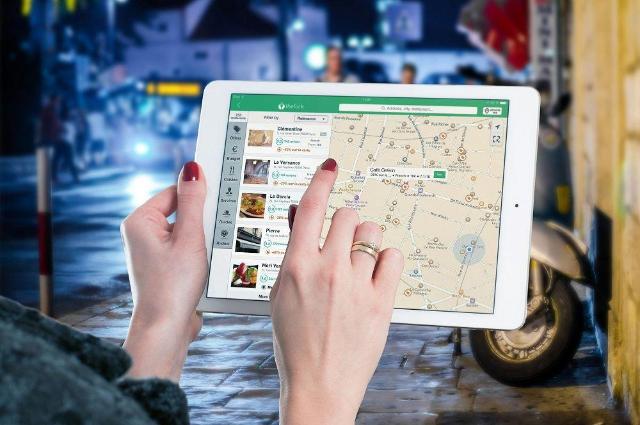
In an era where mobility, security and efficiency define modern life, GPS trackers have become indispensable tools for securing assets, monitoring fleets and ensuring personal safety. A GPS tracker, or Global Positioning System device, uses satellite signals to pinpoint locations with remarkable accuracy-often to within meters. Installing these devices is a critical process that requires precision, technical acumen, and adherence to best practices to ensure optimal performance and longevity.
This expert article delves into the intricacies of GPS tracker installation for fleet management, security, and IoT integration professionals. Whether you're outfitting a commercial vehicle, securing a high-value asset, or deploying a personal tracking solution, understanding the nuances of installation can prevent costly mistakes and maximize return on investment. We'll cover preparation, hardware specifics, step-by-step procedures, software integration, troubleshooting, legal considerations, and maintenance. In the end, you'll have the knowledge to perform installations with the confidence of an experienced technician.
By 2025, advances in GPS technology - such as dual-band GNSS receivers and AI-enhanced signal processing - have made trackers smaller, more power efficient, and more resistant to interference. However, poor installation remains a leading cause of failure, with telematics industry studies reporting that up to 30% of devices underperform due to improper setup (Telematics Research Group, 2024). Let us equip you with the expertise to avoid these pitfalls.
Types of GPS Trackers and Selection Criteria
Before diving into installation, selecting the right tracker is paramount. GPS trackers fall into three broad categories: vehicle-mounted, portable/personal, and asset trackers.
-
Vehicle-mounted trackers: Designed for cars, trucks, and motorcycles, these are often integrated into the vehicle's electrical system (OBD-II port or hardwired). Examples include the Teltonika FMB920, which supports 4G LTE and CAN bus data logging. Ideal for fleet management, they provide real-time speed, fuel level and route analysis.
-
Portable/Personal Trackers: Battery-powered or rechargeable, these are compact enough for keychains, backpacks or wearables. The SpyTec GL300 is an example, offering geofencing alerts via smartphone apps. Suitable for elderly monitoring or child safety, they prioritize discretion and long battery life (up to 2 weeks in low-power mode).
-
Asset Trackers: Ruggedized for non-powered items such as shipping containers or equipment, these use solar or kinetic energy harvesting. The Invoxia Cellular GPS Tracker features IP67 waterproofing and subscription-free operation after initial setup.
Selection depends on factors such as environment (indoor/outdoor, temperature extremes), power source (12V DC for vehicles vs. lithium-ion batteries), connectivity (GSM/4G vs. satellite for remote areas), and data needs (position only vs. accelerometer for motion detection). For expert installations, prioritize devices with open APIs for custom integrations, such as MQTT protocols for IoT ecosystems.
Budgets range from $20-$50 for entry-level devices to more than $200 for enterprise-grade models, not including subscriptions ($5-$20/month). Always check FCC/CE compliance for electromagnetic interference (EMI) standards, especially in sensitive applications such as medical transport.
Preparation: Tools, Safety and Site Evaluation
Successful installation starts with careful preparation. Assemble a tool kit that includes: multimeters for voltage checks, wire strippers/cutters, heat shrink tubing and crimps for secure connections, zip ties and adhesive mounts for mounting, a soldering iron for permanent connections, and a laptop/smartphone for initial pairing.
Safety is non-negotiable. Disconnect vehicle batteries to prevent short circuits; wear ESD wrist straps in electronics-heavy setups. Evaluate the installation site: For vehicles, choose hidden locations such as under dashboards or behind glove compartments to prevent tampering. Signal strength is critical-use apps like GPS Test to map satellite visibility, and avoid metal enclosures that attenuate signals (L-band frequencies at 1.575 GHz are prone to multipath errors).
Legal preparation includes consent documentation, especially for personal tracking under GDPR (EU) or CCPA (US). In fleet scenarios, notify drivers via policy manuals. Download manufacturer's manuals - for example, Queclink's GV55 manual specifies torque values for OBD plugs (0.5 Nm max).
Environmental, consider vibration (ISO 16750-3 standards for automotive) and humidity. Pre-test the device in a controlled environment: power on, check LED indicators (solid green for GPS lock), and ping a test server via the SIM card.
Step-by-Step Installation Guide
Vehicle Mounted Installation
-
Power Disconnection and Access: Park on level surface, apply parking brake, and disconnect negative battery terminal. Remove panels (e.g., Torx T20 screws under dash) to access wiring harness.
-
Mount the unit: Select a vibration-damped location. Use VHB tape for non-invasive mounting or drill 4mm holes for screw mounting (use thread locker). Orient the antenna skyward - ceramic patch antennas require 90° to the horizon for optimal gain (3-5 dBi).
-
Wiring Connections:
-
Power: Tap into a switched 12V line (ignition-switched for ACC wire, constant for BAT). Use a 15A ATC fuse tap inline. Red wire to positive, black to ground (chassis bolt, sand for clean contact).
-
Ignition Sense: Connect yellow wire to ACC fuse box (test with multimeter: 12V key-on). This will enable engine-on warnings.
-
Data Bus (Optional): For OBD-II, plug directly; for hardwire, splice CAN-H (white) and CAN-L (green) with 120Ω termination. Solder connections, insulate with heat shrink, and route wires on factory looms to avoid chafing.
-
-
Antenna placement: External GNSS antenna on roof (drill 1cm hole, seal with silicone). Coaxial cable loss <1 dB/m at 1.5 GHz - keep cable short.
-
Reconnect and test: Reconnect battery, cycle ignition. Use the debug mode of the unit (AT commands via USB) to query NMEA sentences: $GPGGA for position fix.
Portable Tracker Setup
-
Charge and activate: Insert micro-SIM (nano preferred for 2025 5G models), charge to 100% via USB-C. Pair via Bluetooth Low Energy (BLE) to app-scan QR code for IMEI binding.
-
Mounting: Use magnetic cases for ferrous surfaces or lanyards. For wearables, integrate into clothing seams with epoxy.
-
Configuration: Set geofences (polygonal boundaries, typically 50m radius). Enable SOS button mapping to emergency contacts.
Test in motion: Walk 1km, verify latency <10s on 4G.
Asset Tracker Deployment
-
Site Preparation: Clean surface, apply primer for adhesive. For containers, use RFID-synchronized mounts.
-
Power : Solar models with panels facing south (30° tilt). Wire to external 24V if hybrid.
-
Network Setup: Configure APN for SIM (e.g. "Internet" for AT&T). Firmware flash via OTA if necessary.
Field test: Simulate theft by moving 100m, confirm tamper alarms.
Log serial numbers and timestamps throughout for warranty claims.
Software Configuration and Integration
After the hardware is installed, the software brings the tracker to life. Most platforms (e.g. Traccar open source or proprietary like Fleetmatics) require it:
-
SIM provisioning: Enable data plan (500MB/month is sufficient for 1-minute intervals). Set SMS fallback in case of GPRS failure.
-
Server Mapping: Enter APN, IP:PORT (e.g. 52.214.123.45:5055 for GT06 protocol). Use hex editors for custom payloads when reverse engineering.
-
Alert Tuning: Thresholds for speed (>80 km/h), idle (>5 min), or hard braking (via IMU data). AI models in 2025 trackers (e.g. Bosch) predict anomalies using Kalman filters for noise reduction.
Integrate via APIs: RESTful endpoints for JSON payloads. For enterprises, MQTT brokers handle pub/sub at scale (QoS 2 for reliability). Dashboard customization-Kibana for visualization-enables heatmaps of lat/long streams.
Security: Enforce TLS 1.3 encryption; rotate keys quarterly. Audit logs for compliance (SOC 2 Type II).
Troubleshooting common problems
Even expert installations face hurdles. GPS lock failure? Check for interference (FCC requires detectors in new units); relocate antenna. No data transmission? Check the APN/SMS center (+13123149810 for Verizon). Low battery? Optimize polling rates (5-minute sleep mode saves 70% power).
Intermittent signals in urban canyons? Use AGPS (Assisted GPS) via cell tower triangulation. Overheating (>60°C)? Add heat sink; derate in hot climates. For OBD errors (DTC P0606), clear with scanner after installation.
Diagnostic tools: Oscilloscope for signal integrity, spectrum analyzer for RF interference. Firmware updates via DFU mode resolve 80% of bugs (according to Queclink statistics).
Legal, Ethical and Maintenance Considerations
Legally, the US Wiretap Act prohibits unauthorized vehicle tracking; obtain written consent. Internationally, ePrivacy Directive requires transparency. Ethically, balance surveillance with privacy - use anonymized data in fleets.
Maintenance: Monthly signal checks, biannual battery replacement. Clean antennas, update firmware. Life cycle: 3-5 years; recycle according to WEEE guidelines.
Mastering GPS tracker installation fuses hardware finesse with software savvy, yielding robust, reliable systems. From concealed vehicle wires to solar asset sentinels, each setup fortifies security in our connected world. As 5G and edge AI evolve, installations will demand even sharper expertise—but armed with this guide, you're primed to lead. Invest in training; the ROI in prevented losses is exponential.