Operations | Monitoring | ITSM | DevOps | Cloud

Teach Your AI Coding Agent to Instrument, Monitor, and Troubleshoot Infrastructure with netdata/skills

There’s a growing ecosystem of AI coding agents: Claude Code, Cursor, Copilot, Codex, Gemini CLI, Windsurf, and others. They’re good at writing code, but they don’t inherently know how to instrument that code for observability, configure monitoring infrastructure, or troubleshoot production systems using real telemetry data. That knowledge lives in documentation, runbooks, and the heads of your senior SREs.

Dashboard Playlists: Cycle Through Dashboards in TV Mode

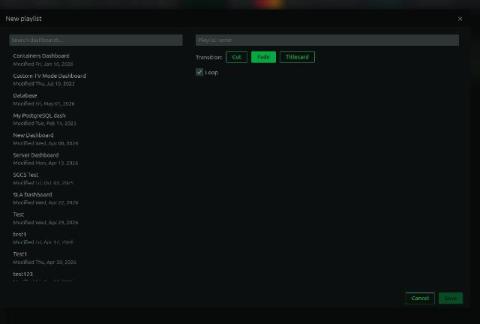
When we shipped TV mode, we heard almost immediately: “Great, but I have five dashboards and one screen.” A single dashboard on a wall display covers one view of your infrastructure. If you want to rotate between your network overview, database health, application metrics, and infrastructure summary, someone has to walk over and click, or you’re buying more screens. Dashboard playlists solve this.

Monitoring Your Azure to Azure Local Migration: One Dashboard for Both Sides

More organizations are moving workloads from Azure public cloud to Azure Local (formerly Azure Stack HCI) than most people realize. The reasons vary: data sovereignty requirements, latency-sensitive workloads that need to be closer to the edge, cost optimization for predictable workloads where reserved cloud capacity doesn’t make financial sense, or regulatory constraints that require data to stay on-premises.

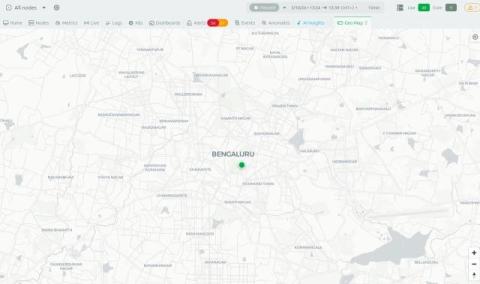
Geo Maps: See Where Your Infrastructure Lives

When your infrastructure is spread across regions, data centers, branch offices, or edge locations, knowing where a node is physically located matters more than people usually admit. During an incident, “the node in the Singapore POP” communicates faster than a hostname. When you’re planning capacity, seeing geographic clustering tells you something that a flat list of nodes doesn’t.

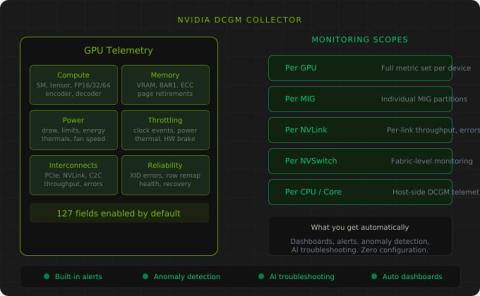
NVIDIA DCGM Collector: Deep GPU Monitoring for Data Center and AI Infrastructure

GPU infrastructure is expensive and increasingly central to production workloads. Whether you’re running ML training jobs, inference serving, video transcoding, or HPC workloads, understanding what your GPUs are actually doing, and what’s going wrong when performance degrades, is not optional.