Operations | Monitoring | ITSM | DevOps | Cloud

The latest News and Information on Monitoring for Websites, Applications, APIs, Infrastructure, and other technologies.

8 Best Vulnerability Management Tools for Scanning, Prioritizing and Patching

A vulnerability scanner will hand you more work in one afternoon than the service desk can clear in a quarter. Thousands of findings arrive ranked by severity, every one of them technically actionable. Fixing them takes weeks, and in most organizations the backlog grows faster than it clears. That gap is what this guide is about. Every tool here scans reliably, scores findings sensibly and reports clearly.

Building trusted agentic AI in financial services: From data to autonomous action

As financial institutions move from AI experimentation to autonomous operations, trusted context, governance, and observability become the foundation for enterprise-scale Agentic AI. Artificial intelligence in financial services is entering a new era. Historically, financial services companies have focused on deploying generative AI to improve productivity, enhance customer experiences, accelerate software development, and streamline operations.

Don't Leave the Door Open - Keep Your Third-Party Plugins Updated

Yesterday (5 August), the WooCommerce team urged store owners to immediately update the WooCommerce Stripe Gateway following the discovery of a critical security vulnerability in the Stripe for WooCommerce plugin. This is the second urgent security update in less than 30 days, with the previous advisory issued on 14 July. It serves as another reminder that cyber threats evolve quickly, and delaying updates can leave your online store exposed. The lesson isn’t limited to WooCommerce.

How we built an automated debugging workflow at Sentry

AI is going to generate a lot of code from here on out, and a lot of bugs along with it. You already know this. We’ve talked about it before. The bigger challenge is making sure you don’t spend all your time fixing the broken code your agents write. You’re going to need a system that makes it easier to fix those issues for you and fortunately, there are a lot of solutions out there for building automated workflows.

Install an AI SRE Agent in Kubernetes with AURA and Helm

AURA does not have to live on your laptop. Install it into the cluster with Helm and it is still there the next time something breaks. AURA is a fully open source AI agent built specifically for SRE work. Rather than one general assistant, you configure workers: separate agent roles, each scoped to a job like inspecting the cluster.

Free Open Source AI Agent for SRE and More: Why We Give AURA Away

Wondering what the catch is on a free, vendor-backed agent? There is not one in the license. AURA stays Apache 2, fully capable, and free to run. If you are weighing an open source tool with a company behind it, the first question is what the catch is. You have seen the project that turns out to be open core, or that is quietly hindered in one key way. This is Mezmo's answer for AURA.

Open Source AI Agent for SRE: Why AURA Is Free

The most common question since we started 31 Days of AURA: how do you plan to make money? The short answer is the control plane, not the agent. Mezmo sells an enterprise-grade control plane for running large numbers of agents across large environments, where coordinating across environments, governance, access control, and the efficiency of preprocessing MCP data start to matter. If a hundred people run AURA and three or four of them need that, the model works. The more people running AI agents in production, the bigger the market for the tooling underneath them.

How to Monitor Internet Uptime

Your ISP tells you your connection is up 99.9% of the time. Your users tell you the MS Teams video calls keep freezing. Both can be true at once, and that gap is exactly why you need to monitor Internet uptime yourself instead of taking your provider's word for it. This article covers what Internet uptime actually means, how to calculate it, what a good internet uptime SLA looks like, and how to monitor internet uptime with your own data so you're not stuck relying on your ISP's version of events.

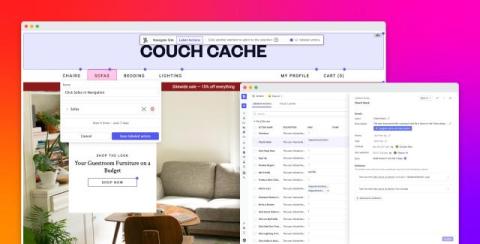
Find, analyze, and collaborate on user sessions in Datadog Session Replay

Teams supporting user-facing applications rely on session replays to understand user friction. But resolving an issue or improving the user experience takes more than watching a replay. Engineers, product managers, and designers first need to find the right sessions to investigate, then quickly learn what happened at the key moments. Once they’ve investigated a replay, they need to share what they found across product, design, support, and engineering so that the right teams can act.

What Is an SAP System? A Plain-English Explanation

An SAP system is an installed instance of SAP’s business software that runs an organization’s core processes, like finance, supply chain, and HR, on a single, shared database. If you’re new to a company that runs on SAP, this guide explains what that actually means: what the software does, what an SAP system is made of, and why companies talk about DEV, QAS, and PRD like they’re three different things. They are.