Operations | Monitoring | ITSM | DevOps | Cloud

The latest News and Information on Log Management, Log Analytics and related technologies.

Should you use a log or a metric?

Since Sentry added Logs and Application Metrics, there are now two ways to record that something happened in your app, and they can look pretty similar: Sentry.logger.info("user.signup") versus Sentry.metrics.count("user.signup"). Both store attributes, both include shared context automatically, and both can be filtered, grouped, and counted. So when you’re instrumenting your code, which one do you reach for?

PHP2Shell: What the Critical PHP Vulnerabilities Mean for Your Servers

TL;DR On October 21, 2026, PHP released emergency patches for two critical flaws known together as PHP2Shell (CVE-2026-109618 and CVE-2026-109619). An attacker with no credentials can use them to run code on a PHP web server, in some cases with a single HTTP request. Upgrade to PHP 8.2.35, 8.3.36, 8.4.27 or 8.5.12 now. Then go through your logs, because exploitation attempts were recorded before the patch shipped. In this post.
Featured Post

Monitoring CloudNativePG: What Changes When the Operator Owns Your Logs

Postgres operators like CloudNativePG (CNPG) have lowered the threshold for running highly available Postgres clusters on Kubernetes. Failover, replicas, backups, and rolling upgrades are handled by the operator, along with helpful niceties like automatic configuration of essential extensions. A few changes to a YAML manifest can provide a lot of value very quickly.

Introducing AI Observability: Trace Every AI Agent Request from Prompt to Pod

TL;DR Logz.io AI Observability provides end-to-end tracing for AI agents and LLM applications. Built on OpenTelemetry, it lets you trace every request from prompt to backend service, visualize multi-step agent execution, isolate root causes across models and infrastructure, and track token usage per step, all alongside your existing logs, metrics, and traces.

Telemetry Cost Management: Routing, Tiering, and Governance Without Blind Spots

TL;DR Cutting telemetry volume is only half of cost management. The other half is sending each signal to the right destination and storage tier, adjusting policies as traffic and incidents change, and rolling out every change in phases that teams can measure and reverse.

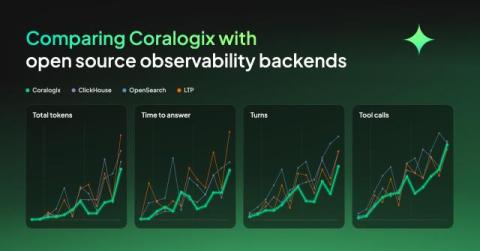
Comparing Coralogix with open source observability backends

We put the same OpenTelemetry data into four backends, Coralogix, ClickHouse, OpenSearch and a Loki, Tempo and Prometheus stack, then set an agent twelve questions against each one, from counting spans to working out what is wrong in a system it has never seen. Then we forced the agents to continue investigating until they got to the right answer. In this experiment, what separated them was the time, tokens, tool calls and turns it took to get there.

Cloud Log Monitoring & Root Cause Analysis | Logs for Lunch

Cloud log monitoring in LogicMonitor connects a service alert to the log event behind it. This Logs for Lunch July demo is for ITOps, CloudOps, and SRE teams. Tom Chavez hosts Ismath Mohideen (Product Marketing) and Nick Doane (Senior Sales Engineer). They cover cloud observability and multi-cloud monitoring across AWS, Azure, GCP, and OCI in LM Envision, using cloud provider APIs with no extra collectors.

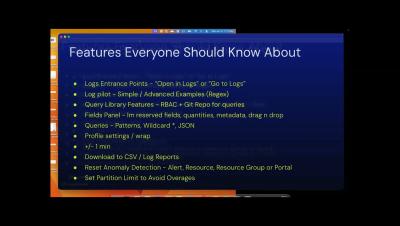
LM Logs Tips: Alert-to-Logs Workflow for Ops Team | Logs for Lunch

LM Logs troubleshooting starts at the alert. This Logs for Lunch session shows ITOps teams an alert-to-logs workflow and lesser-known LM Logs tips. Ryan Matuszewski demos a Tomcat application error. From the alert's Logs tab, he moves through log anomaly detection, All Logs, Log Patterns, and Log Analysis sorted by sentiment. He then opens the Logs page with the alert time range, and the same steps work for any alert type.

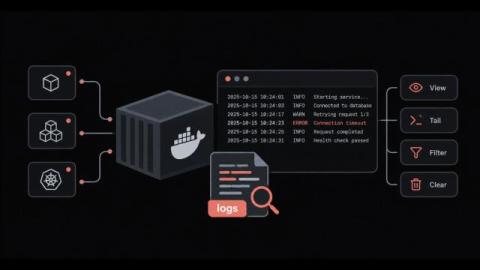
How to View, Filter and Manage Docker Logs Without Losing Them or Filling the Disk

Why does a container fail, restart and leave behind almost nothing useful when you go looking for the cause? Docker logs are the first place most engineers check during an incident, and they work well right up until the output goes missing. Sometimes it is buried under thousands of lines, and sometimes it is deleted along with the container. The docker logs command itself is simple. The difficulty comes from the settings around it, starting with the logging driver and where its files live on disk.