
Operations | Monitoring | ITSM | DevOps | Cloud

The latest News and Information on Incident Management, On-Call, Incident Response and related technologies.

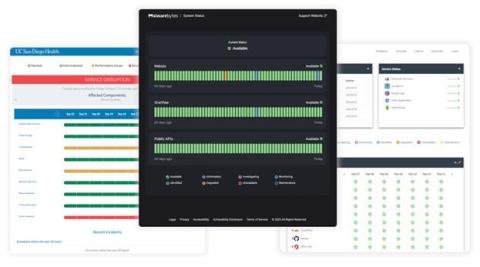
What Should Your System Outage Notifications Say?

System outages: they are an inevitable problem that every single IT team will encounter at some point. Whether they come about due to technical issues, act-of-god natural disasters, or simply random human error, system outages happen to the best of us. Though the cause of system outages is not always in your control, you can control your team’s processes for response and resolution.
Build Sophisticated Apps for Your PagerDuty Environment Using OAuth 2.0 and API Scopes

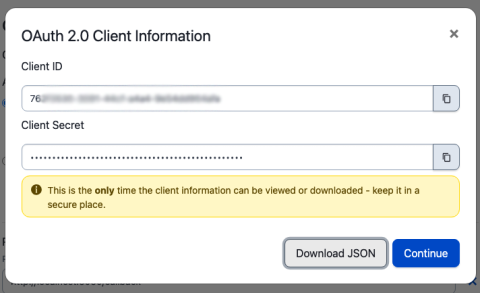
Many PagerDuty customers create their own apps to help them manage their PagerDuty environments. Teams might have any number of workflows that might benefit from a custom application. A PagerDuty admin might want to be able to load CSV files with new users and their contact information into PagerDuty when new teams join the platform, or load new services before they are released to production.

The definitive guide to event correlation in AIOps: Processes, tools, examples, and checklist

Are you tired of sifting through a sea of IT events and alerts? Or perhaps you’ve found yourself overwhelmed by the volume of data flooding your monitoring systems and challenged to identify the incident root cause. There’s a better way to manage the chaos: using AIOps to unite disparate tools, data, and teams for event correlation.

PagerDuty for Customer Service Operations

Provide relevant context to solve customer problems. Customer service representatives need relevant historical context in order to accurately and quickly resolve the issue at hand. Reduce the impact on your customers by layering monitoring data from technical resources across your organization with data from customer calls and other systems of record—so you have a holistic view of an issue and can identify the right solution quickly.

AIOps use cases: Technical, operational, and business examples

ITOps is at a crossroads: Teams struggle to manage a high volume of alerts and coordinate between different tools and teams. Teams also must balance cloud technologies’ agility and on-premise solutions’ stability. The sheer speed of today’s IT demands both flexibility and visibility in development and harmonized tech stacks.

Getting started on alerts with Escalation Policies

Escalation policies are essential for making sure that incidents are quickly addressed and resolved. They provide a systematic approach to automate alerts, guaranteeing that no incident goes unnoticed. Let’s get you started, shall we? An escalation policy is a way to automate alerts and assure that incidents are never missed. The first point of contact for an incident is through an alert that is sent according to the escalation policy.