Operations | Monitoring | ITSM | DevOps | Cloud

Resolve Now Fixes Your Errors, Not Just Diagnoses Them

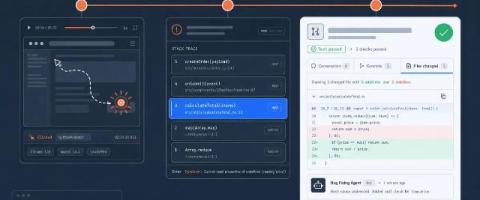
Your error monitoring tool found a bug. Now what? For most teams, the answer is the same thing it has been for years: copy the stack trace, find the file, read the code, build a mental model of what went wrong, write the fix, write or update a test, push, and wait for CI. That process hasn’t changed much since error tracking became a category. The tools got better at telling you something broke. They never got better at fixing it.

Your OTel spans, our errors: A Sentry love story in one trace

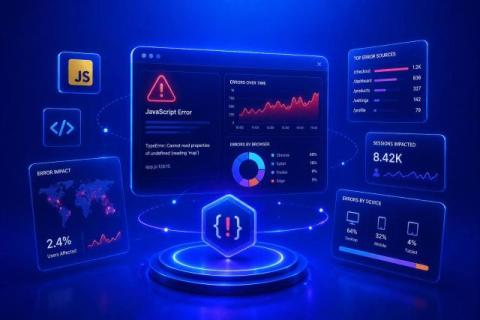
You can already send OTel traces to Sentry. Point your OTLP exporter at Sentry’s endpoint, set environment variables, and your spans show up in the trace explorer. Our OTLP setup guide and “You Don’t Need to Pick One” walk you through that. But those spans are islands. You get a trace waterfall in Sentry, sure.

JavaScript Error Monitoring: 12 Best Practices to Cut Noise & Ship Fixes Faster

Most of what shows up in a JavaScript error tracker isn't a bug you need to fix; it's noise. Third-party scripts, browser extensions, and edge-case devices flood the feed, and the errors actually hurting your users get lost in it. This guide covers 12 production-tested practices for setting up JavaScript error monitoring that surfaces real, user-impacting bugs, not console spam, plus the error types you'll run into most often and how to configure alerting so your team stops getting paged for noise.

A practical guide to React error monitoring

When designing effective error handling for React apps, the troubleshooting information you collect and display is critical. React errors can stem from a variety of causes, including user misconfiguration, backend and network issues, and mismatches in browser environments. Instrumenting your code to log critical context, including feature names, user data, and session activity, enables you to quickly identify where these errors originate.
Sponsored Post

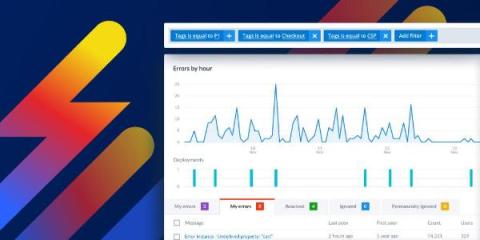
Proactive error management: Collaborate effectively and work smarter with tags

Talking to many of our customers with different needs and use cases, one particular issue comes up all the time. When I'm seeing so many error groups in my app and so many error notifications in my inbox every day, it's easy to end up feeling overwhelmed. I want a more proactive system to alert me to which errors need attention and when, so that I can stop getting buried. Does this hit home? Then this article is written for you, the tech leads and the product managers who are on the front-line of issue prioritization.

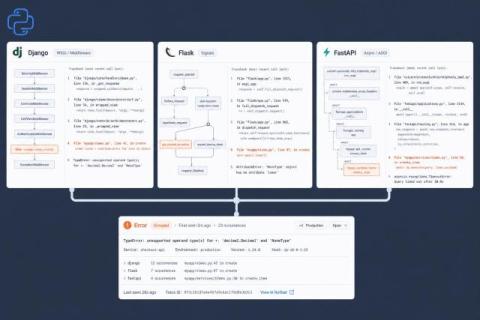
Python Error Tracking for Django, Flask, and FastAPI: A Practical Setup Guide

Your Python app is throwing errors in production right now. Some of them are obvious: a 500 response, an angry Slack message from support. But most are quiet. A background task swallows an exception. A race condition surfaces only under load. A third-party API returns unexpected data and your code handles it by not handling it. If you’re relying on log files and user reports to find these, you’re debugging after the damage is done.

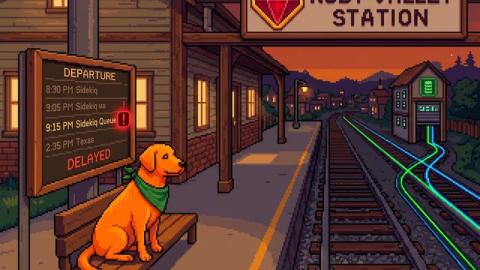
Best Error Monitoring for Rails in 2026

You deploy on Friday. Sidekiq starts failing on a job that worked fine in staging. Your error tool shows you a NoMethodError on line 47. But it doesn’t tell you that the job only fails when processing records created after the migration you ran on Thursday. The stack trace is correct and completely useless at the same time. This is the core problem with general-purpose error monitoring on Rails apps. Rails teams deal with N+1 queries that cascade into timeout errors.

What is Error Tracking? A Beginner's Guide to Monitoring Errors in Production

Every app breaks eventually. A button stops working. A checkout flow throws an exception. An API returns a 500 error at 2 AM on a Saturday. The question isn't whether your app will have bugs; it's whether you'll find out before your users do. That's exactly what error tracking is for.

Error Monitoring for Elixir: Now in Scout APM

Elixir’s “let it crash” philosophy is one of the best ideas in modern software design. Supervisors restart failed processes, the system self-heals, and life goes on. It’s like having a really good immune system. The problem is that a really good immune system can also hide chronic conditions. A GenServer crashing and restarting is working as designed.

Signal-Driven Error Monitoring: Detecting and Debugging Reactive Failures in Angular

Angular's Signal-based reactivity model represents one of the biggest paradigm shifts the framework has seen since Ivy. By replacing the asynchronous push-pull model of RxJS with synchronous, localized updates, Signals make state management both simpler and faster. But this new simplicity hides a subtle danger: when something breaks inside your reactive graph, it often does so silently. A computed value might stop updating. An effect might fire indefinitely.