Operations | Monitoring | ITSM | DevOps | Cloud

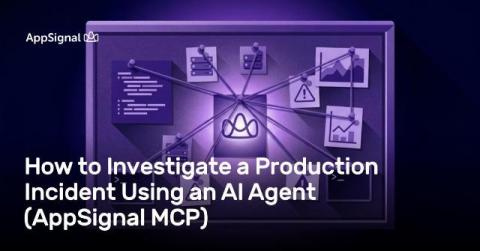
How to Investigate a Production Incident Using an AI Agent (AppSignal MCP)

An incident has hit your product. I've been there: you're context-switching between hosting, CI/CD, codebase, AppSignal for monitoring, and whatever else your product depends on to minimize downtime and potential losses. You're trying to piece everything together, but it takes a lot of time, and that's something you don't have. AI agents connected to your tooling and your monitoring data via MCP free up that time for you.

Your Render Migration Checklist: How to Verify Everything Is Working

Migrating your app to a new service can be scary. Render makes the deployment side easy, but a green deploy doesn’t mean everything is working. Silent failures are often the most dangerous kind. They go unnoticed until a customer calls to report a broken webhook or you realize the queue depth has been climbing since the cutover and nobody has caught it yet. The migrations that explode on deploy are not the ones you should fear. It’s those that look fine for three days.

From Claude Code to Production: A Monitoring Checklist for Python Developers

Python is the native language of AI-assisted development. Models are really good at writing it, and a lot of people are now shipping it without ever having written much Python themselves. The whole thing is really simple. You prompt an app, Claude Code or Cursor produces a working Flask or FastAPI backend, and you’re live in a few hours. However, there’s still a big difference between “it works on my machine” and “it works in production”.

Triage Production Incidents with a Single Prompt Using the AppSignal CLI

At AppSignal, we love talking to our customers to learn how they're using the product. Recently, one of them showed us something worth sharing: with a single chat prompt, his AI agent searches production logs, closes incidents, and checks whether a pull request has shipped. Automating that kind of work turned out to be a matter of building the right agent skill.

Why Your Sidekiq Jobs Are Slower Than You Think, and How AppSignal Fixes That

As developers, we sometimes find ourselves in situations where something feels slower than it should be. The first thing we tell ourselves is “Maybe I need a different tool.” And sure, at times, it might be due to the tool, I’ll give you that. But most of the time, it comes down to how you’ve implemented certain features. That’s one of the downsides that comes with having too much freedom.

Monitoring Your Django App Health on Fly.io

Fly.io is a neat choice for deploying Django fast and globally. What it doesn’t really give you out of the box, though, is a deeper picture of an application’s performance. Deployment is only part of the story. No matter which platform you’re using, operating a production application means you need to understand how it behaves. AppSignal helps you fully grasp what happens on the Fly.io server.

Why AI-Generated Code Needs Monitoring More Than Handwritten Code

Like it or not, vibe coding is here to stay. It’s too easy to just go away. Maybe if the per token cost rises too much at some point that it becomes cheaper to hire a junior… But until then, you’d better get used to it. For now, tools like Cursor, Copilot, and Claude let developers (and plenty of non-devs) ship full-stack apps faster than a junior is able to completely grasp the concept of the app they’re working on. And that’s pretty neat.

Introducing AppSignal for Startups

Good monitoring shouldn't be a luxury for well-funded teams. Early-stage startups run the same production systems as everyone else, on a tighter budget. That's when clear observability earns its keep. Today we're launching AppSignal for Startups: an ongoing discount on the full AppSignal platform for early-stage teams, with a better deal for Y Combinator companies.