
Operations | Monitoring | ITSM | DevOps | Cloud

How to Get Alerted When a Server Goes Down (Email, SMS, Call)

Summarize with ChatGPT Claude To get alerted when a server goes down, run a check from outside the server and send its result to a channel that reaches a human. That check can be a cron script on a second machine that pings the host and tests a port, an external ping or TCP port monitor, or an agent on the server whose silence opens an incident. Email and Slack are fine for the record. For a server that matters at 3am, the alert has to escalate to SMS and then a phone call when nobody acknowledges it.

Critical Event Management Platforms: What They Are and What They Do

Critical event management platforms help organizations identify, communicate, and respond to critical events that threaten people, operations, facilities, IT systems, or business continuity. Modern critical event management software can combine event management, mass notification, situational awareness, incident response, and operational resilience – but not every platform approaches critical event management in the same way. Some CEM platforms focus on risk intelligence and threat monitoring.

How Pharmacies Can Streamline Call-In Prescription Workflows With OnPage

Pharmacists manage much more than dispensing medications. Throughout the day, they may be processing prescriptions, communicating with healthcare providers, assisting patients and coordinating with other pharmacy staff, all while managing a steady flow of incoming calls. For pharmacies that accept prescriptions by phone, those calls add another important communication workflow to an already busy environment.

Meet Ada - AI Assistant: Ask the Question, Approve the Change

Ask any operations team what question comes up most, and it isn’t about alert routing or escalation logic. It’s the one typed into a channel a dozen times a day: who’s on call for this right now? It’s also one of the slowest questions to answer. The schedule is set up correctly, the overrides are in place, and the group’s ownership is right.

ilert now supports a native Bleemeo integration

Bleemeo monitoring now connects natively to ilert, linking threshold detection to on-call management and alerting. DevOps, SRE, and IT operations teams get a direct path from a breached threshold to the phone of the engineer who can fix it, and back to a clean slate once the problem is gone.

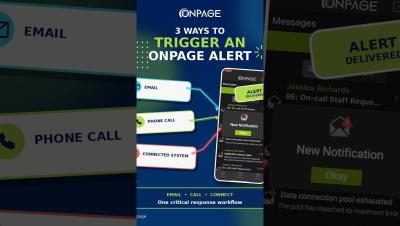
How to Send Critical Alerts to the OnPage App | 3 Ways

What are the different ways to send a critical alert to the OnPage app? This video shows three ways people and external systems can trigger a high-priority OnPage mobile alert that's also HIPAA compliant (secure or healthcare use cases): These options are particularly useful for users with OnPage mobile licenses who do not have a Silver or Gold plan.

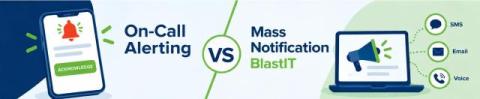
On-Call Alerting vs. Mass Notification: What's the Difference?

When an urgent situation occurs, organizations need more than a way to send a message. They need a communication strategy that considers who needs to receive the message, whether they need to take action and how quickly they need to respond. This is where the difference between on-call alerting and mass notification becomes important. A critical IT incident, for example, may require an immediate response from a specific on-call engineer or incident response team.

Grafana Alerting: Scale alert routing without scaling complexity using multiple notification policies

Alert routing often starts simple. A team creates a few contact points, adds some label matchers, and builds a notification policy tree that sends each alert to the right destination. But alerting configurations rarely stay simple. As an organization grows, its notification policy tree must accommodate more teams, services, and routing requirements. Changes for one team still require editing a global configuration, making ownership less clear and independent provisioning harder.

New Alerts module, smarter workflows, AI-powered assistance, and more!

In this edition of ServiceDesk Plus Premiere, our product experts take you through the latest updates across both ServiceDesk Plus Cloud and On-Premises, with enhancements designed to make everyday IT service management more efficient. For ServiceDesk Plus Cloud, we’ll explore the new Alerts module, enhanced criteria-based workflow routing, Resolution Assist powered by similar resolved requests, and asset discovery enhancements that bring greater visibility into the security components of Windows assets.