Operations | Monitoring | ITSM | DevOps | Cloud

What is, how to install WSL2 and why is it great news for the IT industry?

Before diving into what WSL2 is, how to install it, and how to use it – which we will – I would like to add some background information you might relate to if you were born in the 80s like me. From a very young age I have felt attracted to computers, and in my childhood they were not as common as they are today, when almost everyone has one within reach. I think my first encounter with a computer was when I was 11 or 12 years old, with an old computer that my father had in his office.

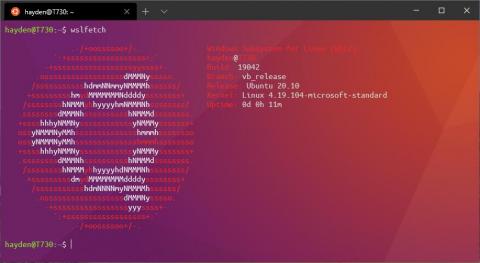
New installation options coming for Ubuntu on WSL

The experience of installing Ubuntu on Windows Subsystem for Linux (WSL) just keeps getting better. Beginning in Windows 10 Insiders Preview build 20246, released today by Microsoft, users can enable a complete WSL experience. This will enable WSL 2, download and install the latest WSL 2 Linux kernel, and then download and install the most recent Ubuntu LTS on WSL.

Icinga for Windows: MSSQL Plugin Release v1.0.0

Today we are happy to announce that our MSSQL plugins for Icinga for Windows are enhancing the series of Icinga plugins and become released as version 1.0. With this first release we are sharing four plugins to check the current health of MSSQL itself but also internal metrics. In addition we provide a plugin to fetch MSSQL specific Performance Counters from within the database, similar to our Windows Performance Counter plugin and a backup check plugin.

How to monitor Windows systems with Netdata

Whether you’re a site reliability engineer (SRE), DevOps engineer, or any other role that plays a part in maintaining uptime for your company’s infrastructure, it’s critical to have visibility into all of your systems, regardless of their operating system. This includes monitoring Windows systems, which is a popular use case for Netdata’s community. Here’s the caveat: Netdata has no native Windows monitoring agent.

Everything You Need To Know About Windows Server Monitoring Tools

The advancement of technology has brought with it the increased adoption of complex IT systems. Every company operates and maintains a gigantic amount of data that is essential to run their business. The server capacity required to handle this amount of data is huge, and the centralized servers are almost kept off-site in remote locations. Server virtualization technologies have also gained popularity since it helps to address data storage limitations and data security concerns.

Windows Server Monitoring with Pandora FMS

Pandora FMS is a proactive, advanced, flexible and easy-to-configure monitoring tool tailored to business itself. It adapts to all needs both in servers, network computers, devices and whatever is necessary. In this article, we will focus on Windows Server monitoring, using the software agent installed on our server.

Server Monitoring with OpsRamp

For decades, compute or server infrastructure has been the backbone of the IT world. Compute has gradually evolved from on-premise hardware to programmable compute in the form of software containers. Technology operators need to constantly monitor the performance of their Windows, Linux, and container infrastructure so that they can optimize their compute environments to match workload demands.