Operations | Monitoring | ITSM | DevOps | Cloud

The latest News and Information on Cloud monitoring, security and related technologies.

Juggling AI tools works, until it does not

This isn't a teardown. This stack is a genuinely reasonable way to start. An AI-first editor handles day-to-day writing. A terminal-based coding agent takes on tasks that need more autonomy: a full feature, a migration, a stubborn bug. A few scripts connect the pieces, trigger a run, and post a result somewhere. An observability tool checks what happened after the fact. Every part of that is a real, capable tool. For the first few months, on a small team, it works.
Your AI stack will change again. Stop rebuilding it.

The model your team relies on today is unlikely to be the one you're relying on a year from now. If your team's process for shipping AI-assisted code is built around a specific model, coding assistant, or a vendor's take on an autonomous agent, you are not building infrastructure. You are building something you will tear out and rebuild the next time the leaderboard shifts.

Platform Engineering Without a Platform Team: How Growth-Stage SaaS Companies Get Production-Grade Infrastructure

If your team is outgrowing a simple PaaS and you do not want to spend a year or more building a platform engineering function, adopt a platform that operates Day 2 for you. Control Plane patches and upgrades the platform, autoscales and right-sizes workloads, and runs them active-active across regions and clouds under a 99.999% SLA. It runs natively on AWS, GCP, and Azure, and on your own clusters or on premises through Bring Your Own Kubernetes.

Build a Feature and Release It In a Day

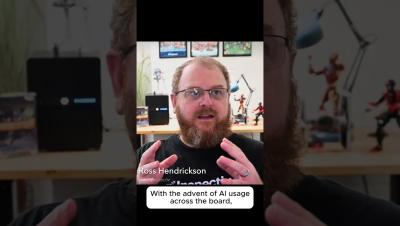
AI-generated code security is the part nobody plans for. Ross Hendrickson, CTO of Inspectiv, on what happens after the AI writes it. He can think of a feature and ship it the same day, generating more code than a week of writing it by hand would have produced. The vulnerabilities don't disappear along with the typing. Something still has to review what was generated, secure it, and get it out the door without becoming the new bottleneck.

Shipped: Every AI provider, one cost story

If you were anywhere near LinkedIn last week, you probably saw us launch AI Signals. We weren’t exactly quiet about it. (Press release, a couple of blog posts, and more social posts than we’d like to admit. Sorry about your feed.) We covered the why behind AI Signals already, but I wanted to actually walk you through what you’re seeing on the screen. Sooner or later someone asks what the company spent on AI last month.

Before your AI bottleneck gets worse: what to put in place now

Your engineers have agents running. Not one agent, but several, spread across the team. Some run in a terminal on a laptop, some are wired into your CI jobs, and some live inside whatever coding tool each person prefers. Each one got set up separately, by whoever needed it, in whatever way worked that week. That is the state most teams are in right now. Code stopped being the slow part a while ago.

Shipped: Don't ask an AI agent what its work will cost

If you set the budget for your team’s AI agent work, or answer to someone who does, you need a rough idea of what a job will cost before it starts. That’s hard to get. Stanford researchers found the same agent, given the same task, can use up to 30 times more tokens from one run to the next, and you usually find out afterward. Most developers just run the job.

Cost per AI outcome: tying AI spend to results

Cost per AI outcome is your total attributed AI spend divided by the business results it produced: resolved tickets, converted leads, merged pull requests. It includes the cost of failed attempts, sits at the top of the AI unit-cost ladder, and it's the number that makes vendor outcome pricing, ROI claims, and build-versus-buy decisions comparable.

What platforms support container auto-scaling and policy-driven resource management?

Table of Contents Autoscaling and policy-driven resource management are two sides of the same coin. Autoscaling adjusts capacity as demand changes, while policies define the boundaries it operates within: who can use how much, which workloads can be changed, and what safeguards must be respected. Without autoscaling, clusters are either overprovisioned or overwhelmed. Without policies, autoscaling can create runaway costs, noisy neighbors, or disruptive changes to critical services.

What tools detect and resolve Kubernetes resource contention automatically?

Table of Contents Resource contention happens when workloads compete for more capacity than a node or cluster can provide. For CPU and memory, the symptoms are familiar: CPU throttling, OOM kills, and noisy neighbors slowing latency-sensitive services. These are largely solved problems, addressed by accurate requests and limits, Quality of Service classes, and autoscalers like VPA and HPA that adjust sizing and replicas as demand changes. GPU contention is different, and far more expensive to get wrong.