
Operations | Monitoring | ITSM | DevOps | Cloud

Deadman Alerts with Grafana and InfluxDB Cloud 3.0

Flagging failures or inactivity in your monitoring system are crucial for maintaining operational reliability. This blog will guide you through setting up deadman alerts using Grafana and InfluxDB Cloud, tools that help you detect issues before they become critical. We’llintegrating Grafana’s visualization capabilities with InfluxDB Cloud’s data management features to create a robust monitoring system.

Incident Response for Critical APIs

Incident response is a structured approach to addressing and managing the aftermath of a security breach or cyberattack, also referred to as an IT incident, computer incident, or security incident. The goal is to handle the situation in a way that limits damage and reduces recovery time and costs. Additionally, it aims to improve strategies and solutions to prevent future security incidents.

How Team Permissions work in OneUptime?

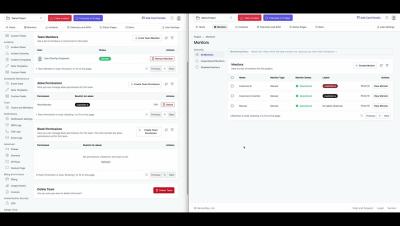
Welcome to our tutorial on Team Permissions in OneUptime! In this video, we’ll guide you through the process of managing permissions for your OneUptime team. OneUptime offers a comprehensive solution for monitoring and managing your online services. A crucial part of this management is understanding and effectively using Team Permissions. If you do not have permissions to make a request, a 4xx status will be sent as a response.

New Features: Call Routing 2.0, Intelligent Alert Grouping, Call Logs, and More

We're excited to share the latest enhancements to the ilert incident management platform! We’d be delighted to receive your feedback on these new features, so feel free to message us at [email protected]. Additionally, you can always leave feature requests on our open roadmap.

10 Outstanding Status Page Examples to Inspire You in 2024

In the digital landscape of 2024, transparency and communication are pivotal pillars for building and maintaining trust with your user base. As your online operations expand, so does the imperative for clear, transparent, and proactive incident communication. In this article, we go over ten great status page examples to inspire you. We're StatusPal. We help you effectively communicate to customers and stakeholders during incidents and maintenance with a super-charged hosted status page.

How to use Monitor Secrets to store API Keys and Bearer Tokens with OneUptime?

Welcome to our latest tutorial on OneUptime! In this video, we'll be exploring how to use Monitor Secrets to securely store your API Keys and Bearer Tokens. **Monitor Secrets** is a feature of OneUptime that allows you to securely store sensitive information like API keys and Bearer Tokens. This ensures that your critical data is kept safe while still being readily accessible for your monitoring needs.

SIGNL4 Onboarding: Scheduling - Creation & Options

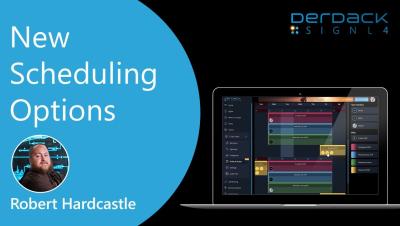
The SIGNL4 Onboarding series walks users through the process's of SIGNL4 from Signup to Alerts to Settings. Today's video focuses on Scheduling users for duty shifts. Learn how to schedule users for SIGNL4 shifts and about the scheduling options and how they affect your team and schedule. Learn how to create a schedule and then copy this schedule so you only have to create it once. This video is packed with helpful tips to help you get the most out of your account.