

Operations | Monitoring | ITSM | DevOps | Cloud

The latest News and Information on IT Networks and related technologies.

The Office Network Passed Its Speed Test. Then Everyone Came to Work

The IT crew wrapped up the office network install on a Friday afternoon. Internet was live. Switches hummed in the cabinet. A laptop parked beside an access point pulled a clean 940 Mbps down and a respectable upload to match. Everyone went home satisfied. Monday morning told a different story. By 9:20, the complaints rolled in. Video calls froze mid-sentence. Wi-Fi dropped in the east corridor. Finance couldn't reach the shared drive. Nothing in the Friday test predicted any of it.


How to Troubleshoot Intermittent Network Issues After They Happen

One of the most frustrating challenges I faced as a network engineer was troubleshooting problems that had already disappeared. A user would call and report that an application was performing terribly. A site would become unusable for several minutes. Voice calls would break up. File transfers would suddenly slow to a crawl. Then, by the time I started investigating, everything would be working normally again.

HAProxy Enterprise WAF protects against PHP2Shell (CVE-2026-109618, CVE-2026-109619)

On October 20th, 2026, the PHP Security Team issued an advanced notice and security advisory disclosing two critical vulnerabilities (CVE-2026-109618 and CVE-2026-109619), both rated CVSS v4.0 9.2, affecting PHP installations.

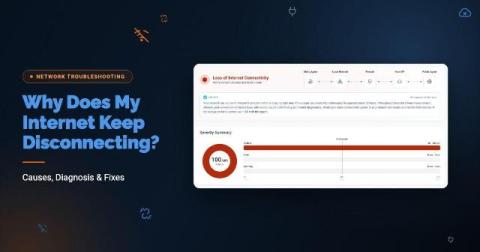
Why Does My Internet Keep Disconnecting? Causes, Diagnosis & Fixes

Your Internet usually keeps disconnecting because of one of five things: a weak or congested Wi-Fi signal, a failing modem, router or cable, an overloaded firewall, a device-level setting or driver, or a problem on your ISP’s line or network. To fix it, first find where the drop happens: on one device, across your LAN, or past your firewall. “The Internet keeps droppin” is one of the most common tickets IT teams get, and one of the hardest to close.

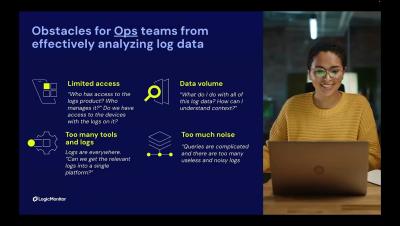
SNMP Traps as Logs and Network Troubleshooting | Logs for Lunch

SNMP traps as logs, AI log anomaly detection, and network troubleshooting are the focus of Logs for Lunch: August 2026, for network and IT ops teams and LogicMonitor users. Tom Chavez introduces LM Logs, which keeps logs and metrics together. Cameron Compton troubleshoots dropped tunnel packets from a network operations dashboard, and Ron Scinta ingests SNMP traps through the Collector. Patrick Sites and Kerry DeVilbiss answer questions on load balancing, OTel and Cribl forwarding, MSP log sources, and search performance.

How SGP.32 unlocks next-generation IoT deployments

Every time a smart utility meter transmits consumption data, a connected vehicle updates its telemetry, or a fleet of logistics trackers crosses international borders, seamless and uninterrupted connectivity is vital. Yet for years, managing Internet of Things (IoT) devices at scale has been constrained by physical SIM logistics, operator lock-in and remote SIM provisioning standards that were simply never built for autonomous, resource-constrained hardware.

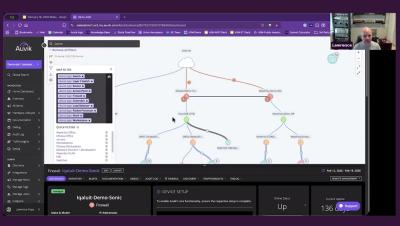
The Auvik Spring 2026 roadmap

Our Spring 2026 product roadmap is built around the idea that AI network management should start with what’s actually happening on your network, not a blank prompt. Over the past six months we’ve built Auvik AI into alerting, troubleshooting, the remote terminal, and Command Runner. We’ve also added, faster fixes for servers and workstations, and a ServiceNow CMDB integration. We walked through all of this, plus what’s coming next, in our Spring 2026 roadmap webinar.

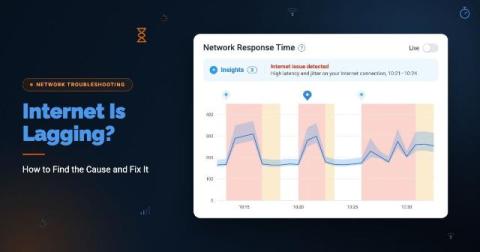
Internet Is Lagging? How to Find the Cause and Fix It

The speed test shows 500 Mbps. Yet Microsoft Teams calls keep turning into people talking over each other, the CRM pauses on every click, and remote employees are opening tickets because the Internet is lagging. Nothing looks broken, which is exactly what makes lag so hard to troubleshoot. Why is my Internet lagging? If your Internet is lagging, your connection is slow to respond, not necessarily slow to download.