Operations | Monitoring | ITSM | DevOps | Cloud

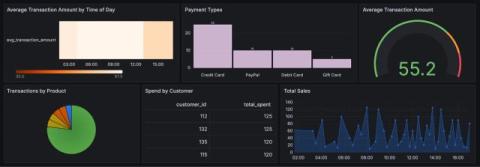
Edit your Git-based Grafana dashboards locally

Learn how to to edit your Grafana dashboards locally, or as we like to think of it, "offline" editing. Grafana Cloud is the easiest way to get started with Grafana dashboards, metrics, logs, and traces. Our forever-free tier includes access to 10k metrics, 50GB logs, 50GB traces and more. We also have plans for every use case.
Catchpoint Enterprise data source for Grafana | Demo

This demo video walks you through the Catchpoint Enterprise data source plugin for Grafana. Grafana Cloud is the easiest way to get started with Grafana dashboards, metrics, logs, and traces. Our forever-free tier includes access to 10k metrics, 50GB logs, 50GB traces and more. We also have plans for every use case.
Visualize CockroachDB in Grafana: Introducing the CockroachDB Enterprise data source

We’re excited to announce the addition of CockroachDB as an Enterprise data source for Grafana. The data source, available now in private preview, enables secure and seamless access to the CockroachDB distributed SQL database, while leveraging Grafana’s powerful visualization capabilities.

How to Customize & Manage Network Monitoring Dashboards | Obkio NPM Onboarding Series

Welcome! In this video, we’re looking at the “Dashboards” tab in Obkio’s Network Performance Monitoring App. The Network Monitoring Dashboards allow you to visualize all the information and metrics collected from your Obkio account. You can leverage dashboards to analyze and compare information and find answers when monitoring and troubleshooting network performance. In this video, we will show you what you can do at the widget level in a single dashboard, and also, how to manage multiple dashboards in Obkio’s app.

Grafana 11.2 release: new updates for data sources, visualizations, transformations, and more

The Grafana 11.2 release ushers in a new wave of Grafana data sources, updates to visualizations and transformations, and more capabilities in Grafana Alerting as well as authorization and authentication. Plus, for those who are looking to move from on-premises to cloud, there is a new migration assistant for Grafana Cloud in public preview. Grafana 11.2: download now! For even more details about all the changes in this release, refer to the changelog or the What’s New documentation.

Grafana Canvas Standardized Tooltips and Improved Datalinks in 11.2 (Demo) | Grafana

In 11.2, we've made standardized tooltips and data links improvements in canvas visualizations. These improvements are generally available. Watch the walk-through from Adela on the DataViz Squad at Grafana Labs. Grafana Cloud is the easiest way to get started with Grafana dashboards, metrics, logs, and traces.

Introducing State Timeline Pagination in Grafana 11.2 | Grafana

In 11.2, the state timeline visualization now supports pagination. Previously, all the series in a state timeline were made to fit within the single window of the panel, which could make it hard to read. The Page size option lets you paginate the state timeline visualization to limit how many series are visible at once. This is useful when you have many series.

Centralized Alert History in Grafana; GA in 11.2 | Grafana

With the centralized alert history page, you can view a history of all alert events generated by your Grafana-managed alert rules from one centralized page. This helps you see patterns in your alerts over time, observe trends, make predictions, and even debug alerts that might be firing too often. Grafana Cloud is the easiest way to get started with Grafana dashboards, metrics, logs, and traces.

How to quickly gain operational insights using Grafana Cloud monitoring solutions

Grafana Cloud is the easiest way to start collecting and visualizing your telemetry data. With the fully managed, cloud-hosted platform, even novice observability practitioners can get up and running right away — and Grafana Cloud integrations are a big reason why. In this blog post, we’ll dive into the details of Grafana Cloud integrations, including what they are, the kinds of insights they provide, and how Grafana Alloy plays a role.

Grafana 11.2 Released! Here's the TL;DR | Grafana

Explore the latest updates in Grafana 11.2 in this quick overview video! Dive into new features and enhancements across Dashboards, Transformations, Alerting, and more. Discover improved data visualization controls, dynamic transformations, enhanced alert management, and streamlined data analysis capabilities. Whether you're managing AWS resources or refining OAuth integrations, Grafana 11.2 has something to offer. Don’t miss out on learning how these advancements can elevate your data visualization and monitoring strategies.

11.2 Grafana Cloud Migration Assistant in Public Preview (Demo) | Grafana

In this video, Mitch, the Director of Product Management at Grafana, introduces the Cloud Migration Assistant, available in public preview in Grafana 11.2. This tool simplifies the process of migrating dashboards and data sources from Grafana Open Source or Enterprise to Grafana Cloud. Mitch demonstrates how users can easily transfer their configurations with a point-and-click UI, generate a token for secure connection, and use Private Data Source Connect to access private data sources.

Creating Effective SLO Dashboards: A Comprehensive Guide

In modern software engineering, the concept of Service Level Objectives (SLOs) has become a cornerstone of reliable service delivery. SLOs define the acceptable level of service that a system must deliver, serving as a benchmark for both internal teams and external users. However, setting SLOs is only half the battle; effectively tracking and managing these objectives is crucial to ensure that services remain within the desired thresholds. This is where SLO dashboards come into play.

How to Easily Configure Your ITSM Dashboards

A service desk dashboard is your de facto control center for everything related to Service Management. It should be clear, detailed, versatile, and offer a single-glance way to get the necessary information. Otherwise, you risk mismanaging your IT assets and operations because you missed valuable data points. You need your ITSM dashboard to: See how you can fully customize your ITSM dashboard on InvGate Service Desk and start measuring your service desk KPIs quickly!

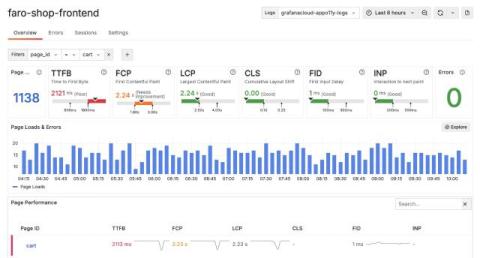
Gain actionable insights with real user monitoring: the latest features in Grafana Cloud Frontend Observability

One of the biggest challenges observability teams face today is gaining end-to-end visibility into their cloud native apps, including modern browser frontends. Without that visibility, you potentially open the door to bad end-user experiences that can hurt customer satisfaction, reduce search engine discoverability, and interfere with overall business goals. This is the exact challenge we address with Grafana Cloud Frontend Observability.

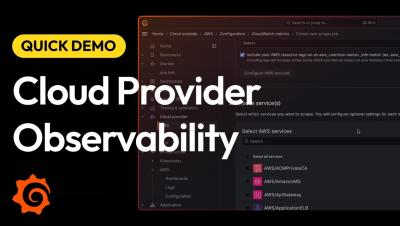
Multi-cloud monitoring made easy: monitor AWS, Microsoft Azure, and Google Cloud services all in one app

Managing multi-cloud environments often means juggling different monitoring tools for each provider, leading to increased complexity and operational overhead. To solve for that, we’re excited to introduce Cloud Provider Observability — an application for monitoring AWS, Microsoft Azure, and Google Cloud services, all in Grafana Cloud.

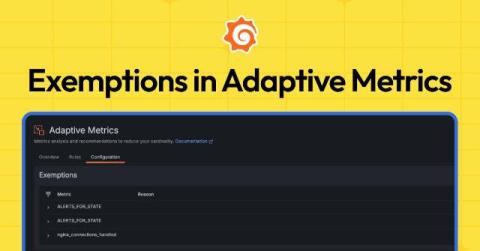
How to aggregate metrics but retain critical data: Introducing Exemptions in Adaptive Metrics

When you hear about Adaptive Metrics in Grafana Cloud, all signs point to how it’s a game changer. Adaptive Metrics, which aggregates unused and partially used metrics into lower cardinality versions, has delivered a 35% reduction in metrics costs on average for more than 1,200 organizations. Companies have also spoken candidly about the cost savings they gained from the feature.

Introducing Cloud Provider Observability in Grafana Cloud | Demo | Grafana Labs

Learn how multi-cloud monitoring just got easier with Cloud Provider Observability in Grafana Cloud. In this video, you'll get glimpse at how the new app can enhance your observability strategy for all your major cloud providers. Plus you'll get a quick walk-through of the app.

How to Reduce Metrics Costs with Grafana Cloud Adaptive Metrics | Grafana Labs

Grafana Cloud Adaptive Metrics has helped users save up to 70% on observability costs by automatically aggregating unused and partially used metrics. This video features a demo on Adaptive Metrics, where you’ll learn what we mean by “adaptive” — automating the process of recommending which metrics to drop while giving you the flexibility to determine any exemptions. This boils down to maintaining effective observability while reducing costs.

Identifying VMware underutilization using SquaredUp dashboards

Recently I've been working with an MSP on a couple of their use cases. One of the services they're designing for their customers is that of cost optimization on their IT infrastructure. On top of the in-house services and tools they had, they needed a tool to help them identify and quantify this underutilization. This is something SquaredUp is very well suited to do – and so we got to work!

Grafana Cloud updates: new data visualization options, enhancements to Grafana Cloud k6, and more

We consistently roll out helpful updates and fun features in Grafana Cloud, our fully managed observability platform powered by the open source Grafana LGTM Stack (Loki for logs, Grafana for visualization, Tempo for traces, and Mimir for metrics). In case you missed it, here’s a roundup of the latest and greatest updates for Grafana Cloud this month. You can also read about all the features we add to Grafana Cloud in our What’s New in Grafana Cloud documentation.

AVD Performance Dashboard

In this dashboard tutorial video, we will walk you through building an Azure Virtual Desktop dashboard. This dashboard provides users with the visibility they need into the status of Azure Virtual Desktop. The Azure Virtual Desktop dashboard combines CloudReady and Service Watch metrics for a holistic view of Azure Virtual Desktops availability and performance. When issues occur, users can quickly review the dashboard to identify whether the issues is limited to an office, individual device, or affecting Azure Virtual Desktop as a whole.

How to Query Span Events with TraceQL | Tempo Tutorial | Grafana Labs

Span events provide many benefits and can help you improve your distributed tracing game. In this video, the Grafana Tempo team goes over when to add span events to your traces. We will show you how to use TraceQL to query for span events to get useful information about your services to help you track down bugs and chase down bottlenecks faster. Grafana Cloud is the easiest way to get started with Grafana dashboards, metrics, logs, and traces.

Getting started with GitHub Data source plugin - Visualize your repos | Grafana

Learn step-by-step how to monitor and visualize your GitHub data by using the Grafana GitHub Data source plugin. It provides a lot of features such as query Commits, Pull Requests, Workflows, Vulnerabilities etc. Join Senior Developer Advocate Syed Usman Ahmad in this complete video tutorial and learn to use the GitHub plugin.

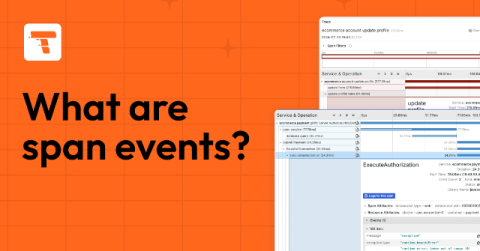
All about span events: what they are and how to query them

If you’re already familiar with distributed tracing, you know that spans are the building blocks of traces. But are you sleeping on what span events can do for you? First, you may need a wake-up call as to what a span event even is. While spans represent units of work or operation within a trace, a span event is a unique point in time during the span’s duration.

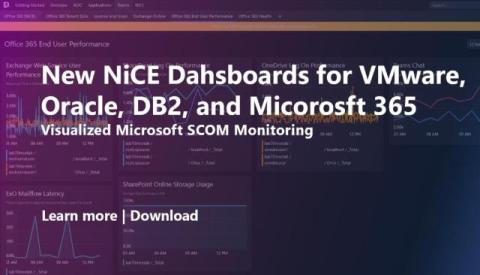
Visualized Microsoft 365, Oracle, DB2, and VMware Monitoring

NiCE IT Management Solutions has unveiled a new suite of dashboards designed to enhance the monitoring and visualization of critical enterprise applications, including Microsoft 365, Oracle, DB2, and VMware, within the SquaredUp platform. These dashboards are built on top of NiCE’s SCOM Management Packs, offering a seamless integration that provides IT teams with deeper insights and greater control over their monitoring environments.

Getting Started with Grafana Plugin Development | Grafana Plugin Development

Learn how to get started creating Grafana plugins with this comprehensive guide that covers the tools you will need, the different types of plugins to choose from, the anatomy of a Grafana plugin, how to run your Grafana plugin in development mode, as well as outlines the next steps.

Why companies choose Adaptive Metrics and how they save time and (a lot of) money

Let’s cut to the chase: Managing metric volumes at scale is hard. In fact, when we asked the open source observability community about their biggest concerns in this year’s Grafana Labs Observability Survey, the top four responses — cost, complexity, cardinality, and signal-to-noise ratio — can all be tied back to exponential growth in telemetry data.

Observe deleted Kubernetes components in Grafana Cloud to boost troubleshooting and resource management

As a site reliability engineer, you need constant vigilance and a keen eye for detail if you want to manage your Kubernetes infrastructure effectively. As part of that effort, you need to see the historical data from your pods, nodes, and clusters — even after they’ve been deleted or recreated. Many SREs rely on kubectl for this, and while it’s indispensable for real-time Kubernetes management, it presents some significant challenges with historical data.

Data Visualization Tools For InfluxDB: Grafana, Tableau, and Apache Superset

Integrating data visualization tools with databases like InfluxDB is crucial for developers looking to enhance analytical capabilities and derive actionable insights from complex datasets. Grafana, Tableau, and Apache Superset—all of which you can use with InfluxDB—are popular visualization tools with different features and benefits.

How to integrate Okta logs with Grafana Loki for enhanced SIEM capabilities

Identity providers (IdPs) such as Okta play a crucial role in enterprise environments by providing seamless authentication and authorization experiences for users accessing organizational resources. These interactions generate a massive volume of event logs, containing valuable information like user details, geographical locations, IP addresses, and more. These logs are essential for security teams, especially in operations, because they’re used to detect and respond to incidents effectively.
Prometheus data source update: Redefining our big tent philosophy

As we continue adding to our growing catalog of more than 100 plugins for Grafana, we have been focused on developing data sources for Grafana that are more purpose-built for the respective technologies. One example has been the recent update to our core Prometheus data source. We have deprecated AWS authentication from the original Prometheus data source, and we created a new dedicated Amazon Managed Service for Prometheus plugin that will specifically cater to the AWS use case.
How to Send Prometheus Metrics to Grafana Cloud Using Alloy | Ask the Experts | Grafana

"How do I push metrics using Grafana Alloy?" William Dumont from the Grafana Alloy team answers the question by showing you how to collect Prometheus metrics and forward them to Grafana Cloud using Grafana Alloy. This video is just a preview of what you can expect from our Ask the Experts booth at ObservabilityCON and GrafanaCON. The Grafanistas behind our solutions, features, and the LGTM Stack can provide answers to your toughest questions on the spot.

How to Send Grafana Alloy Logs to Grafana Loki | Ask the Experts | Grafana

In this video, Matt Durham, Sr. Software Engineer on the Grafana Alloy team, shows you how to send Grafana Alloy logs to Loki. Specifically, we address the question: "Is it possible to send data from one Grafana Alloy to another? Could anyone supply me with config examples of such interactions? If I send data from Grafana Alloy directly to Loki, it is working. If I send data from Grafana Alloy to another, and then to Loki, the second instance gives me an error.".

Network Performance Dashboard

In this dashboard tutorial video, we will walk you through building a Network Performance dashboard. This dashboard provides users with the visibility they need into the status of their network performance from their offices down to an individual users device. Obtaining this single pane of glass visibility is made easy with the combination of both CloudReady and Service Watch metrics into dashboards. When utilizing these dashboards, users can quickly identify which networks are performing poorly, allowing them to quickly resolve issues and ensure end users have an optimal experience.

Grafana Alloy 1.3 release: Debug pipelines in real time

Grafana Alloy 1.3 is here! First introduced earlier this year, Alloy is our open source distribution of the OpenTelemetry Collector. It has native pipelines for OpenTelemetry and Prometheus telemetry formats, and it uses the same components, code, and concepts that were previously introduced in Grafana Agent Flow. This new release introduces live debugging, enhancing debugging capabilities across key components, which are the building blocks of Alloy.

Microsoft Teams Health Dashboard

In this dashboard tutorial video, we will walk you through building a Teams Health Dashboard by combining the collected metrics for CloudReady Synthetics and Service Watch Desktop. The Teams Health Dashboard provides users with a holistic view of Microsoft Teams availability and performance. When an issue occurs, users can quickly review the Teams Health Dashboard and identify whether the issue is limited to an office or affecting Microsoft Teams as a whole.

Email Health Dashboard

In this dashboard tutorial video, we’ll be walking you through building a Microsoft Exchange and Outlook dashboard utilizing CloudReady Synthetics and Service Watch Desktop. This dashboard is a great first stop when diagnosing user email issues. When an issue comes up, engineers can quickly review the CloudReady data available in the dashboard to identify if an office or Exchange Online is experiencing issues or an outage.

How to View Your Pyroscope Data in OSS and Grafana Cloud Profiles | Ask the Experts | Grafana Labs

"I have provisioned Pyroscope OSS. Everything seems fine. Is there a way to install Pyrocsope UI to get more enhanced views? Or is the UI part of Pyroscope Cloud?" To kick off our new "Ask the Experts" series, Ryan Perry, Co-founder of Pyroscope and Director of Engineering at Grafana Labs answers the question by showing you how to view your Pyroscope data in both OSS and Pyroscope Cloud. He also hints at some new UI features in the Pyroscope roadmap for OSS that we think you'll love.

How to View Your Pyroscope Data in OSS and Pyroscope Cloud | Ask the Experts | Grafana

"I have provisioned Pyroscope OSS. Everything seems fine. Is there a way to install Pyrocsope UI to get more enhanced views? Or is the UI part of Pyroscope Cloud?" To kick off our new "Ask the Experts" series, Ryan Perry, Co-founder of Pyroscope and Director of Engineering at Grafana Labs answers the question by showing you how to view your Pyroscope data in both OSS and Pyroscope Cloud. He also hints at some new UI features in the Pyroscope roadmap for OSS that we think you'll love.

Actionable Alarms Dashboard

In this dashboard tutorial video, we will walk you through building an Actionable Alarms dashboard. This dashboard provides users with the visibility they need into the status of their SaaS solutions as well as how their end-user devices are performing. Dashboards allow combining both CloudReady and Service Watch data into a single pane of glass for visibility. Utilizing the Alarm widgets, users can quickly identify what issues need to be investigated while quickly being able to access the affected resources for review.